EBS
Ink-Jet Systems
®
EBS-6100 Printer User's Manual
Paragraph 4 - Operating the Printe
20070529#20.5
87
Alarm LED
Message on the terminal display
Description
LED
St3-OVER
R3 OVERFILLED
EBS-6000
EBS
The high-level indicator in the ink cylinder R3 has two
meanings:
the LED lamp flickers - the cylinder R3 is overfilled
temporarily (due to ink surge in the cylinder, for
example), clear the alarm and resume regular
operation.
the LED lamp emits a steady light - the cylinder R3 is
overfilled permanently – a failure. The failure can be
removed by a qualified person only. Contact a service
point.
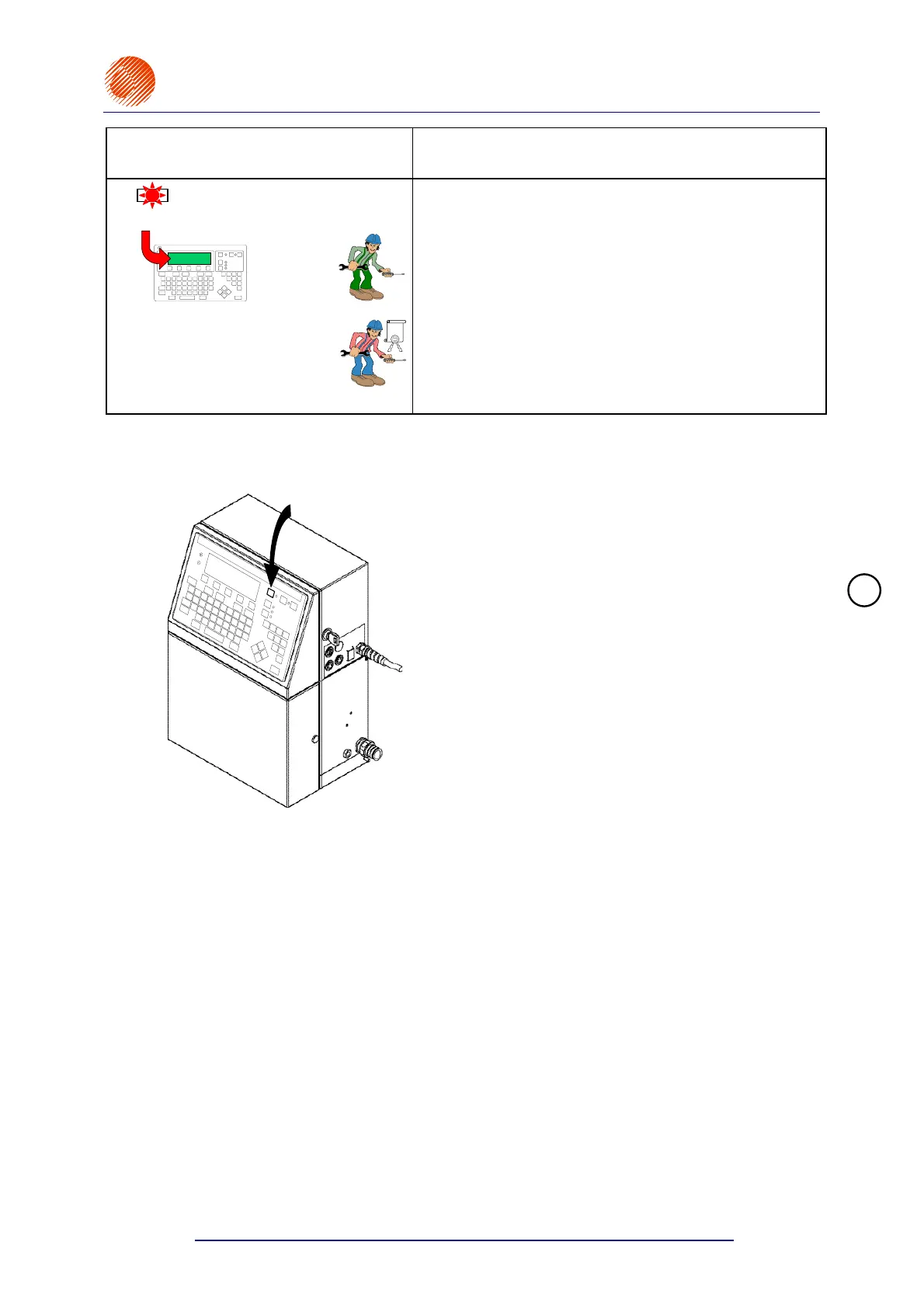
4.5.1. Clearing Alarms
Clear-Alarm key
Alarms are cleared by pressing the CLR. ALARM key
(on the main pad of the external panel) or by selecting
the CLEAR ERRORS command from the
AUX. COMMANDS submenu.
NOTE:
No alarm should be cleared until a reason for it is
identified.
After the alarm has been cleared, the error indicators are
reset - the indication lamps go out, the buzzer stops
generating sound and no information on the reason can
be obtained after the DISPLAY ERRORS has been
selected. The only trace of the occurrence of an alarm
remains in the error report - see section
4.4.5.4 Accessing Error Reports.
Fig. 4.5.1.1.
4.6. Adjusting the Print Rate
The print head is motionless during printing. Overprints are made on objects that move in
front of the head. The range of print rates varies according to application. Therefore the
printer has been equipped with a feature that enables you to adjust the rate to make clear and
legible overprints in every condition. The printing of vertical rows of print is timed with pulses
that are generated by two sources:
the printer’s program-controlled internal generator,
an external encoder connected to the printer via the appropriate connector to convert
rotational speed to pulse frequency.
If you increase or decrease the pulse frequency, you change the print rate.
4.6.1. Internal Generator
The internal generator operates regardless of the rate at which objects travel in front of
the print head. That is why it is used with conveyors whose travel rate is specified and stable.
!



 To Next Page