EBS
Ink-Jet Systems
®
EBS-6100 Printer User's Manual
Paragraph 4 - Operating the Printe
20070529#20.5
55
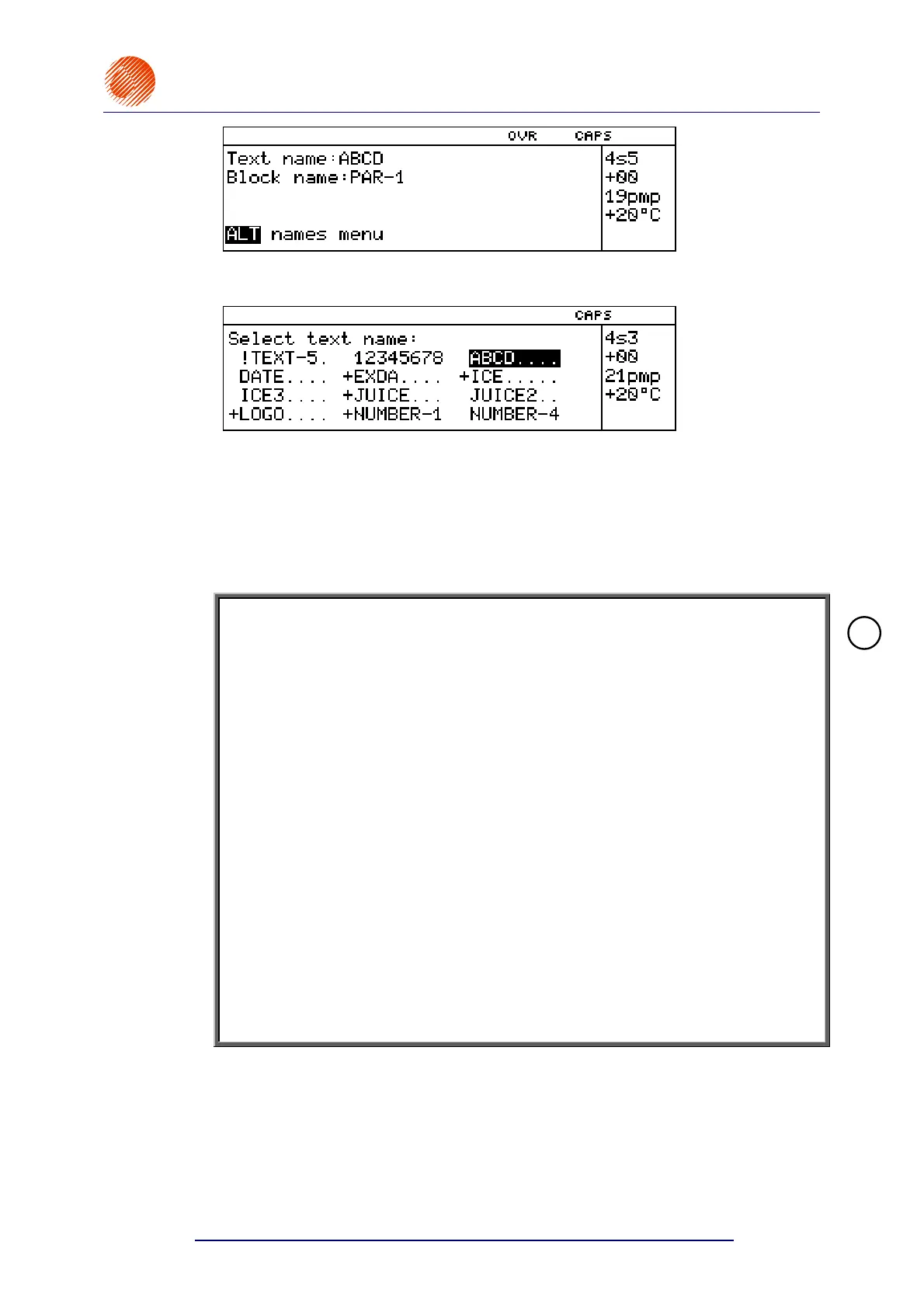
You are prompted to specify a text file name. Type in an up to 8-character name and
confirm, or alternatively, you can press the
¨ key.
The display shows the text file library from which you should select the name of a text
file to be printed (selection facilities are described in section 4.4.1.1 General
Information on Text Files).
If the printer is ready to print (the stop mode) and the name of a text file is selected,
then high voltage is applied (the green PRINT ON/OFF lamp on the main pad of the
external panel and the red HV ON lamp on the internal panel come on) and the
printing starts. The printer switches to the print mode.
NOTE:
• If the START PRINT command is followed by the UNIT NOT ACTIVE message,
this means that the initial heating up process has not been completed (after the
unit has been switched on) or that the unit waits for the stabilisation of ink
parameters (after an error has occurred). Then wait until the READY lamp stops
blinking and repeat the START PRINT command.
• If the START PRINT command is followed by the CHANNEL ACTIVE message,
this means that the unit is in the
print mode. Then stop the printing (with the
STOP PRINTING or QUICK STOP commands) and repeat the START PRINT
command.
• If the START PRINT command and the selection of a text name are followed by
the TEXT NAME DOES NOT EXIST message, this means that no text file with
the specified name exists in the text file library.
• If the START PRINT command is followed by a message TEXT TOO HIGH, it
means that you have tried to print a text whose maximum height (in pixels) is
greater than the height Hmax of the maximum vertical row that the printer is able
to print.
• If the START PRINT command is followed by a message
PRINT SPEED TOO HIGH, it means that the setting of the print rate is too large
or the setting of the distance between prints is too small for a given print rate.
• If the START PRINT command is followed by a message
FAST & TEXT TOO HIGH, it means that you have tried to print a text whose
maximum height (in pixels) is greater than 16 for Speed=FAST.
4.4.3.3. Quick Stopping the Printing
If the printing is stopped in the regular mode, the current print job is always
finished to the end. However, a need may arise to stop printing immediately
regardless of the state of the print job.
The printing is interrupted in the following way. In the main MENU select the
PRINTING item and then the QUICK STOP item.
!



 To Next Page