EBS-6100 Printer User's Manual
Paragraph 4 - Operating the Printer
EBS
Ink-Jet Systems
®
20
20070529#20.5
4. Operating the Printer
4.1. Control Panels
4.1.1. External Panel
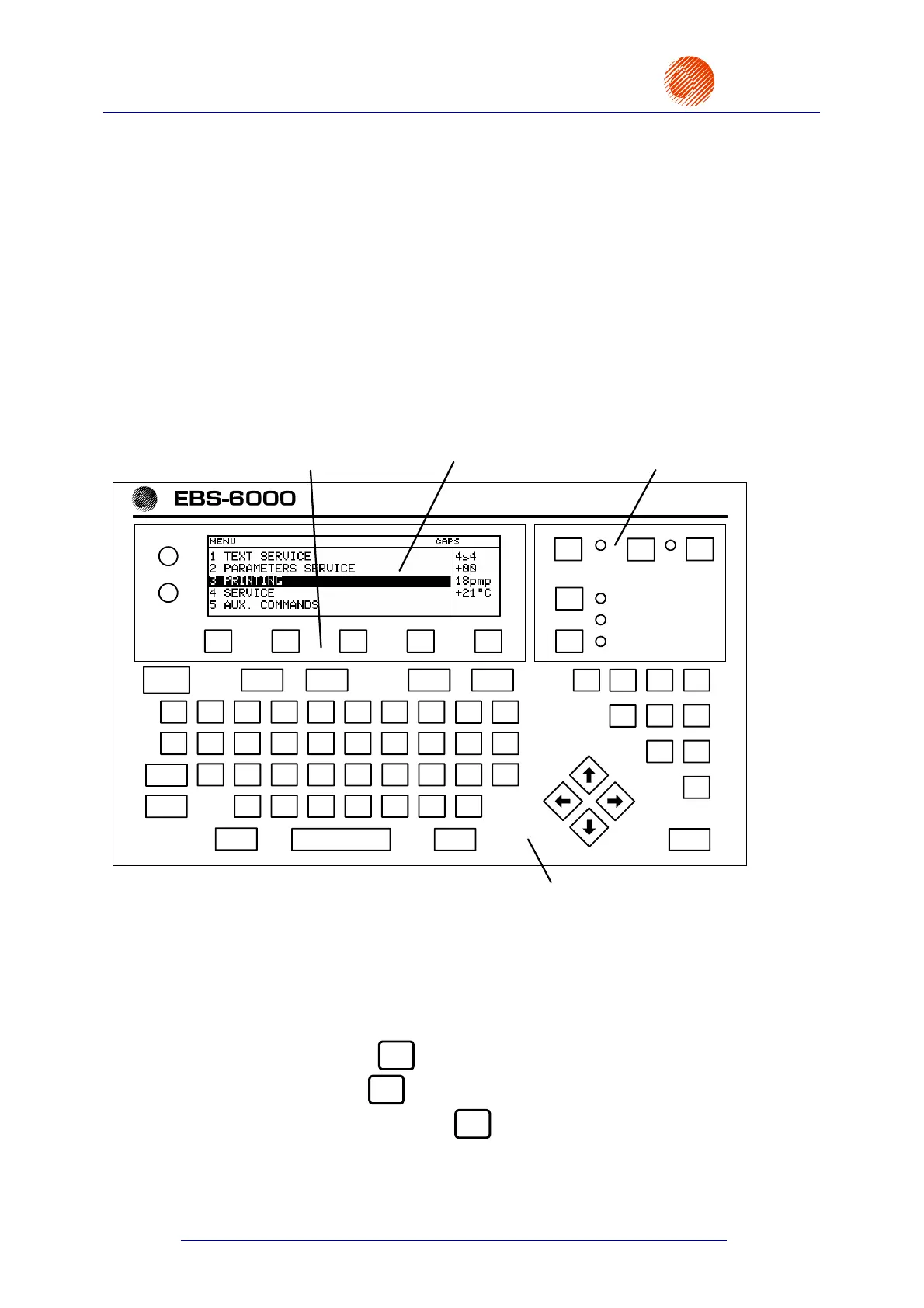
Terminal
is used by the operator to communicate with the printer. It helps to control the printer's
operation, edit text files to be printed and store them in the printer's memory, access and modify
system parameters and monitor the printer's condition. The terminal is located on the external panel
and consists of a graphic display, an alphanumerical QWERTY keypad and contrast-control and
function keys. All terminal features are described further on in this chapter.
CONTRAST
F1 F2 F3 F4 F5
CLR. ALARM
ERROR
+
–
Shift Space Shift Enter
Esc Insert Delete Par Alt
ON OFF
PRINT ON / OFF
INK ON / OFF
READY
Ctrl
Caps
A S D F G H J
NM
K
BV C
L
X Z
Q T W R E UY I O P
1
2
5
3 4
7 6
8
0
9
@
#
$
% ^
*
(
)
!
\/
]
;
'
, .
[
=
? |} : " < >{
+
_
-
&
1
2
3
4
Fig. 4.1.1.1. External panel with the terminal section
1 The main pad contains the following elements:
Keys
• the green ON key
ON
- to switch the printer on,
• the red OFF key
OFF
- to switch the printer off,
• the yellow CLR. ALARM key
CLR.
ALARM
- to clear alarms,
• the dark blue PRINT ON/OFF key to start and stop the printing,
• the dark blue INK ON/OFF key to start and stop the flow of ink inside the print
head.



 To Next Page