EBS
Ink-Jet Systems
®
EBS-6100 Printer User's Manual
Paragraph 4 - Operating the Printe
20070529#20.5
21
LEDs
• the red / green lamp between the ON and OFF keys to indicate the printer’s on or
off state,
• the red ERROR lamp next to the CLR. ALARM key to indicate the alarm state,
• the green lamp next to the PRINT ON/OFF key to indicate that the printer is in the
print mode or is not,
• the yellow lamp next to the READY key to indicate that the head is ready for
printing,
• the green lamp next to the INK ON/OFF key to indicate that the flow of ink in the
print head is on or off.
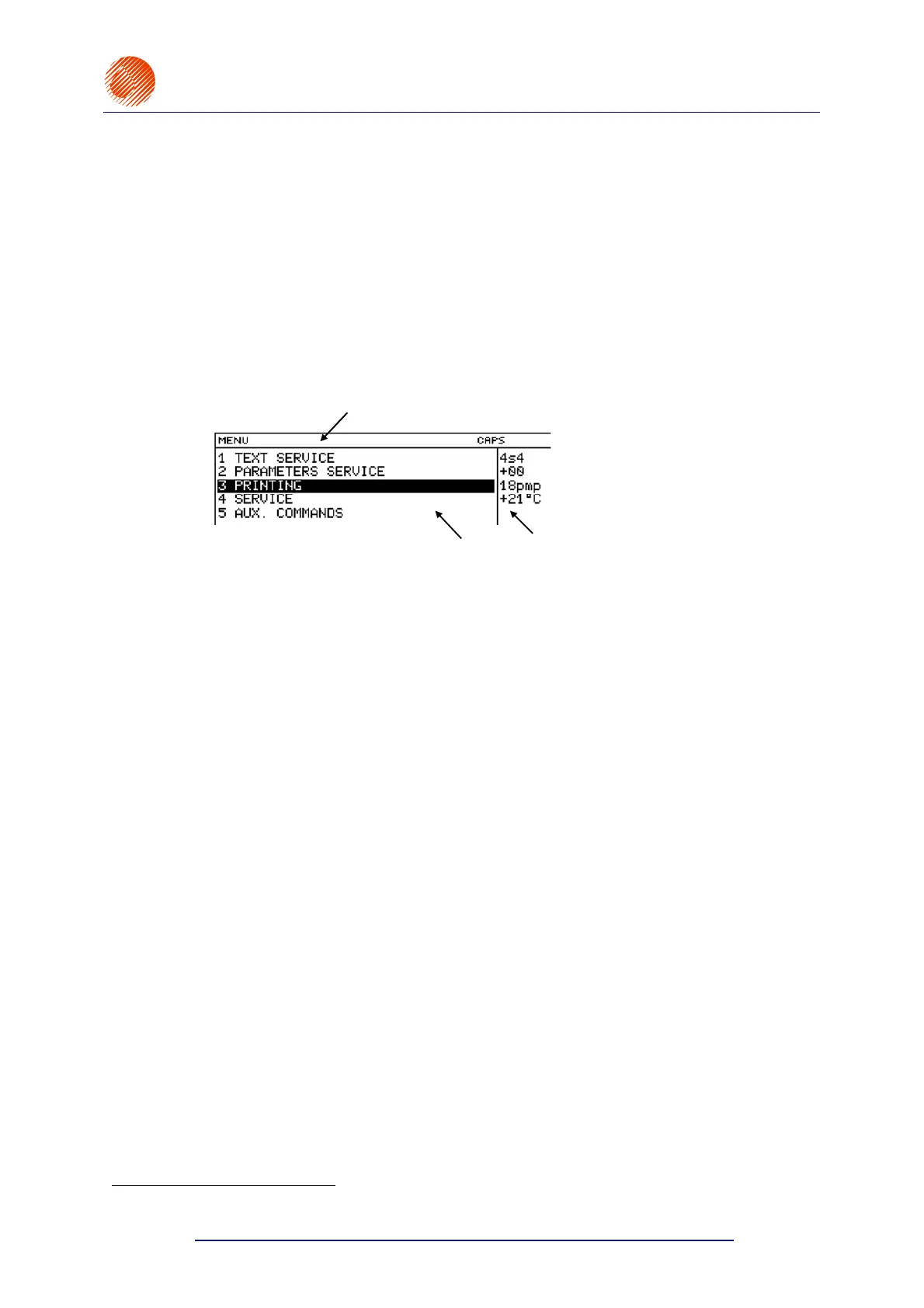
2 Graphic display (the display) with a resolution of 240x64 pixels
1
. The display area is
divided into independent sections (windows).
a
b
c
a Terminal status window one line high, contains the following data
(from the left-hand side):
• short 12-character messages (e.g. on the condition of the pen during the
edition of a graphics subfile or the name of a MENU option),
• 3-character typing mode (INSert, OVeRwrite),
• the position of the
© key that is used to switch between capital and
lower case letters,
• the indication that the
Y or « function keys have been pressed,
• coordinates of the graphics cursor (during the edition of graphics).
b Working window five lines high, it is the main display window to show
the control MENU, parameters and messages, to edit text files, etc.
c Printer status window five lines high, located to the right of the working
window, contains data on the head status for different printer operation modes
- see section 4.3 Print Head Status.
3 Alphanumerical keypad to start control functions and introduce the accompanying
sequences of digits and letters (characters).
The keys are grouped on the terminal keypad according to application.
Group of control keys
the following keys:
U ¥ ¦ § ¨
© « Y V - and the arrow
keys on a light blue background
:
¢ ¡ £ ¤ (see Fig. 4.1.1.1).
Group of numerical keys
the following numerical keys: 1, 2, ... , 9, 0.
1
Pixel - any of the smallest elements that together form a graphical image. It can be on or off.



 To Next Page