EBS-6100 Printer User's Manual
Paragraph 10 - Layout of Arabic Characters on the Printer’s
Terminal Keypad
20070529#20.5
129
10. Layout of Arabic Characters on the Printer’s Terminal
Keypad
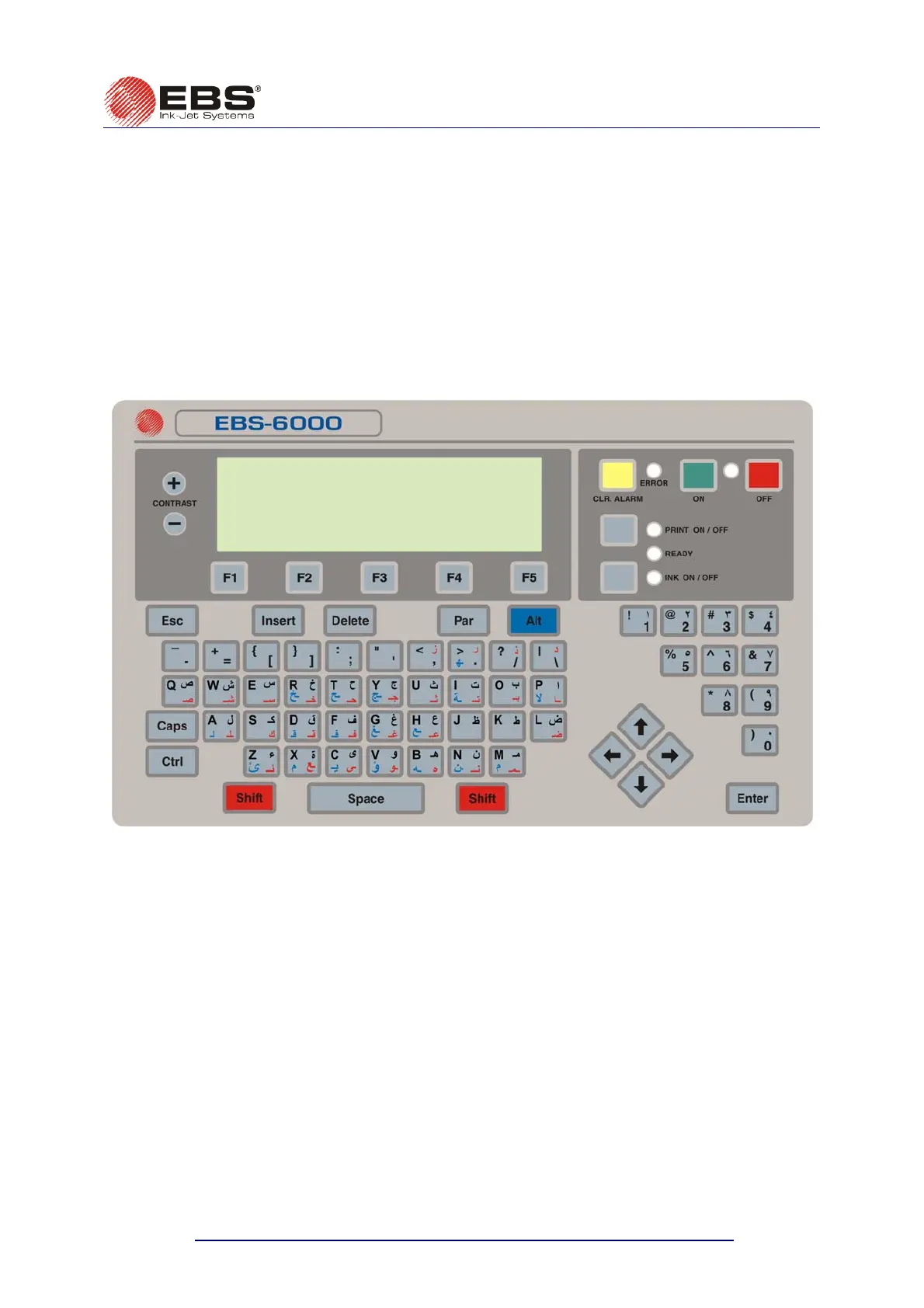
The layout of Arabic characters on the printer’s terminal keypad is shown in the picture
below. The characters are available after the subtext type has been set to Text in the word
processor and the character matrix (the Char. set parameter) to that whose name starts with,
e.g. “Arabic”.
Then the Arabic characters that are marked black on the keyboard are available right away.
The Arabic characters marked red are available after the
Y key has been pressed,
whereas the characters marked blue are available after the
¨ key has been pressed.
Fig. 10.1.



 To Next Page