EBS-6100 Printer User's Manual
Paragraph 4 - Operating the Printer
EBS
Ink-Jet Systems
®
64
20070529#20.5
The display shows the print rate determined by the internal generator or
shaft-encoder, according to the setting of the Generator parameter in the
PRINTING PARAMETERS command.
If the Generator print parameter is set to GEN, the print rate depends on the
Resol. dot/cm and Cnv spd m/min print parameters. If the Generator print
parameter is set to SHAFT, the print rate depends only on the rotational speed of the
shaft-encoder axle.
4.4.3.9. Printing with the Use of a Code Switch
In order to exchange the text while it is printed use the following procedure as
standard: select the STOP PRINTING command, then the START PRINT command
and type in the name of a file to be printed.
If you need to replace text files frequently, a special feature has been developed for
EBS series printers to exchange text files easily and quickly. This feature is a Code
Switch. The device is offered in two versions:
(1). The standard Code Switch consists of a code switch emulated by the printer’s
terminal. It is started by pressing the
F5
terminal key. Enter a four-character
text-file name via keypad and press the
V key at the moment when you
wish to exchange the file.
(2). The optional Code Switch consists of an external unit manufactured by EBS. It is
plugged into a female connector on the printer housing and equipped with
a simple keypad and a display. The unit offers many additional functions apart
from the basic functions of a typical Code Switch.
More information about printing with the use of a Code Switch is given in a separate
document.
4.4.3.10. Viewing Files on the Terminal Display
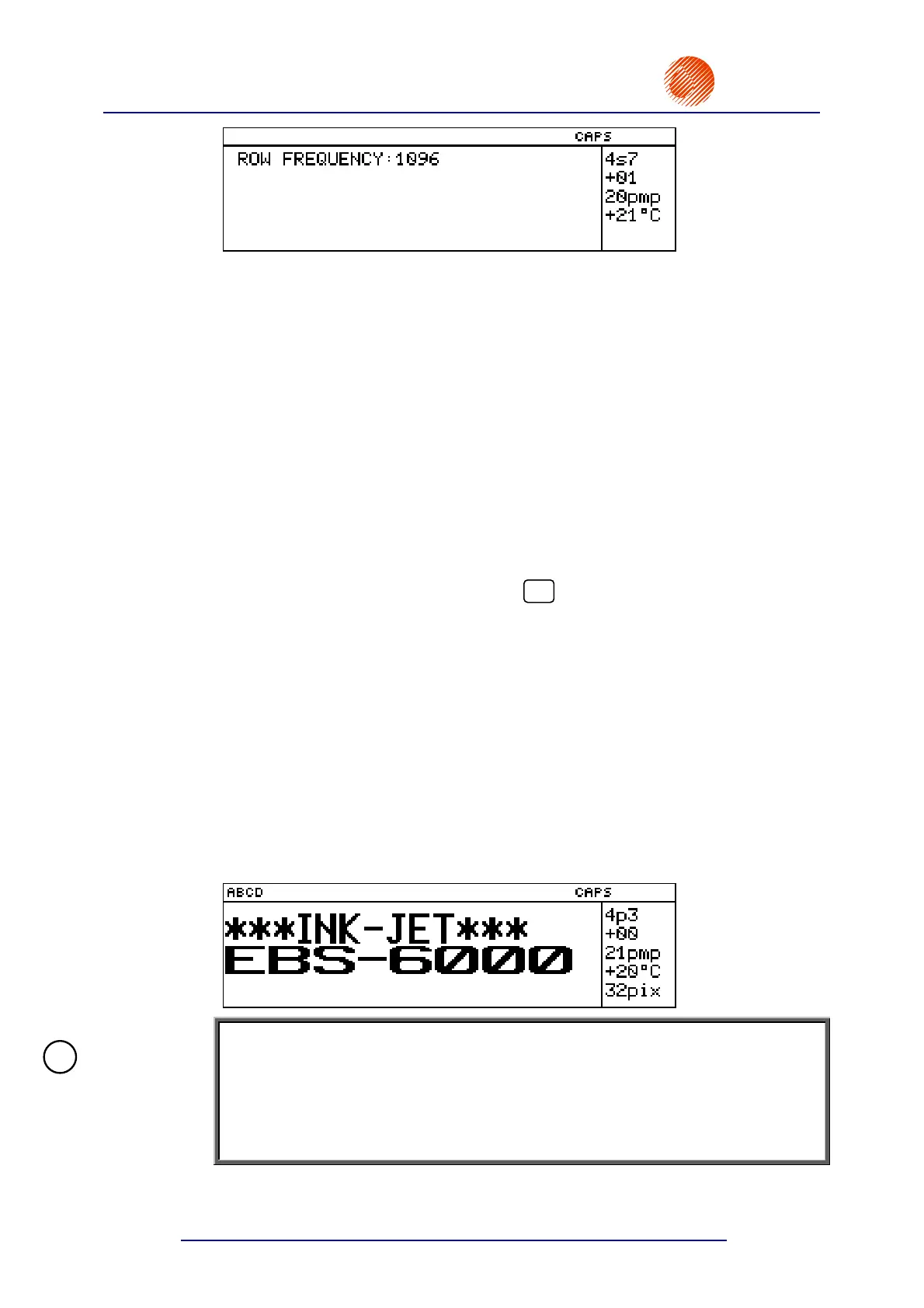
You can view the text file being printed. In the main MENU select the PRINTING item
and then the DISPLAY PRINTED TEXT item.
The terminal display shows the text file that is printed, for example the ABCD file:
NOTE:
• The DISPLAY PRINTED TEXT command is available only when the printer is in
the print mode.
• If a complex text file is printed at a high rate, it may happen that the current
values of special registers contained in the text file are not displayed. The
reason for this is that the processor time priority for this command is lower than
for printing and therefore some print data are not displayed.
!



 To Next Page