EBS
Ink-Jet Systems
®
EBS-6100 Printer User's Manual
Paragraph 4 - Operating the Printe
20070529#20.5
75
4.4.5.8. Releasing Protections
The following protections are applied in the printer:
1) Protected access to the following commands called protected commands:
all commands in the TEXT SERVICE submenu,
all commands in the PARAMETERS SERVICE submenu,
commands in the PRINTING submenu, such as:
• SAVE CURRENT PARAM.,
• SET SHIFT COUNTER,
• GLOBAL COUNTER,
• SET GLOBAL COUNTER.
The above submenus can be protected with a user-defined password. If you
forget the password, the protection can be released by cancelling the user
password.
2) An operation time limit assigned to a user by the manufacturer (or distributor
under a separate agreement). When the limit expires, the printer stops working
automatically. Then the printer stops responding to user commands. Only the
release protection command can be executed. The assigned time limit can be
prolonged by 50, 100 or 200 hours, or possibly the limit can be cancelled and the
unit released from any operational constraints.
In the main MENU select the AUX. COMMANDS item and then the
UNLOCK PROTECTION item.
For releasing the protection, contact the manufacturer (distributor) by phone and
describe what kind of protection is to be released.
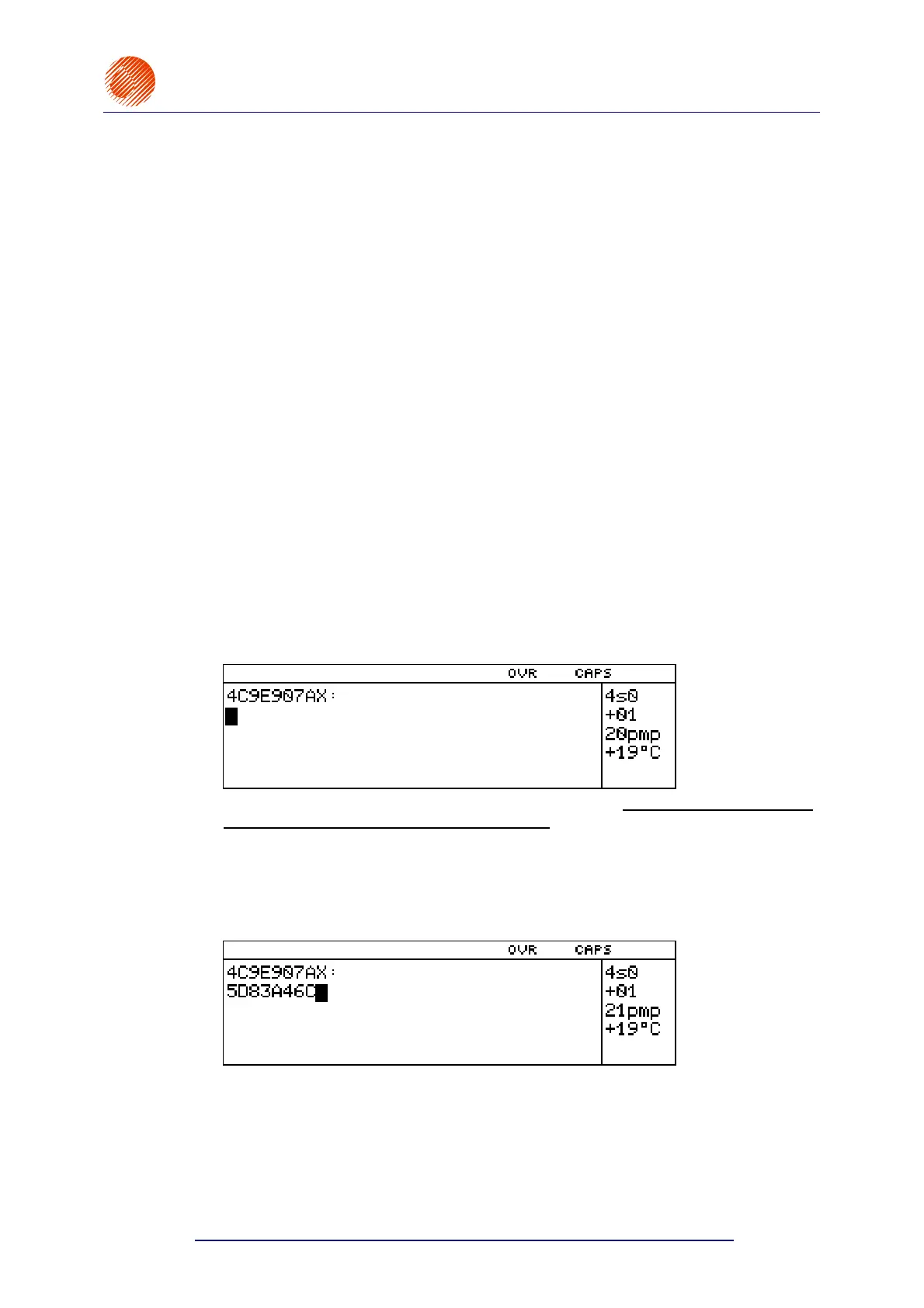
The UNLOCK PROTECTION command is followed by a 9-digit code that is displayed
in the terminal operating window. The code helps calculate the password to release
the protection.
Reveal the code to the manufacturer’s representative but do not exit the command or
press any keys (especially the printer off key). The manufacturer uses the code to
produce the password that is required for releasing the protection. Type in the
password and press the V key. If you make a mistake or type in a wrong code,
you still have a chance to improve yourself as the printer allows you to make ten
attempts before you have to contact the manufacturer or distributor. After ten
unsuccessful attempts the message Switch the PRINTER off and on is displayed
and the protections remain active.
If the proper code is typed in, the printer confirms this fact by displaying the **OK**
message and the user-indicated security feature is disabled.



 To Next Page