EBS
Ink-Jet Systems
®
EBS-6100 Printer User's Manual
Paragraph 4 - Operating the Printe
20070529#20.5
71
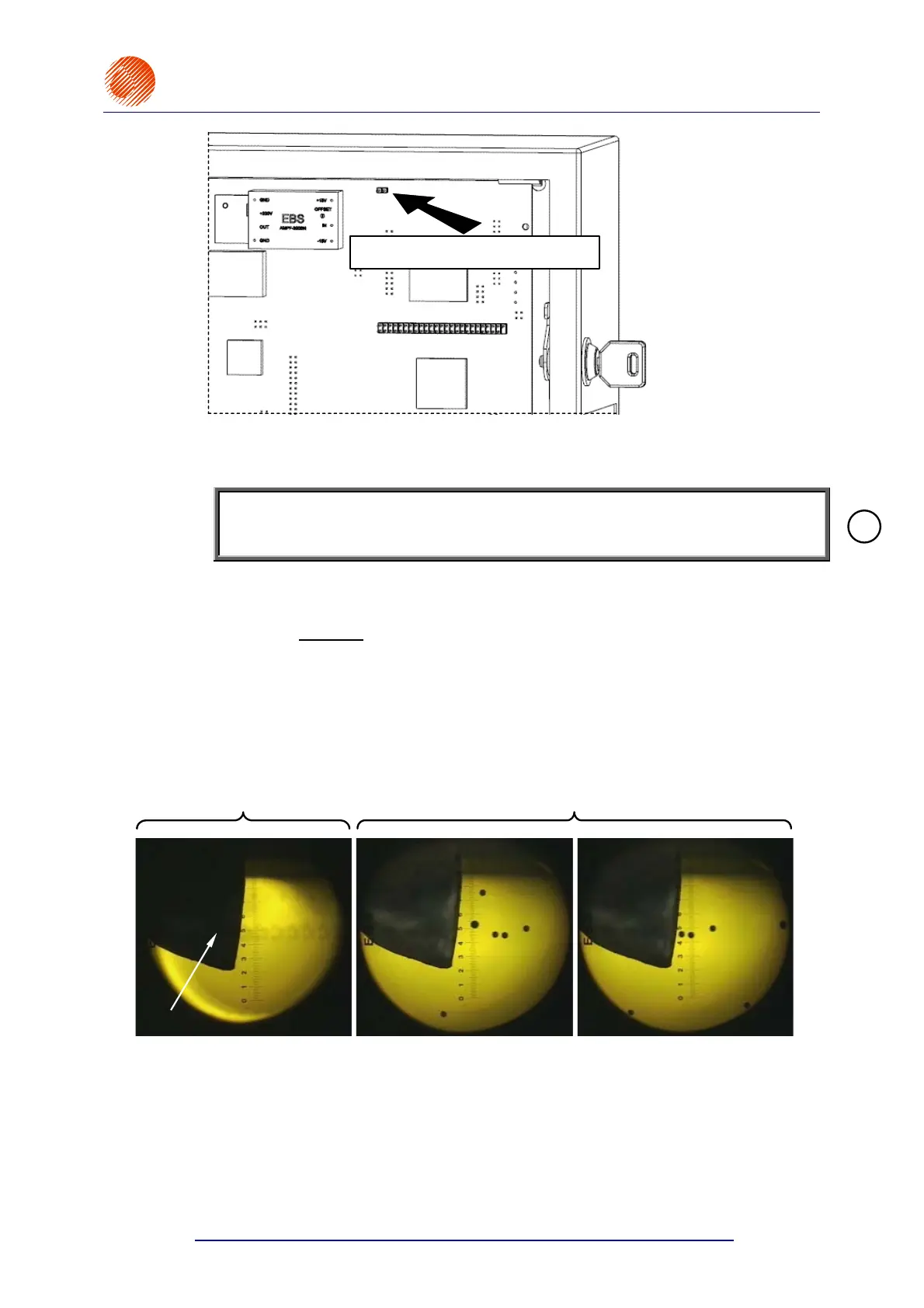
Stroboscope connector
ST15 connector on the JET1-4 Board
Fig. 4.4.4.8.4.
4.4.4.9. Switching the Stroboscope Over
NOTE:
The STROBOSCOPE command is strictly a service command that works with the
SET INK STREAM command.
In the main MENU select the SERVICE item and then the STROBOSCOPE item.
High-contrast dots can be observed with a microscope, if the STROBOSCOPE
command precedes
the SET INK STREAM command The command electronically
switches the source of the synchronisation of the stroboscope LED light in the
microscope. The LED can flicker at the drop-break or row-print frequency. The
STROBOSCOPE command switches sequentially between the "dot-based
synchronisation" to "raw-based synchronisation". If the SET INK STREAM command
is preceded by the STROBOSCOPE command, the completion of the adjustment of
the gutter height should be followed by the STROBOSCOPE command in order to
ensure that the "dot-based synchronisation" is switched to.
LED blinks at the drop-break
frequency
LED blinks at the row-point
frequency
Gutter
Fig. 4.4.4.9.1. Position of ink drops in relation to the gutter for two settings of the stroboscope light
synchronisation
4.4.4.10. Monitoring High Voltage during Printing
In the main MENU select the SERVICE item and then the
HV VALUE,PHOTO,SHAFT,AirP state item.
!



 To Next Page