EBS
Ink-Jet Systems
®
EBS-6100 Printer User's Manual
Paragraph 4 - Operating the Printe
20070529#20.5
33
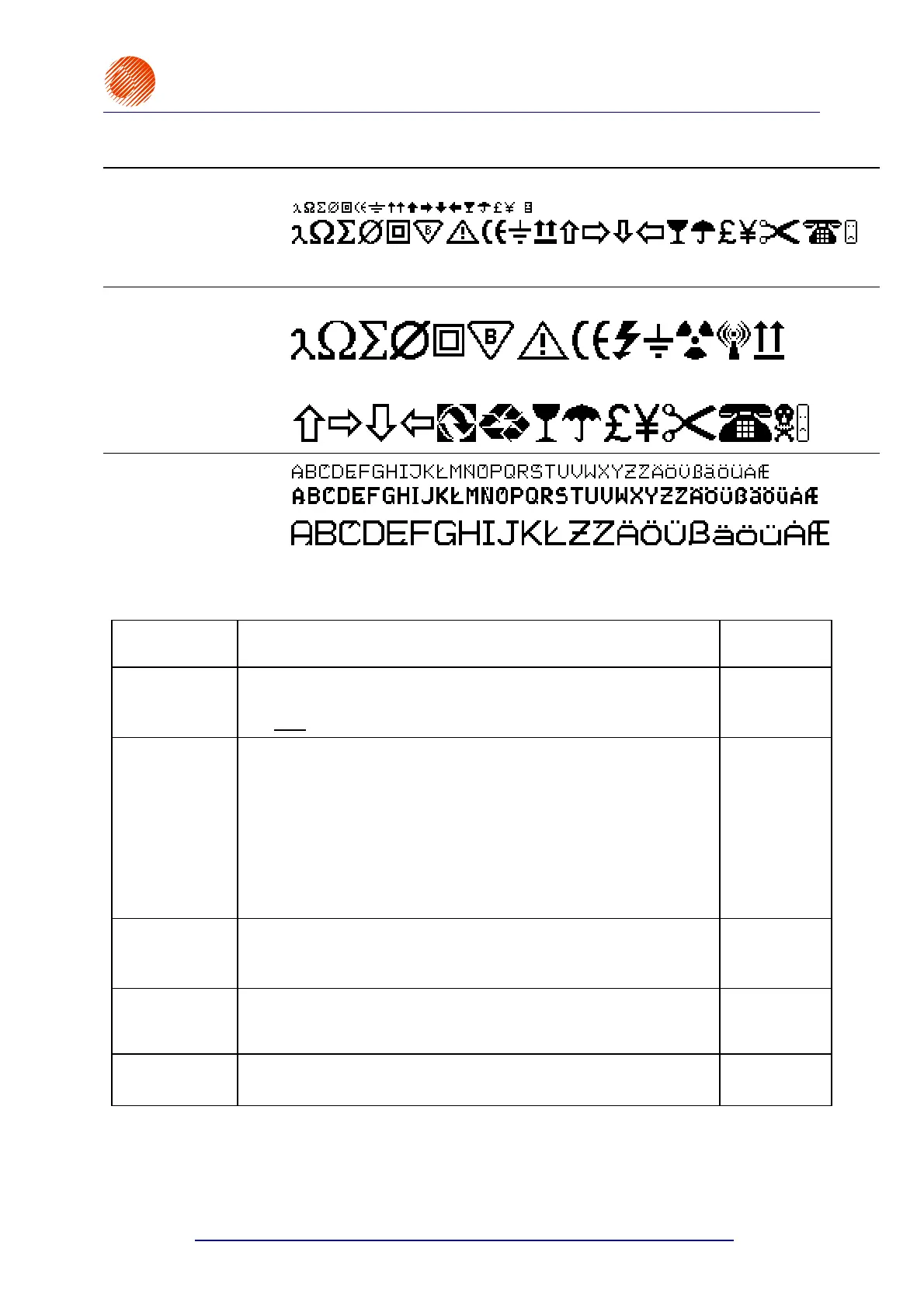
MATRIX EXAMPLE
Spec 7 pixels
Spec 16 pixels
Terminal keys corresponding to the Spec 7 set of special characters
ABCDE H J M N O PQ T U V W etc.
A B C D E F G H J M N O P Q T U V W X Y etc.
Terminal keys corresponding to the
Spec 16 set of special characters
Spec 25 pixels
Terminal keys corresponding to the Spec 25 set of special characters
A B C D E F G H I J K L M
Terminal keys corresponding to the Spec 25 set of special characters
N O P Q R S T U V W X Y Z etc.
Latin 9x7 pixels
Latin 11x8 pixels
Latin 16x14 pixels
When you press the
§ key in the word processor, the parameter menu for a subfile is displayed.
The parameters have the following meaning:
PARAMETER DESCRIPTION AND SETTINGS DEFAULT
Type :
Subfile Type. Any parameters shown below are typical of a Text
subfile.
subText
, Graphic, Barcode, Ins. text
Text
Char. set :
Character generators see the above specified sample character
matrices. (The number and types of generators installed in the
printer depend on the type of print head used and user
requirements.):
Latin 5x5, Latin 7x5, Latin 9x5, Latin 16x10,
Latin 25x15, Latin 32x18, Latin 21x15, Cyrillic 25x19,
Cyrillic 16x10, Cyrillic 7x6, Arab.Dg.7x5, Lat__5x5__,
Spec 25, Spec 16, Spec 7 Latin 9x7,
Latin 11x8, Latin 16x14.
as high as
possible
Typeface :
Texts can be printed boldface or the printing of every vertical row
can be repeated n times (n=2÷15).
Bold, Normal, Length *2, .... , Length *15
Normal
Distance :
Distance (a number of dots) between characters in vertical rows.
0, 1, 2, .... , 15
2
Rotation :
Every character within a subfile can be rotated.
None, Right, Upside down, Left
None



 To Next Page