Register a Bluetooth® wireless technology compatible audio device
Enregistrer
un
appareil
audio
Bluetooth®
compatible
a
technologie
a
commande
sans
fil
Registrar
un
dispositive
de
audio
compatible
con
tecnologia
inalambrica
Bluetooth®
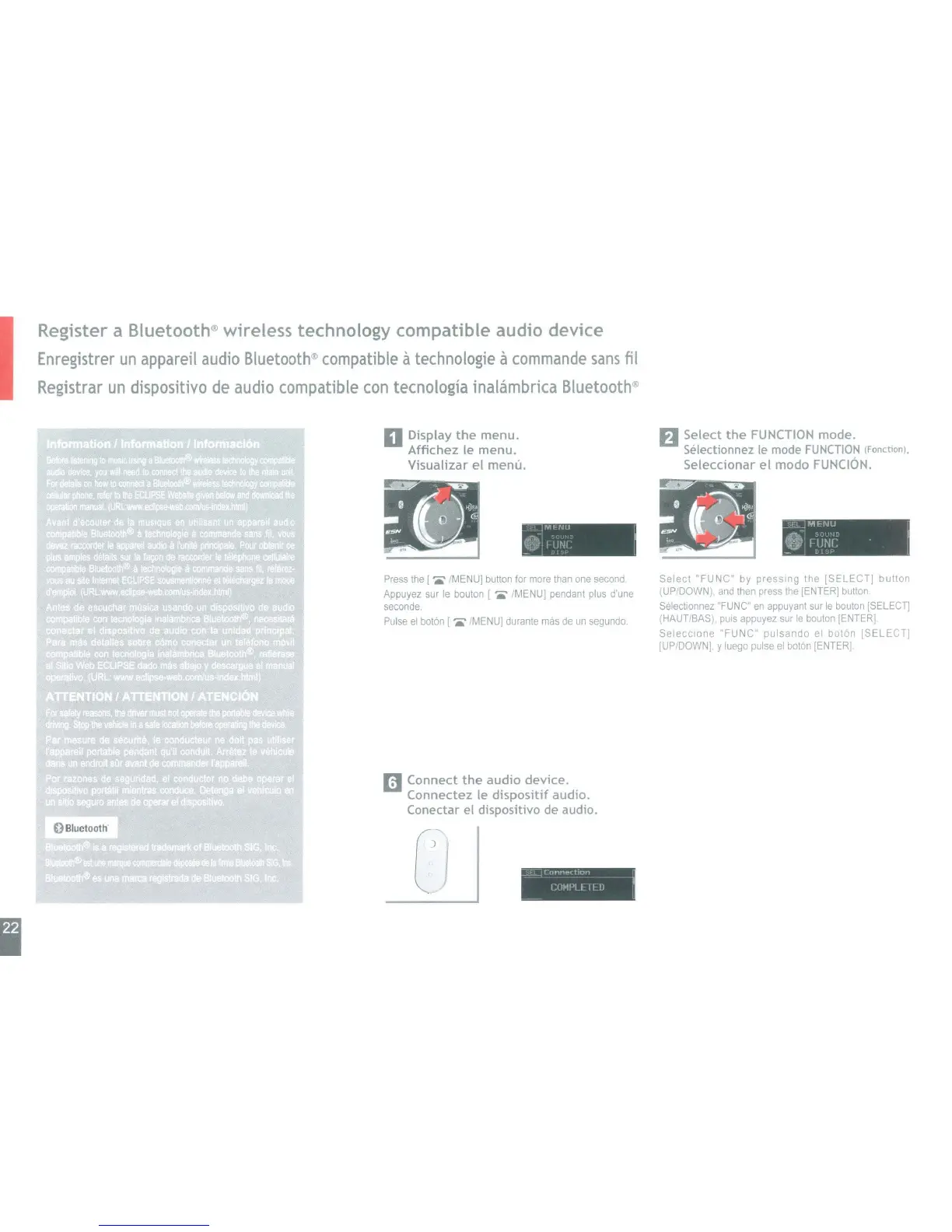
D Display
the
menu.
Affichez Ie menu.
Visualizar
el
menu.
.-SL
JMfNU
01
rlJNi'
. I
_ I I I
O'~~I.-~!.
0.
~
~
-.J
I
·
...
i
..
"
~
f)
Select
the
FUNCTION
mode.
Seiectionnez
Ie
mode
FUNCTION
(Fonetion),
Seleccionar
el
modo
FUNCION.
Select
"FUNC"
by
pressing
the
[SELECT]
button
(UP/DOWN).
and
then press the [ENTER] button
Selectionnez "FUNC" en appuyant sur
Ie
bouton
[SELECn
(HAUTlBAS). puis appuyez sur
Ie
bouton [ENTER].
Selecclone
"FUNC"
pulsando
el
baton
[SELECT]
[UPiDOWN] y luego pulse
el
boton [ENTER]
:::J
-1
r
onl''lO'ft,on
- - I'(lMPI I
II
IJ
!
Cj
Press the I
./MENU]
button for more than one second
Appuyez sur
Ie
bouton I • /MENU] pendant plus d'une
seconde.
Pulse
el
baton
[.
IMENU] durante mas de
un
segundo.
mConnect
the
audio device.
Connectez Ie
dispositif
audio.
Conectar el dispositivo
de
audio.
OBluetooth



 To Next Page