71
◼
Configuring the Wireless Network (Wi-Fi) Settings
(with the Settings App)
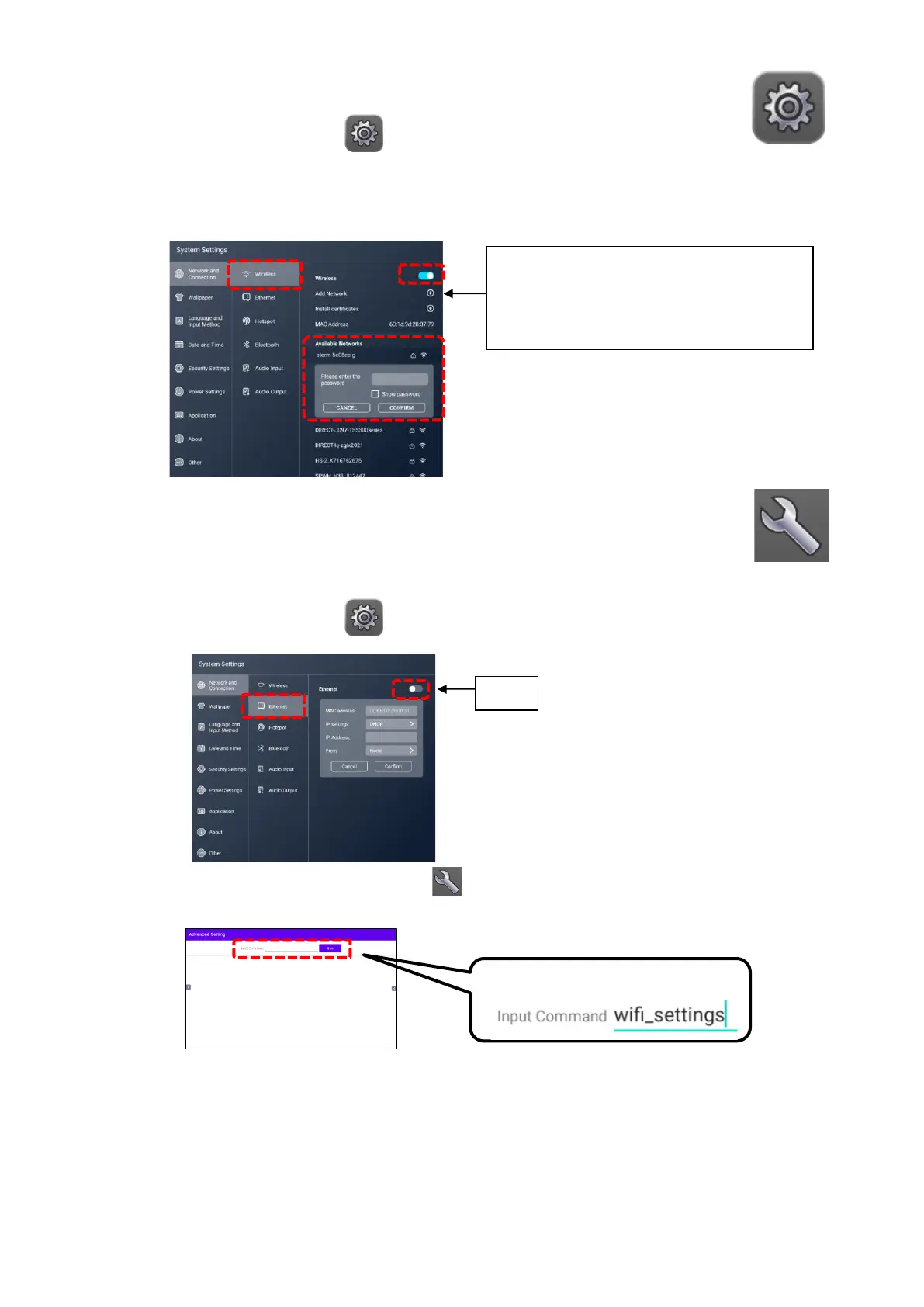
1 Tap the Settings icon in the list of apps.
2 Tap “Network and Connection” and tap “Wireless”. Set the slide switch to ON.
3 Select the network to connect.
Enter the password for the network device and the product will be c onnected to the
device.
◼
Configuring the Wireless Network (Wi-Fi) Settings (with the
Advanced Setting App)
Configure the wireless network (Wi-Fi) settings with the Advanced Setting app
when you want to set the proxy settings or connect to the stealth access point.
1 Tap the Settings icon in the list of apps and confirm that the slide switch in
the Ethernet settings is set to OFF.
2 Tap the Advanced Settings icon in the list of apps.
3 Enter “wifi_settings” to the Input Command field and tap “Run”.



 To Next Page