72
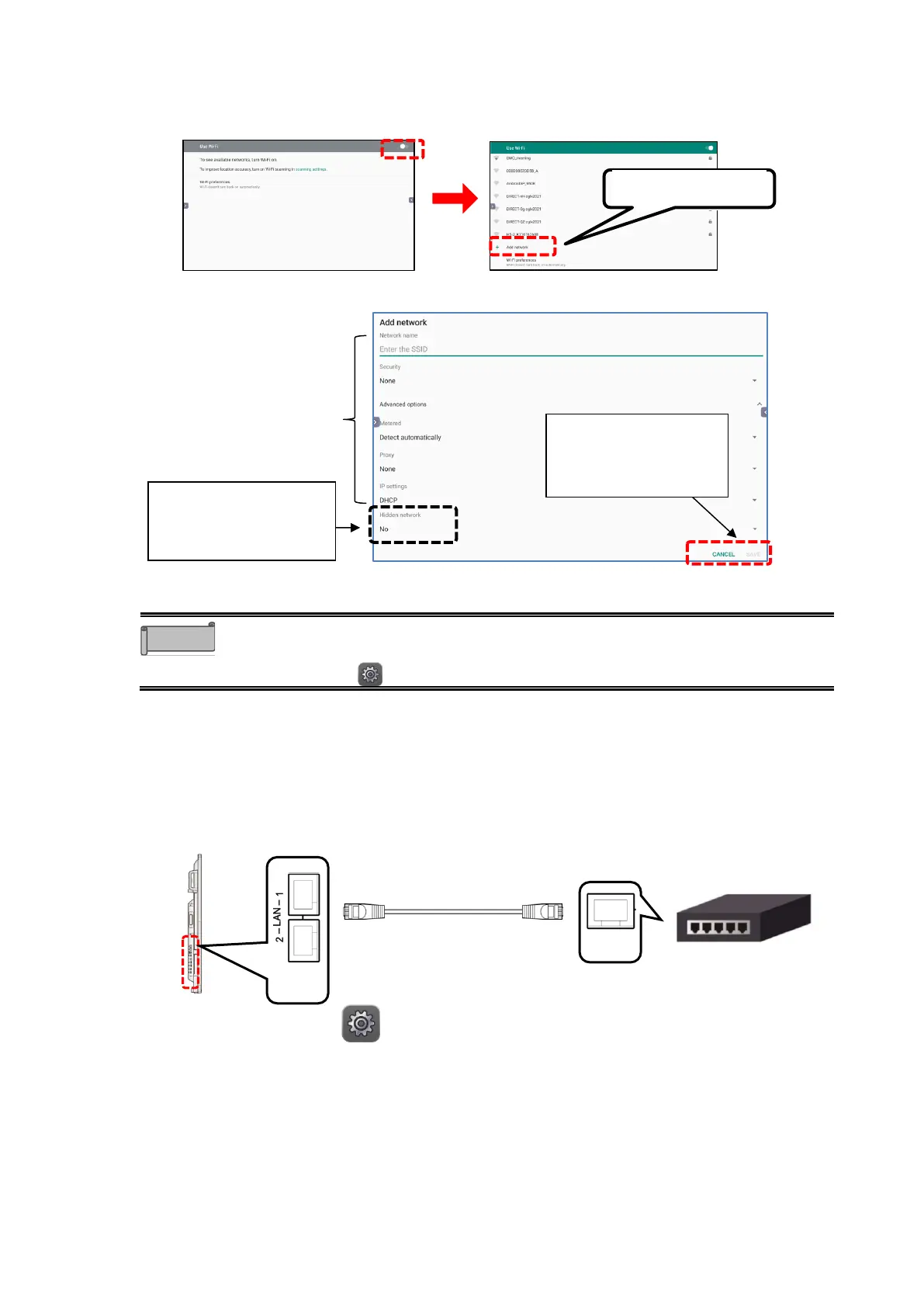
4 Set the slide switch for “Use Wi-Fi” at the top right of the screen to ON.
A list of available network connections will appear. Scroll down the list and tap “Add
network”.
5 Enter the setting items, and then tap “SAVE”.
⚫ Consult with your network administrator for details of the network settings.
⚫ Proxy settings and stealth access point settings will be available from the
Settings app in future version upgrades.
◼
Configuring the Wired Network (LAN) Settings
The product can be connected to the network using a LAN cable.
1 Connect the LAN cable to the LAN port on the side of the product and to the LAN
port of the hub or router.
2 Tap the Settings icon in the list of apps.
When connecting to a stealth
access point, set the Hidden
network setting to "Yes".
LAN cable
(commercially available)



 To Next Page