Emerson Process Management GmbH & Co. OHG7-76
X-STREAM XE
Instruction Manual
HASXEE-IM-HS
10/2012
Example
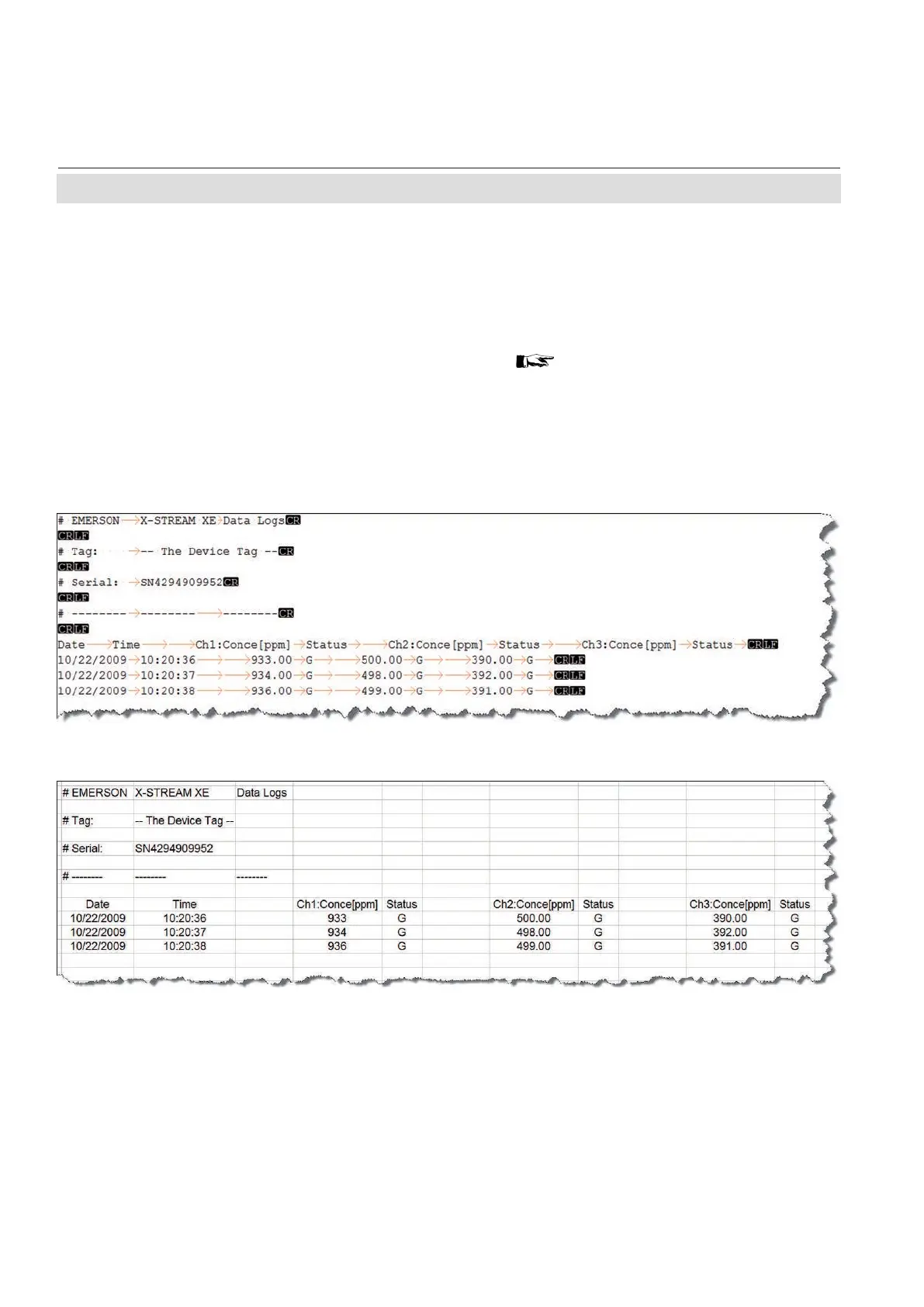
Imported into a text le, for a 3 channel in-
strument the above settings would give the
following log le layout:
Imported into a spreadsheet software, it looks like this:
Fig. 7-20: Example of Log File
The exported log le does not only show the
discussed entries data, but also separate
lines with
• the type of log le
• the analyzer tag, if such has been setup
( 6-98 )
• the analyzer serial number
• column headings for the entries elds
For further processing, import that le e.g. into
a spreadsheet.
7.9 Logles
Note!
Date format is dd/mm/yyyy
Time format is hh:mm:ss (with 24 h format)
Status codes are: G = Good, F = Failure, A = Alarm, M = Maintenance,
C = Check function, O = Out of specication, S = Simulate, X = Absent
7.9.3 Log Files Content














 To Next Page