Emerson Process Management GmbH & Co. OHG 8-21
X-STREAM XE
Instruction Manual
HASXEE-IM-HS
10/2012
8
Troubleshooting
8.4 Troubleshooting on Components
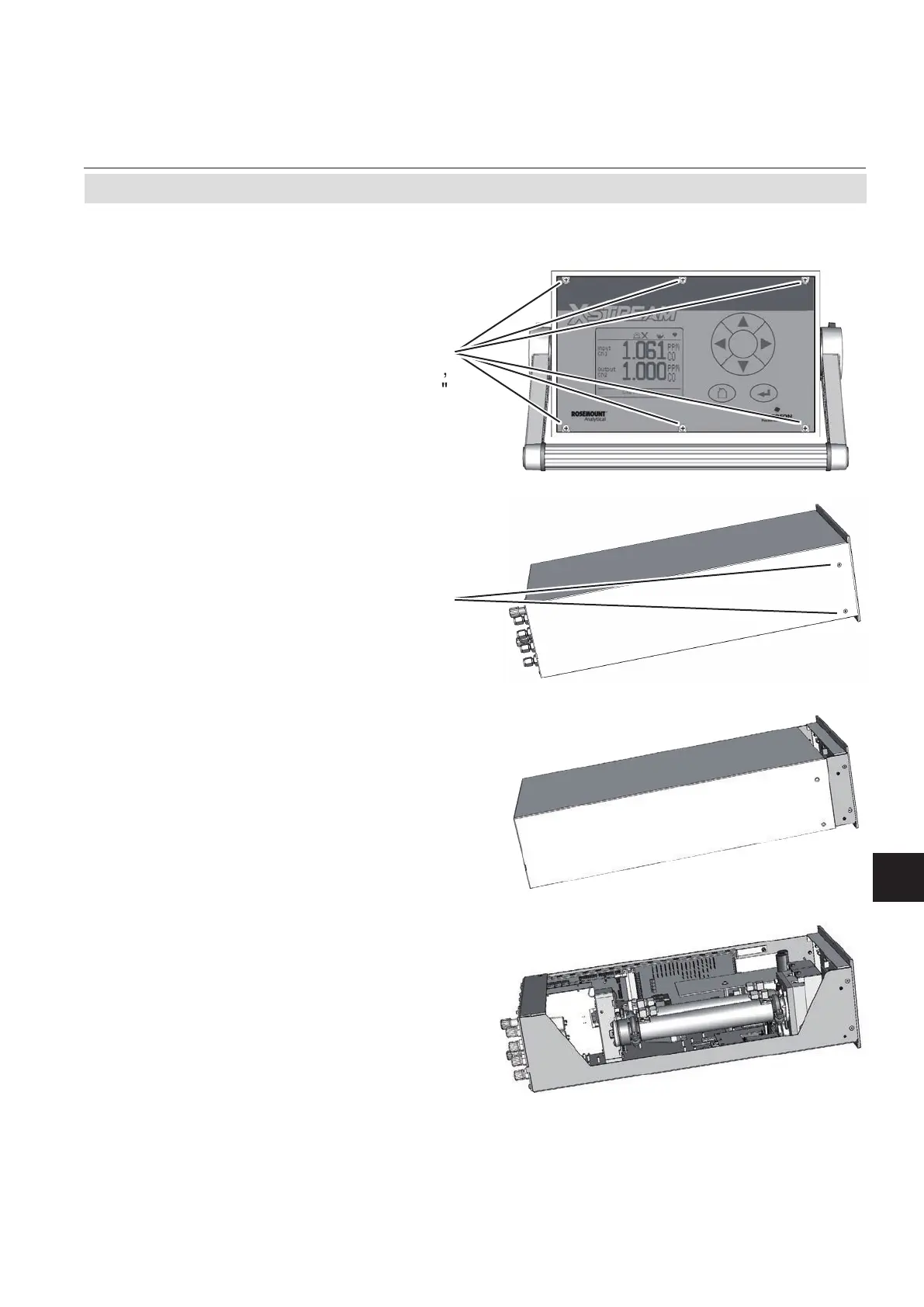
Fig. 8-3: X-STREAM XEGK
8.4.1.2 How to Open X-STREAM XEGK
If your instrument is equipped with a handle
• loosen the 6 screws at the front panel,
• to only get access to the cover screws,
push frame and handle about 2 cm / 1"
towards the rear.
Note!
To completely remove frame and handle,
you need to disconnect all gas and electrical
connections and push frame and handle over
the rear panel.
• push the cover towards the rear and re-
move it.
• remove the 4 screws for the cover,
2 screws on each
side of the instrument














 To Next Page