102
UsingthePrinterSoftwarewithWindows
Note:
Only PC systems equipped with a USB connector and running
Windows XP, Me, 98, and 2000 support the USB interface.
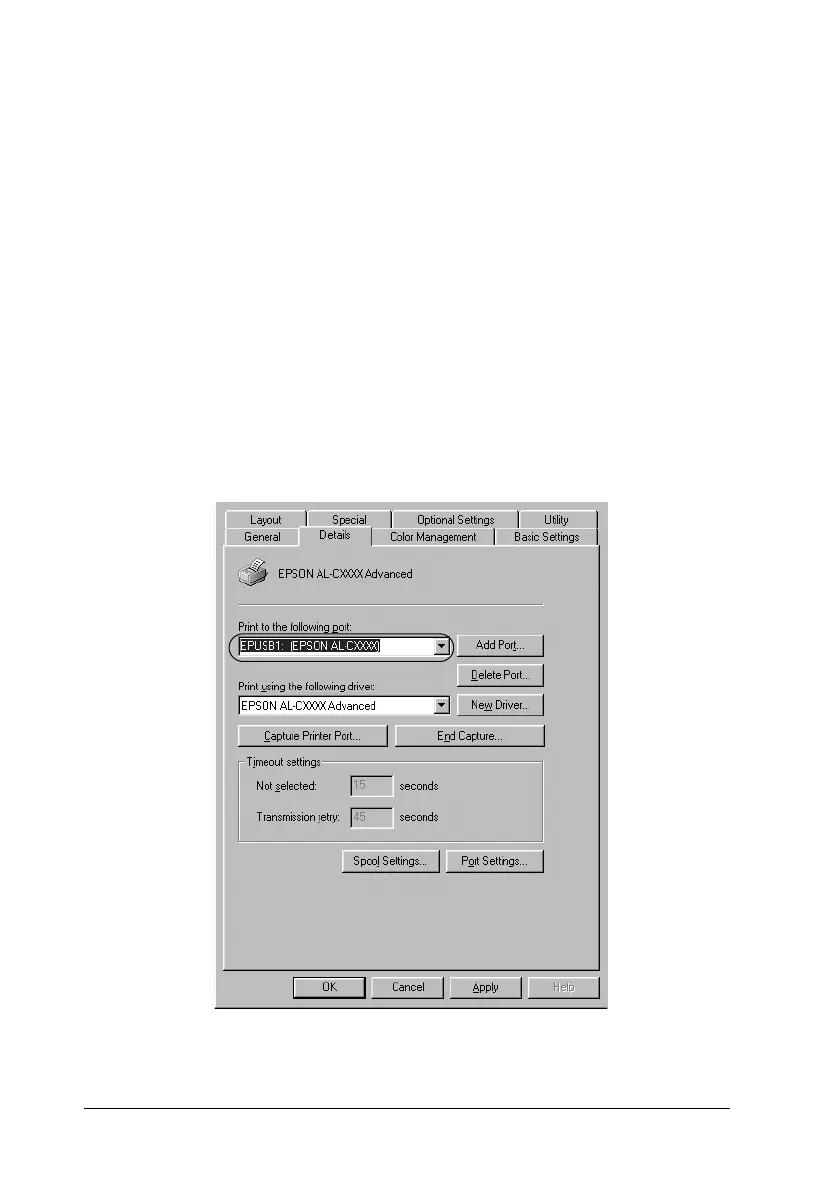
1. Click Start, point to Settings, then click Printers.
2. Right-click the EPSON AL-C8600 Advanced icon, and click
Properties on the menu that appears.
3. Click the Details tab. In Windows 2000, click the Port tab.
4. SelecttheappropriateUSBport from thePrinttothefollowing
port drop-down list. In Windows Me or 98, select
EPUSB1(EPSON AL-C8600 Advanced).InWindows
XP/2000, select USB001 in the list on the Ports menu.













 To Next Page