298
Troubleshooting
Note:
If paper is torn, be sure to remove all torn pieces.
3. Push the main unit of the Duplex Unit’s main unit back into
the printer.
When the paper jam is cleared completely and the Duplex Unit’s
main unit (unit G) is pushed back into the printer, the jammed
page’s print data is automatically reprinted.
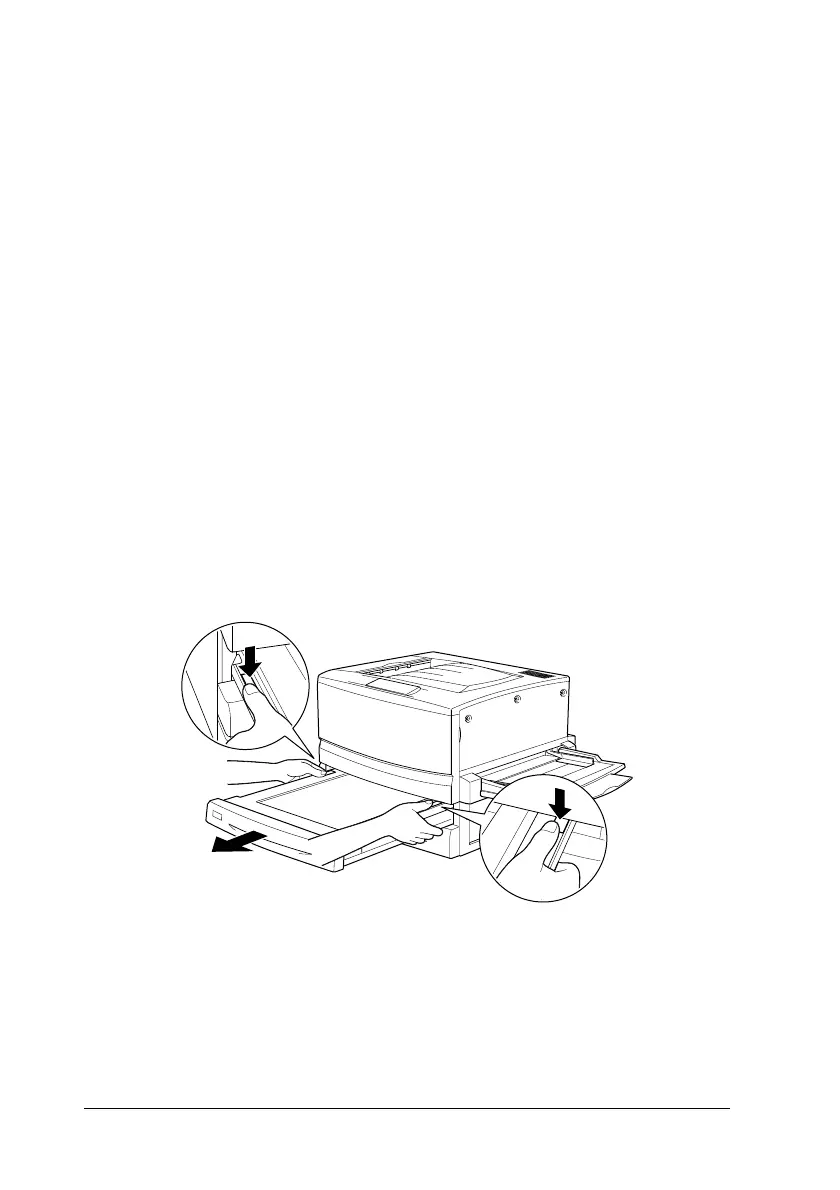
Removing the main unit
If you cannot remove the jammed paper using the previous
procedures, remove the Duplex Unit’smainunit.
Follow the instruction below to remove the Duplex Unit’smain
unit.
Push the main unit slightly backward, then remove the main unit
by pulling it toward you while pushing down both levers.













 To Next Page