36
Paper Handling
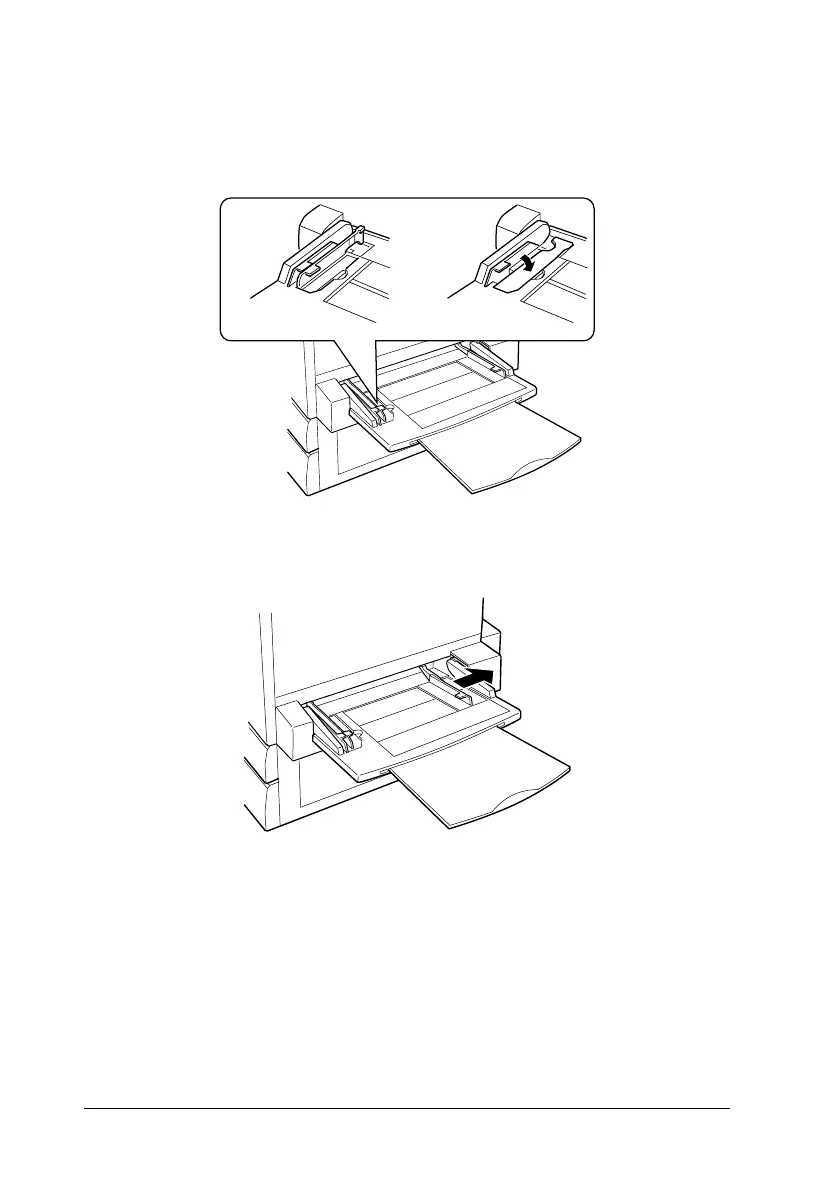
2. If you want to load A3W-size paper, lay the left paper guide
down.Whenloading media other thanA3W-sizepaper,make
sure the guide is standing up.
3. Slide the right paper guide all the way outward.
4. Load a stack of the desired media with the printable surface
facing up. Then slide the right paper guide against the right
side of the stack to obtain a snug fit.
All sizes except
A3W
A3W-size













 To Next Page