❏ Epson iPrint version 7.0 or later
Epson iPrint is used to print from a smart device. Install Epson iPrint on the smart device in advance.
Note:
You only need to make these settings for the printer and the smart device that you want to connect to once. Unless you
disable Wi-Fi Direct or restore the network settings to their defaults, you do not need to make these settings again.
1.
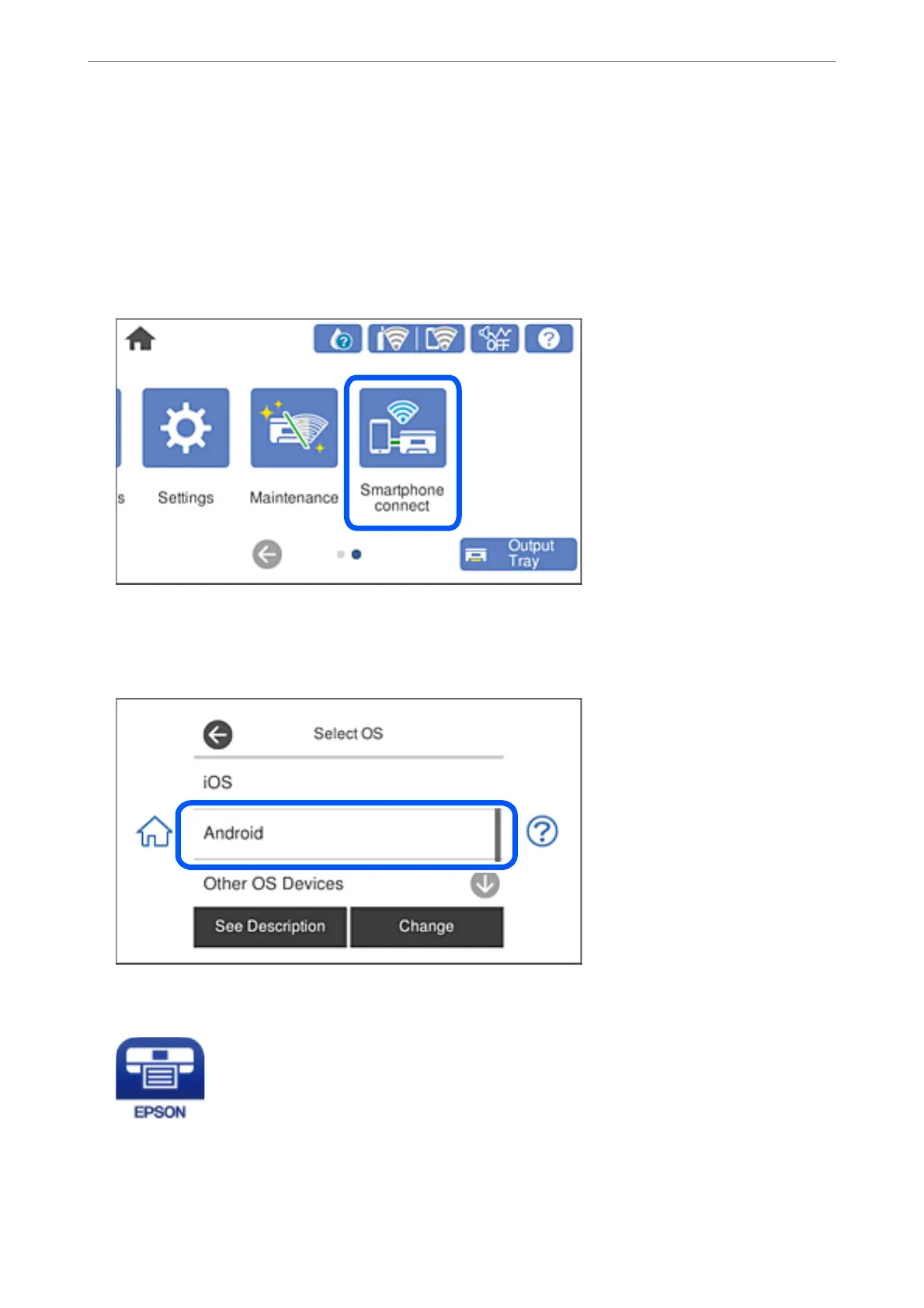
Tap Smartphone connect on the home screen.
2.
Tap Start Setup.
3.
Tap Android.
4.
On the smart device, start Epson iPrint.
5.
On the Epson iPrint screen, tap Printer is not selected..
Adding or Replacing the Computer or Devices
>
Connecting a Smart Device and Printer Directly (Wi
…
272



 To Next Page
 Loading...










