WET SYSTEM OPERATION
4-18
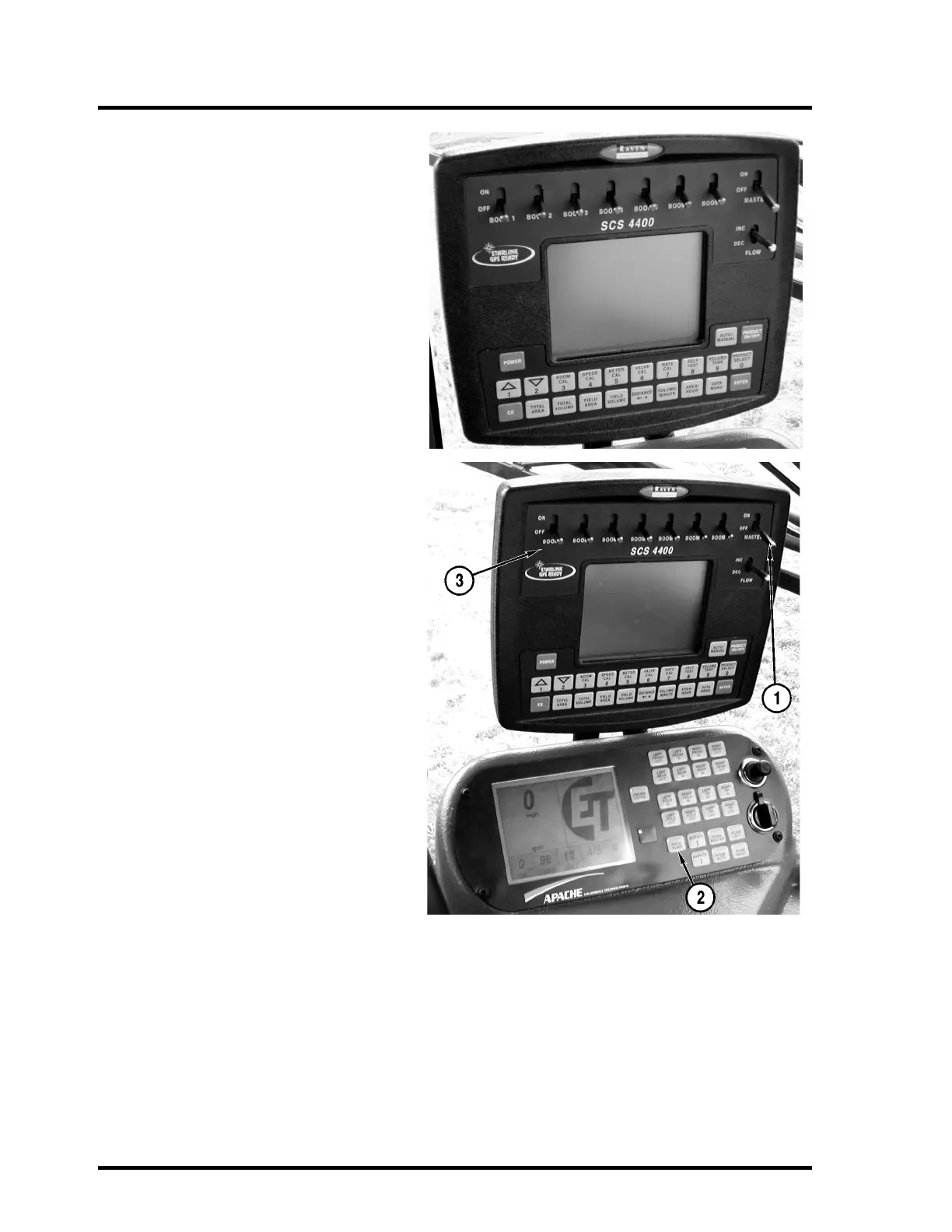
Set the Raven 4400 Monitor power switch to
the “ON” position and check the settings.
Select a saved flow rate or enter the desired
rate. See the Raven Manual supplied with the
Apache Sprayer for complete operating
instructions.
NOTE: The Raven 4400 Controller is the only
factory-installed controller. If your Apache
Sprayer has a different controller, contact
your dealer for information.
Set the Raven Sprayer Control master switch
(1) to the “OFF” position.
Set the product pump switch (2) to the “ON”
position.
Set the desired boom section switches (3) to
the “ON” position.
IMPORTANT: DO NOT run the product
pump dry. Damage to the pump seals will
result. DO NOT intentionally dead-head
the pump with high pressures. Damage to
the pump seals will result.
NOTE: The Raven 4400 Controller is set
with factory defaults only. The unit must
be calibrated for speed and boom sec-
tions checked for accuracy.



 To Next Page