Model 5601MSC
Model 5601MSC Master SPG/Master Clock System
MASTER CLOCK Revision 2.2 Page - 163
4.6.2.2. Control View Screens
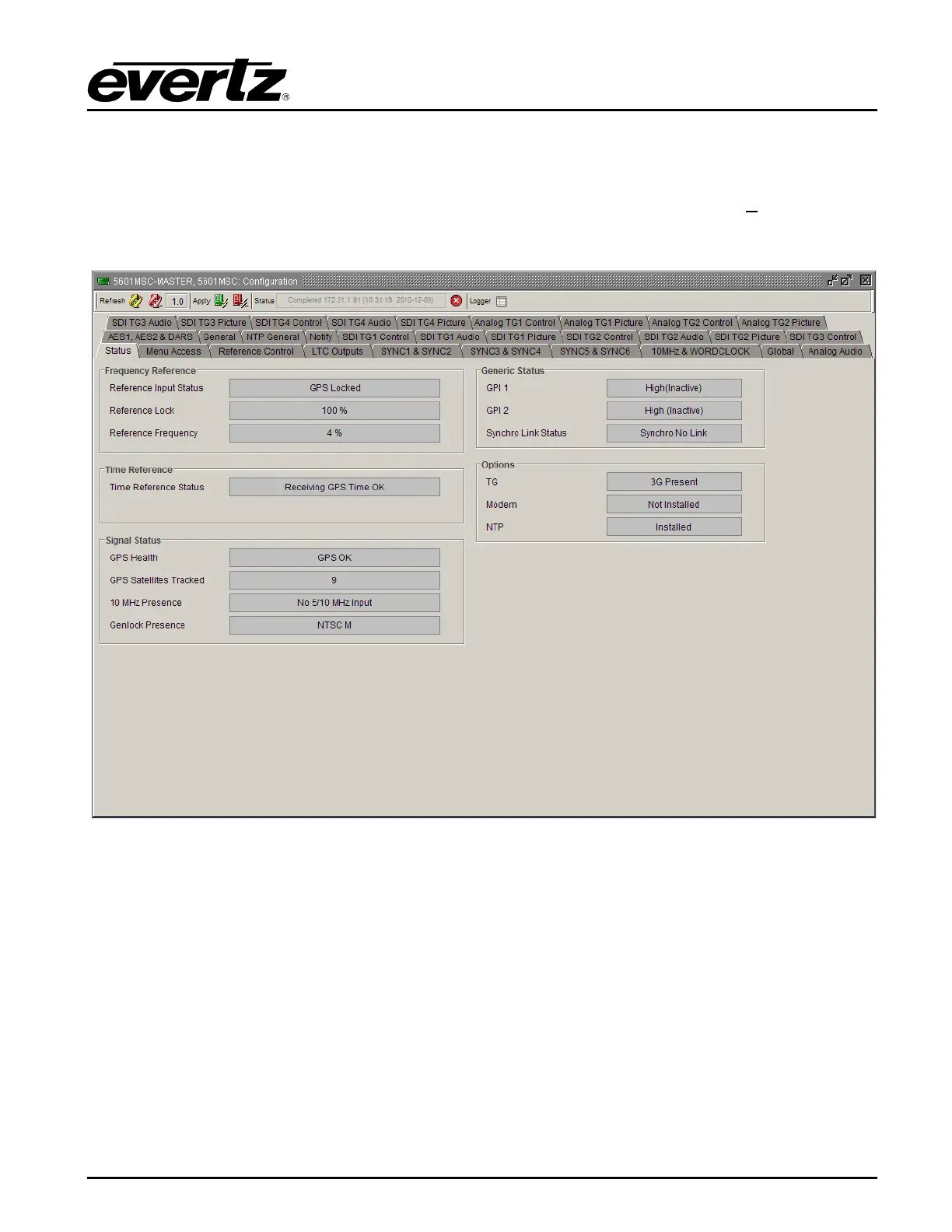
The configuration view is used to graphically configure and monitor the settings on the 5601MSC. It can
be accessed by right-clicking on the device in the navigation tree and selecting “View C
onfiguration…”.
The configuration view will appear and automatically load all settings from the 5601MSC. The refresh
operation may take a few seconds, depending on network traffic conditions.
Figure 4-16: VistaLINK
®
Tabbed Control View
The configuration view has multiple tabs at the top. Each tab contains configuration items for a different
section of the 5601MSC. The tabs are listed below, with a summary defining which subsection of the
5601MSC is monitored or controlled.



 To Next Page