X1200 Series Router Manual
OPERATION
Revision 1.3.2
Page 3-1
3. OPERATION
The router electronics is housed in a 1RU rack mount frame and is controlled from the built-in front panel
controls. Each model can also be purchased with an optional rack mount remote control panel that
replaces the built-in control panel. Operation of the Remote control panel is identical to the built in control
panel. A second control panel can also be purchased for the routers. This panel is connected to the
REMOTE CTL port and allows the user to access the all of the router functions except the Setup menu.
All units can also be controlled by contact closures on the GPI control port or through the REMOTE CTL
serial remote control port using Grass Valley switcher protocol.
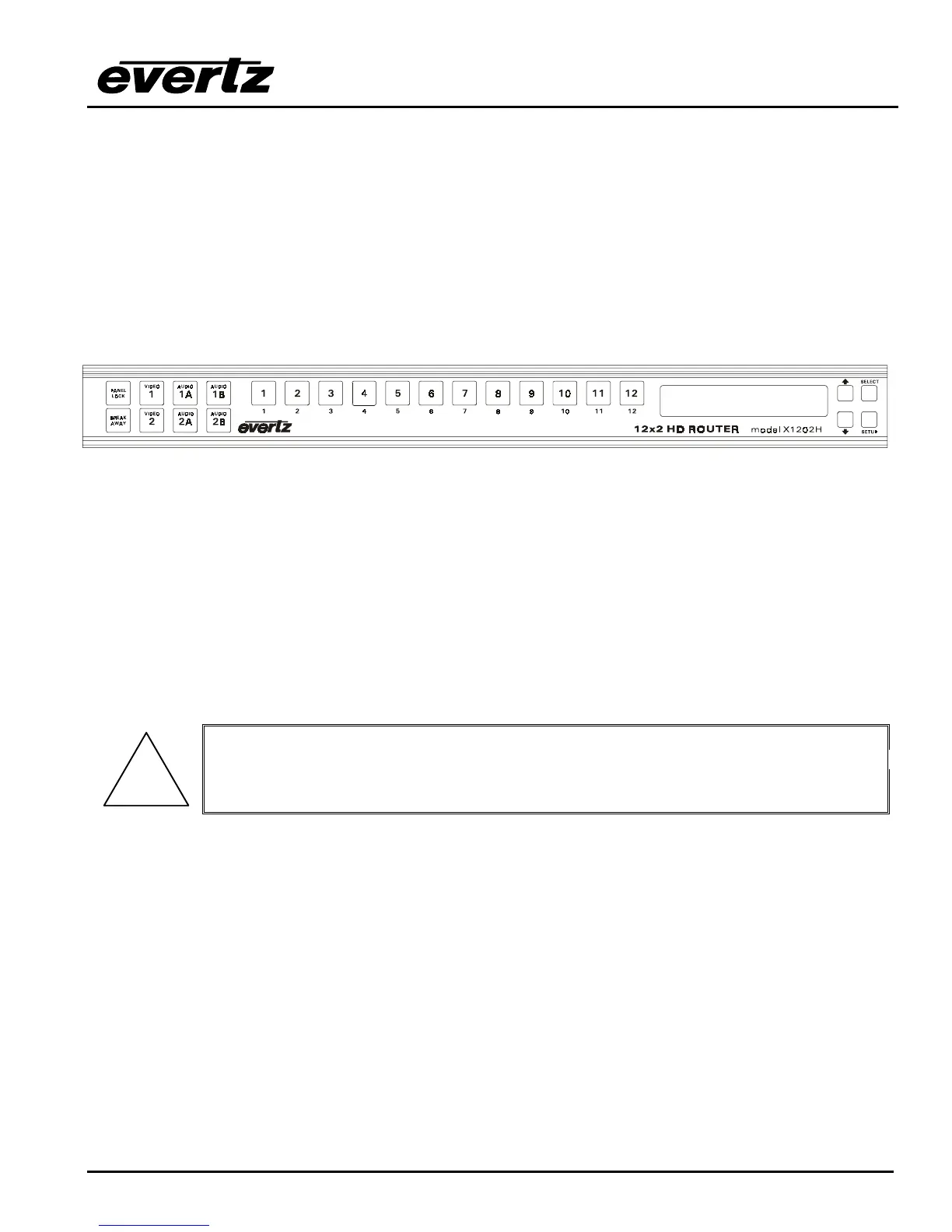
3.1. OVERVIEW OF THE FRONT PANEL DISPLAY AND CONTROLS
Figure 3-1: Front Panel Layout
The front panel layout for the X1202S and X1202H routers are identical.
3.1.1. Video Router Controls
1 to 12 These twelve buttons allow the user to select between the 12 available video inputs for the two
video output busses, as well as selecting the 12 available audio inputs for the four AES busses.
The button caps can be removed to allow the user to provide his own legends for the buttons.
V1, V2, 1A, 1B, 2A, 2B These six buttons are used to select the Bus to be controlled by the buttons
1 to 12.
PANEL LOCKThis button locks out the use of the control panel.
!
The router may still be controlled from the GPI inputs or the serial remote control
protocol when the front panel is Locked.
BREAKAWAY This button initiates the breakaway selection. Pressing this button after the desired
breakaway is selected performs the switch of the Video and its associated Audio breakaways.
3.1.2. Setup Key Group
SETUP This button is used to enter Setup menu which is used to control various setup options to
configure the operating modes of the router. (See section 3.3 for a complete description of the
Setup menu.) When you are in the Setup menu, this button is also used to back out of menu
selections to the next higher menu level. When exiting the Setup menu, the SETUP button is
also used to discard menu choice settings and return to normal panel operation.



 To Next Page