X1200 Series Router Manual
OPERATION
Revision 1.3.2
Page 3-9
3.7. CONFIGURING THE VIDEO AND AUDIO TRANSITIONS
3.7.1. Configuring The Switch Line
TRANSITION
Switch Line
Switch line = 10
On the Standard Definition Routers this menu allows the user to select
which line of the video reference the switching will occur on. Valid values
are 1 to 64, with the default switch line set to 10.
TRANSITION
Switch Line
Switch line = 7
On HD routers this menu allows the user to select which line of the video
reference the switching will occur on.
On routers that do not have SoftSwitch or Embedded SoftSwitch, the
switch line number will be the line number of the video reference.
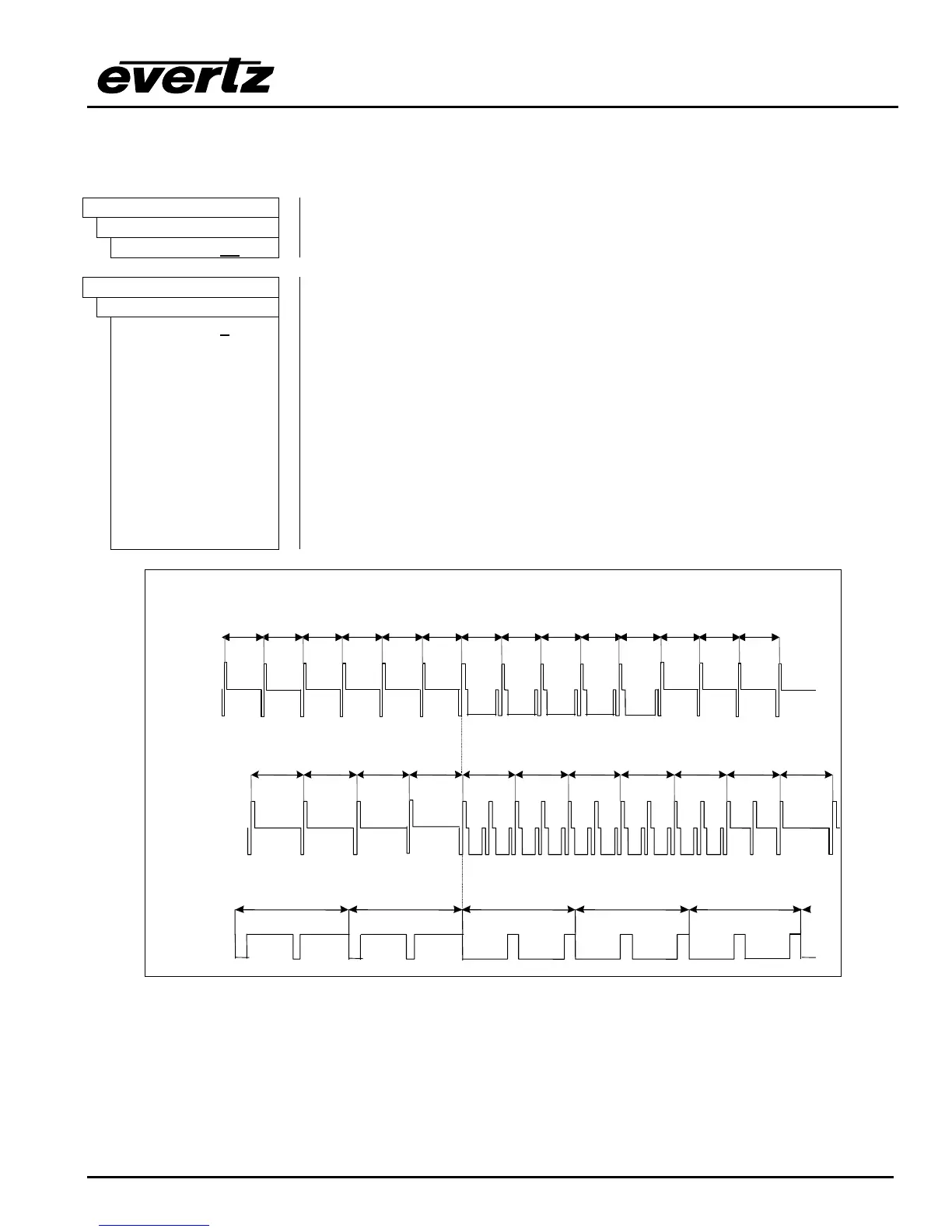
On SoftSwitch and Embedded SoftSwitch equipped routers, when using
a bi-level sync reference, the switch line number will be the equivalent line
number in HD as shown in Figure 3-3 and Figure 3-4. When using a tri-
level sync reference, the switch line number will be the line number of the
HD video reference. Valid values are 1 to 64, with the default switch line set
to 7 as per SMPTE RP168-2002. For proper timing operation the Input
Standard setting on the INPUT SETUP menu must be set to match the input
video format. (See section 3.8.5)
1125 1 2 3112411231122 4 5
1125/59.94/I Video signal
6 7
525/59.94/I Video signal
750/59.94/P Video signal
12345678750749748747746745
4
5
632
Figure 3-3: Switch Line Selection in 59.94 Hz Field Rate Systems



 To Next Page