X1200 Series Router Manual
Page 3-10
Revision 1.3.2
OPERATION
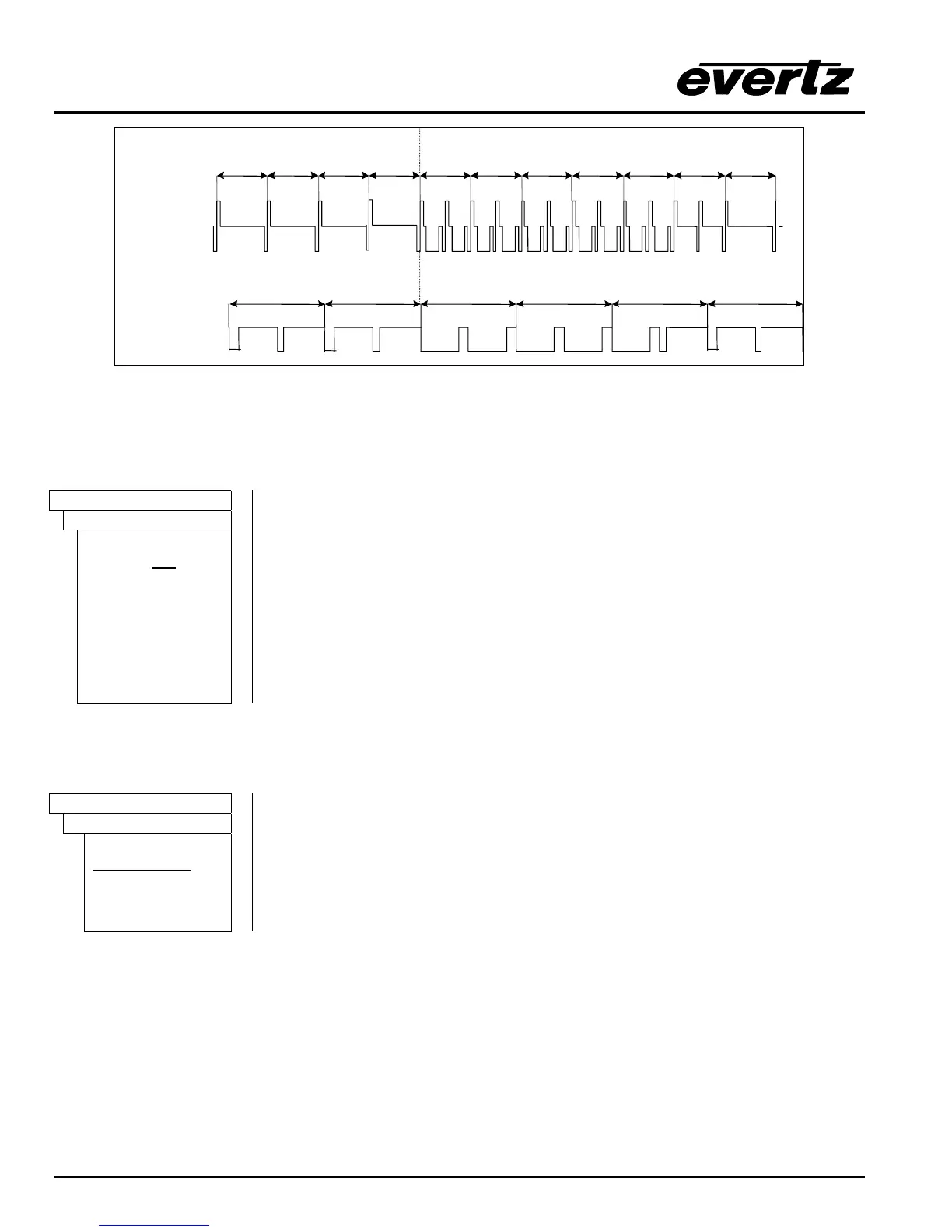
1125 1 2 3112411231122 4 5
1125/50/I Video signal
6 7
625/50/I Video signal
1234625624
Figure 3-4: Switch Line Selection in 50 Hz Field Rate Systems
3.7.2. Enabling The Video Line Synchronizer On For Clean Video Switches
(SoftSwitch
and Embedded SoftSwitch
equipped routers only)
TRANSITION
Video Line Sync
line sync:off
line sync on
This menu allows the user to control the video line synchronizer function on the
SoftSwitch and Embedded SoftSwitch equipped routers. The Line
Synchronizer control only affects the V1 video buss output.
When the line synchronizer is set to Off, the router will provide a hard switch on
the V1 buss.
When the line synchronizer is set to On, the router will provide a clean switch on
the V1 buss when the input signals are within the line synchronizer range. If the
input signal is outside the line synchronizer range the router will attempt to
synchronize the signal but may cause timing shifts in the output picture.
3.7.3. Enabling The AES Audio SoftSwitch For Clean Audio Switches
(SoftSwitch and Embedded SoftSwitch equipped routers only)
TRANSITION
Audio SoftSwitch
softswitch:off
softswitch:on
This menu allows the user to enable the Audio SoftSwitch on the
SoftSwitch and Embedded SoftSwitch equipped routers. When Audio
SoftSwitch is On, the router will provide a clean AES switch on the AES audio
busses associated with the V1 buss.
This function can be turned On or Off and should be Off when switching non-
linear audio sources such as Dolby E.



 To Next Page