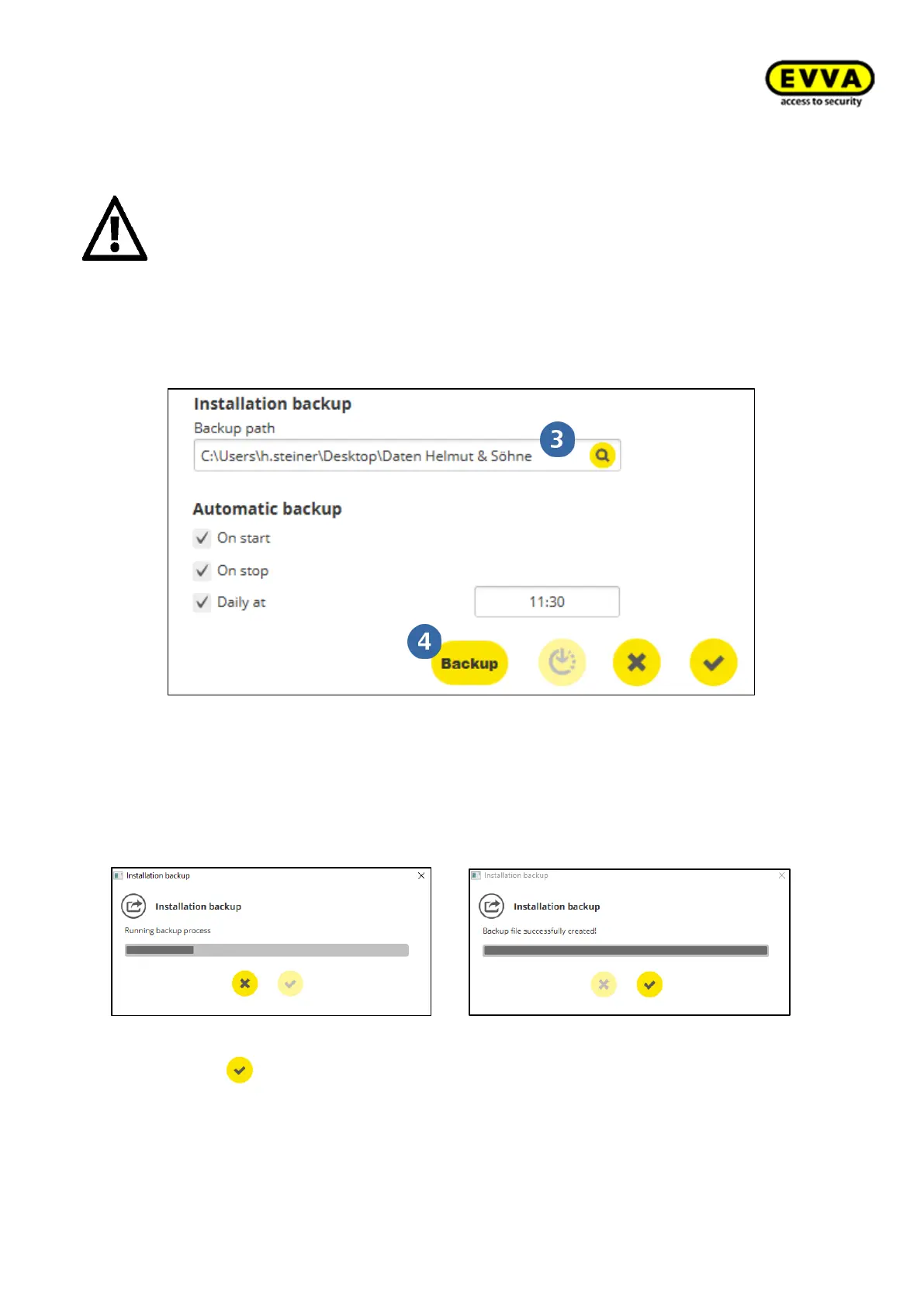
2. Step: Name the backup path to specify where to save the backup files.
An error message appears upon entering an incorrect path or if no path is entered.
We do not recommend keeping the backup data on the system computer or sys-
tem drive. It should be kept on an external data carrier so that the backup data is
not affected in the case of damage to the system computer.
If when selecting the backup path, the existing network drives are not visible in the
selection, this is probably due to their IT rights or the drive mapping. In such a case,
please contact your IT supervisor.
3. Step: Click on the backup button to create the backup. This is possible at any time
during operation of the system.
By clicking on you are returned to the installation manager system page.



 To Next Page