Backups on starting and stopping the system is only possible with the Ad-
minCard inserted and selected.
A backup at a defined time is only possible when the system and the Installa-
tion Manager are running. Therefore, a time for the daily update must be cho-
sen so that a successful backup can be created.
The Admin PC must not go into standby mode when automatic backups are to be per-
formed. Because the Installation Manager must be restarted after standby mode.
6.3 Backup files
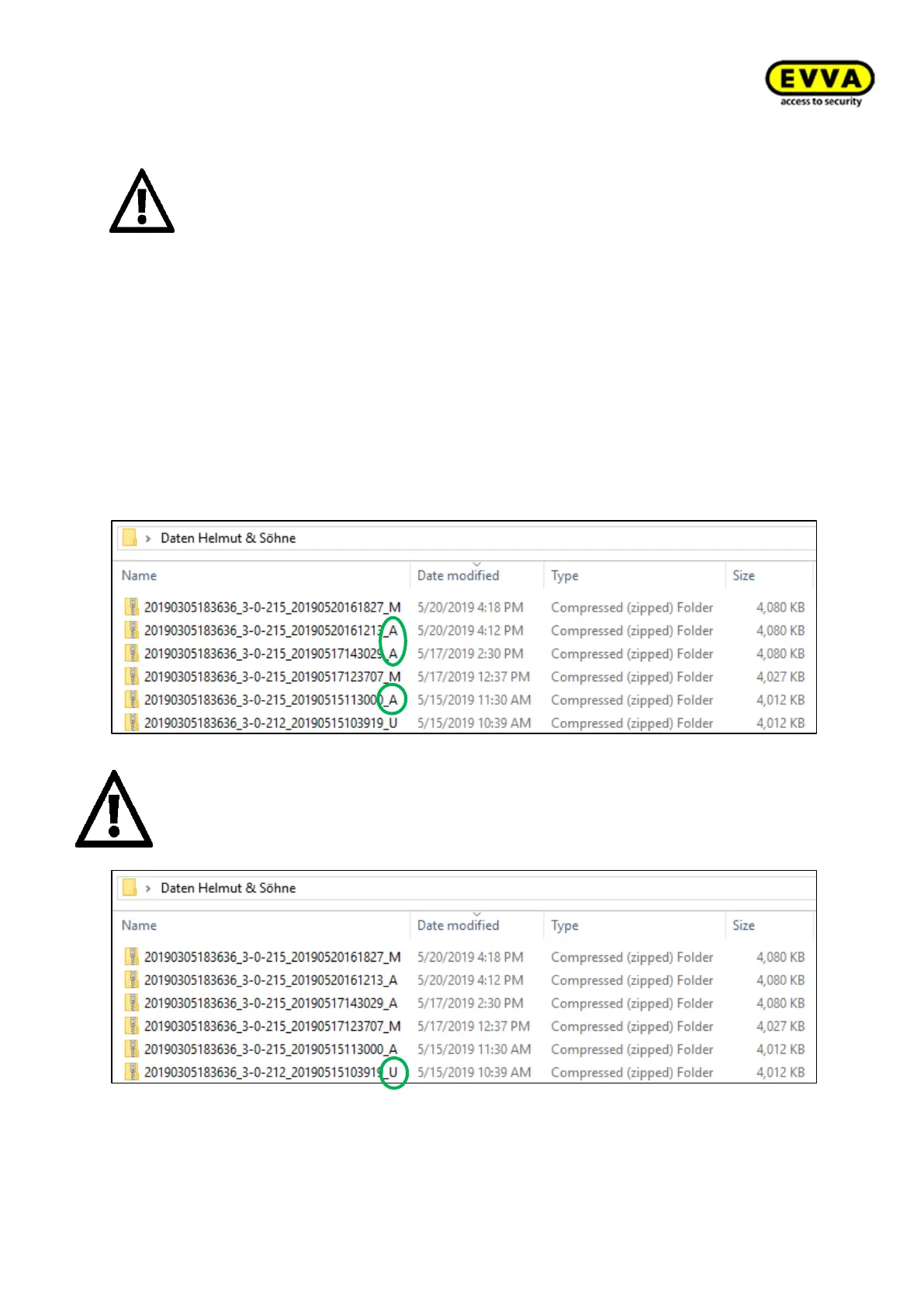
Automatic data backup is located at the backup location and is marked with an "A" at the
end of the file name. Only one (the last) automatic backup is saved per day. Generally,
only the last 3 automatic backups are saved.
An automatic backup is performed before every software update. Automatic data
backup is located at the backup location and is marked with an "U" at the end of
the file name.



 To Next Page