8.3 Xesar filter functions
For a detailed evaluation or a simplified representation, lists in the various menu items can
be filtered according to one or more criteria.
In addition, filter settings that are commonly used can be saved for easier operation.
8.3.1 Manual filter:
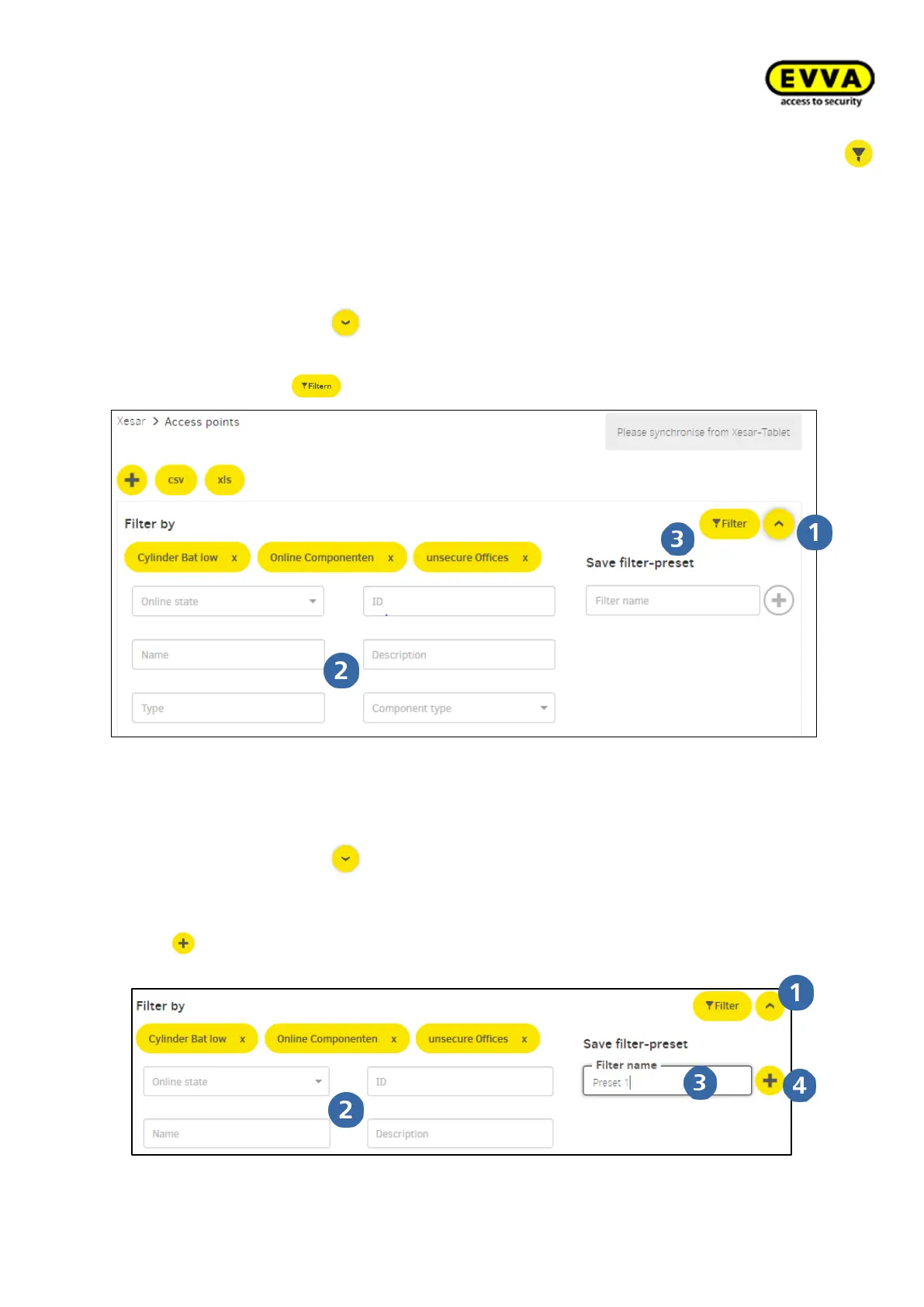
Filter area by clicking on open
Select filter criteria
Filter by clicking on start
8.3.2 Preset filter:
Filter area by clicking on open
Select filter criteria
Enter name of preset filter
with Add preset filter
clicking „x“ in the button field to delete the preset



 To Next Page