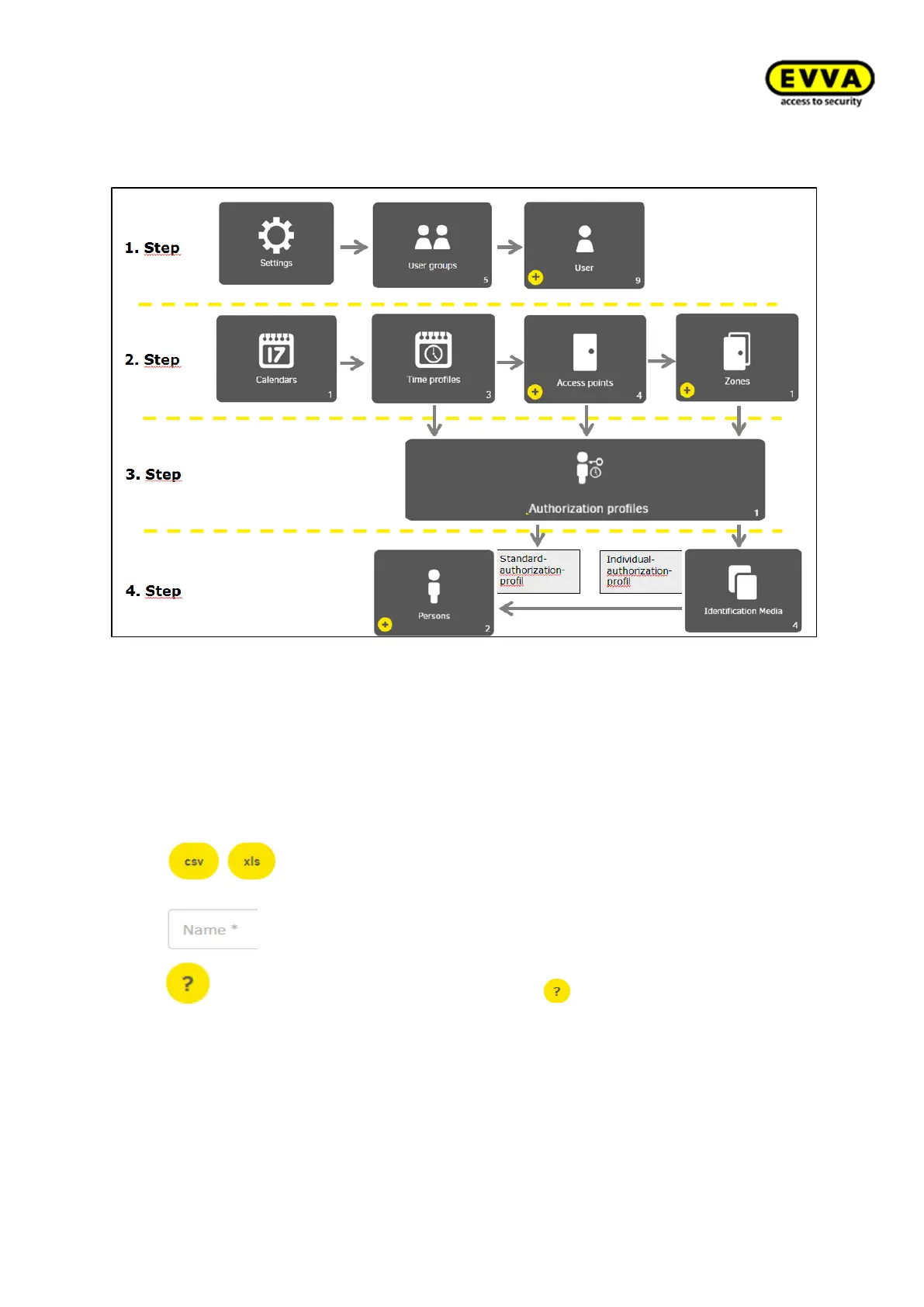
7 Commissioning Xesar software
Figure119 - Commissioning step by step
7.1 General information on commissioning
• New settings or changes must be saved before leaving the respective page. If this
is not done then the original settings are retained.
• Export of lists: All list views can be printed and exported as .csv or
.xls file. The file origin must be "65001: Unicode (UTF-8)".
• Mandatory entry fields are marked with *.
• Help texts can be called up by clicking on and displayed.
• To allow better viewing of the lists, the width of all columns can be adjusted by
double clicking and and dragging the column line. The result depends on the number
of columns and the screen display.



 To Next Page