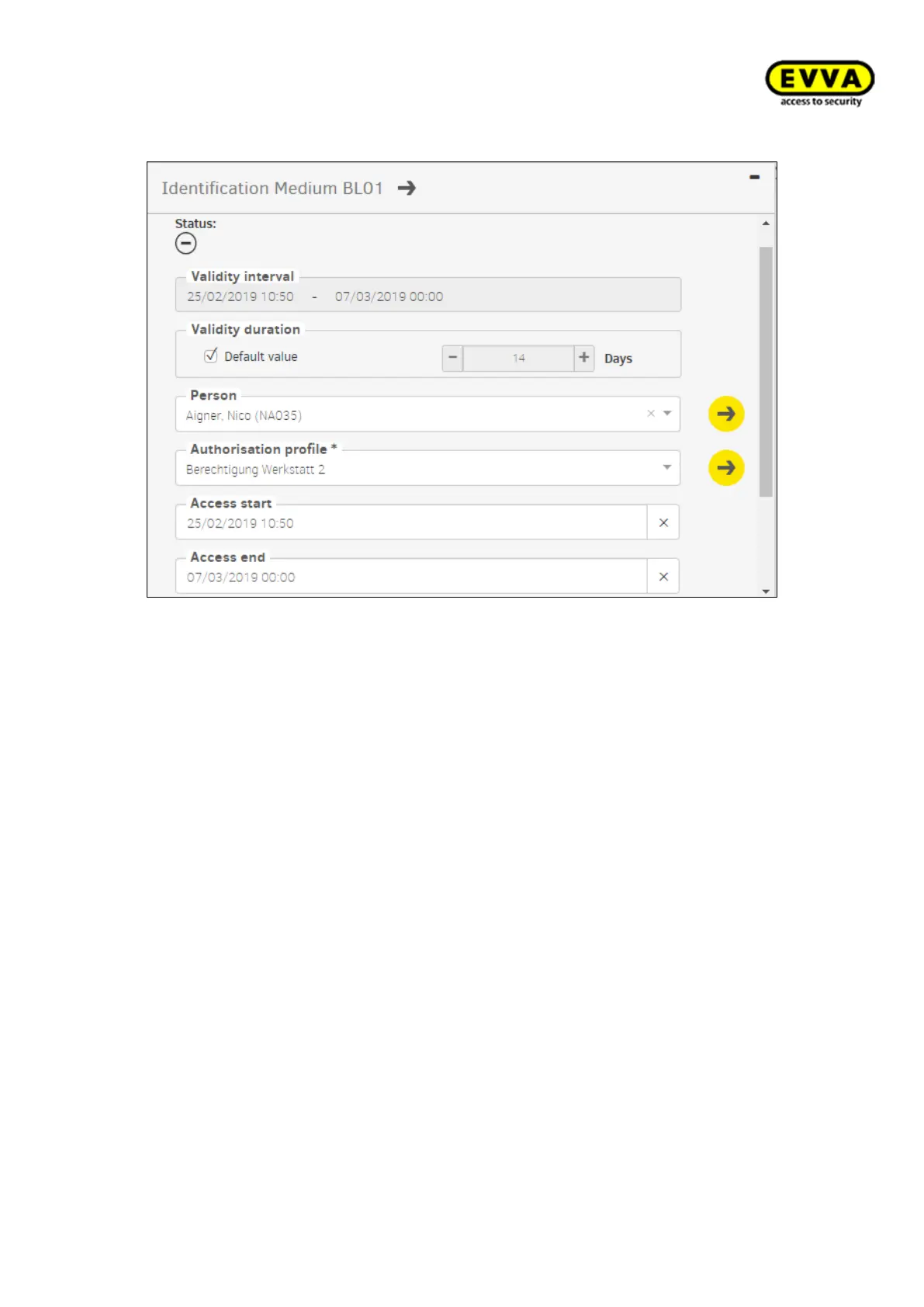
After confirmation, another page appears with the following display and input fields:
Figure171 - Assign identification medium
Status: Shows the current status regarding validity and actuality.
Validity period: Indicates from when until when the identification medium is valid.
Validity period Selection of the time period until when the identification medium has to
be updated via the online wall scanner, or via the coding station (validity extended).
Standard value: As defined in the general security settings.
Individuell: Adjustable from 1 day to 7300 days (about 20 years)
Person: The identification medium can be assigned to a registered person. You can also
assign multiple media to one person.
Identification medium (replacement medium): To create a replacement an identifi-
cation medium belonging to the above person, the medium can be selected here with the
persond authorisation profile.
Authorisation profile (mandatory field): Selection of the desired authorisation profile
Authorisation begin: Start time of the authorisation of the identification medium (may
also be in the future, for example a hotel reservation)
Authorisation ends: Authorisation and validity end date of the identification medium (for
example, end of a placement)
After this date, the validity of the identification medium can no longer be extended.
Individual authorisation:
In addition to an authorisation profile, an identification medium can be assigned an addi-
tional 3 additional individual authorisations. 3 access points or zones can be defined with
different time profiles.



 To Next Page