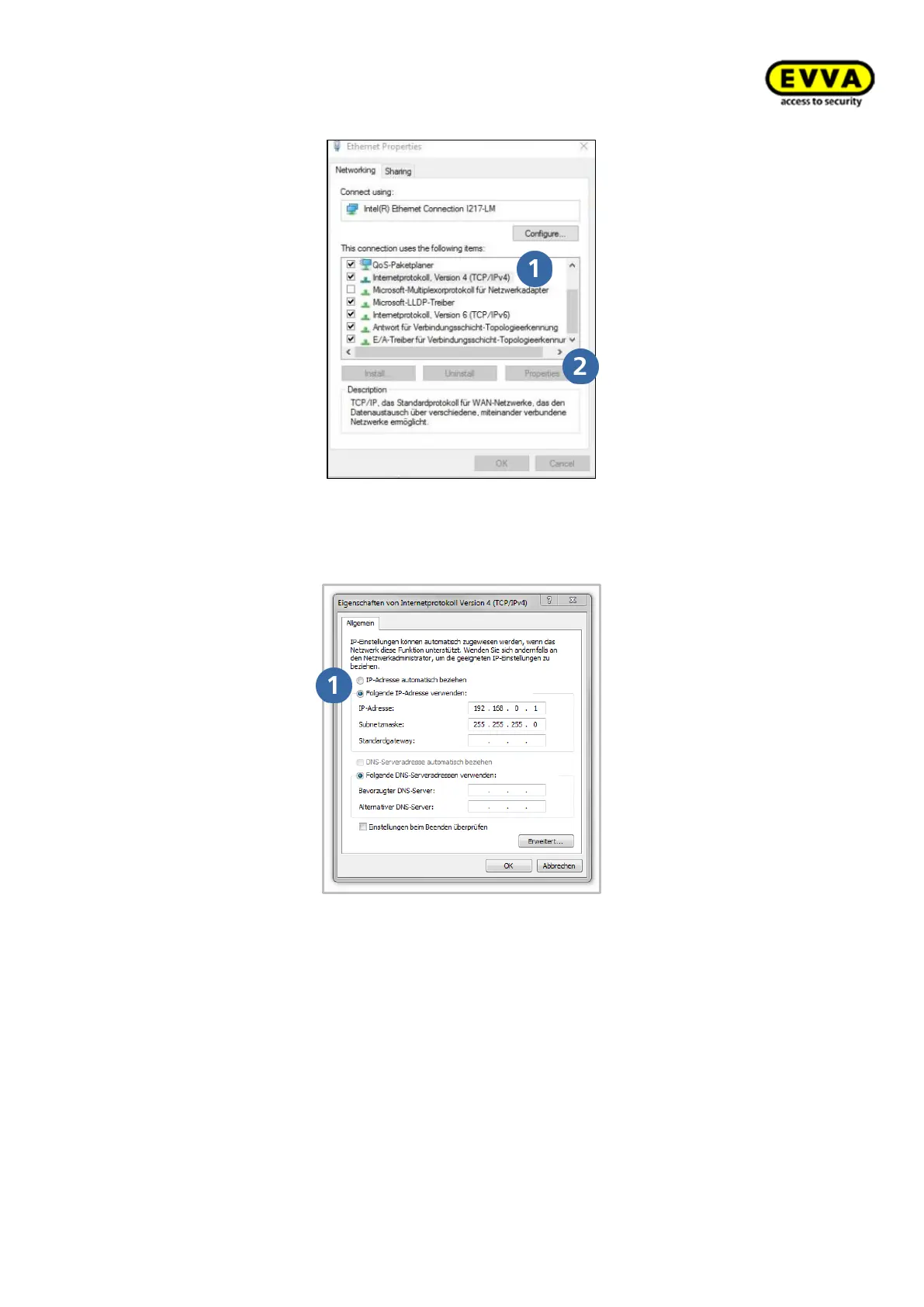
Figure 178: Windows | LAN connection
• In the window, select Internet protocol version 4 (TCP/IPv4) and click prop-
erties .
Figure 179: Windows | IP address (PC)
• Now configure the IP address and the Subnet mask of the PC that you are using
for the configuration.
Use the following details for this purpose:
o IP address: 192.168.0.xxx (1-254)
Subnet mask: 255.255.255.0
DNS server: -
Make sure you do not use the preconfigured IP address of the Xesar network adapter
(192.168.0.100) as otherwise there will be an IP address conflict which will inhibit a con-
nection.



 To Next Page