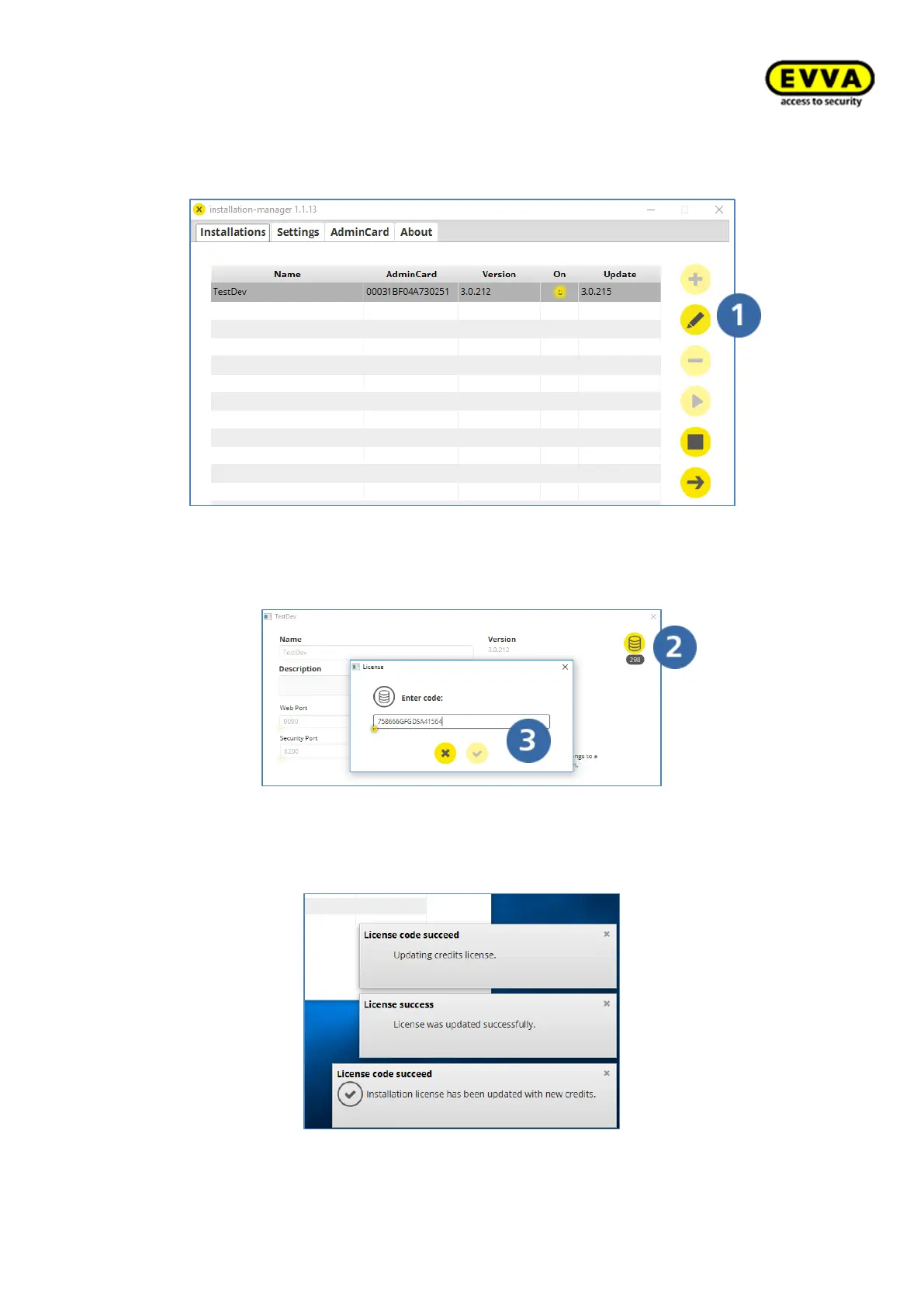
12. Step: Adding KeyCredits
a. Click the edit icon
Figure 65 – Loading/activating KeyCredits
b. Click the "KeyCredits container" icon
c. Enter your KeyCredits code (on the rear of the scratch card) in the field
and click Confirm.
Figure 66 – Entering the KeyCredits code
You will receive the following messages from the EVVA licence server after having success-
fully loaded KeyCredits:
Figure 67 – Licencing successful



 To Next Page