User Manual METERS February 16, 2010
Xynergi Media Production Centre Page 203
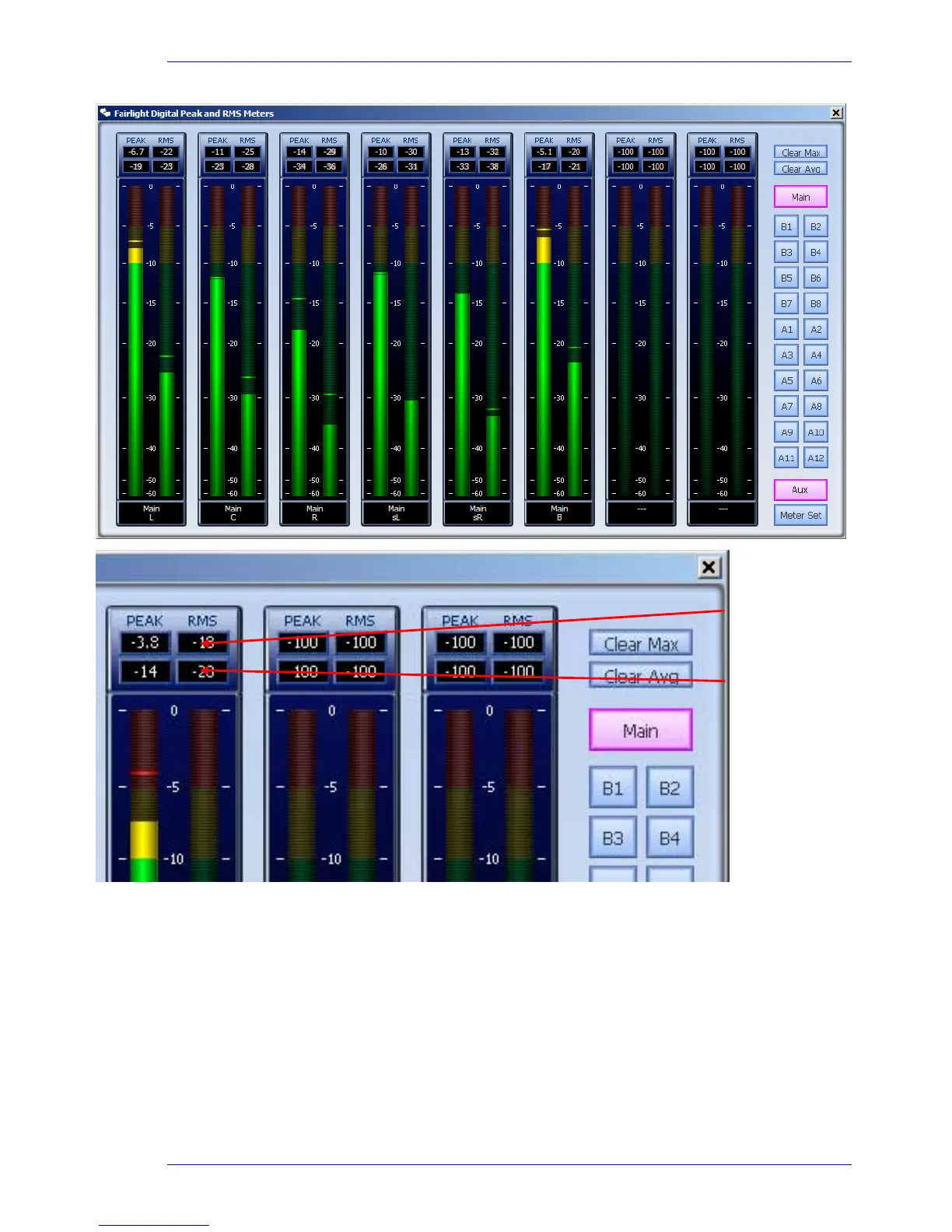
Selection of metering source for the Master Screen Meters:
With
Aux selected, click Main, Sub-Buses (B1, B2…) and Aux buses (A1, A2…) to toggle
them on or off the meters.
You can add any number of buses, and the system will display meters for up to eight Bus
elements, starting at the top of the selected buses.
With
Meter Set selected, select one Meter Set or a number of Main and Sub buses.
Meter Sets cannot be added to other sets or buses.
Shows maximum
value since meters
opened.
Shows average value
since meters opened.



 To Next Page