User Manual GROUPING February 16, 2010
Xynergi Media Production Centre Page 215
If composed of Track Feeds, it is also shown in the Editing Screen.
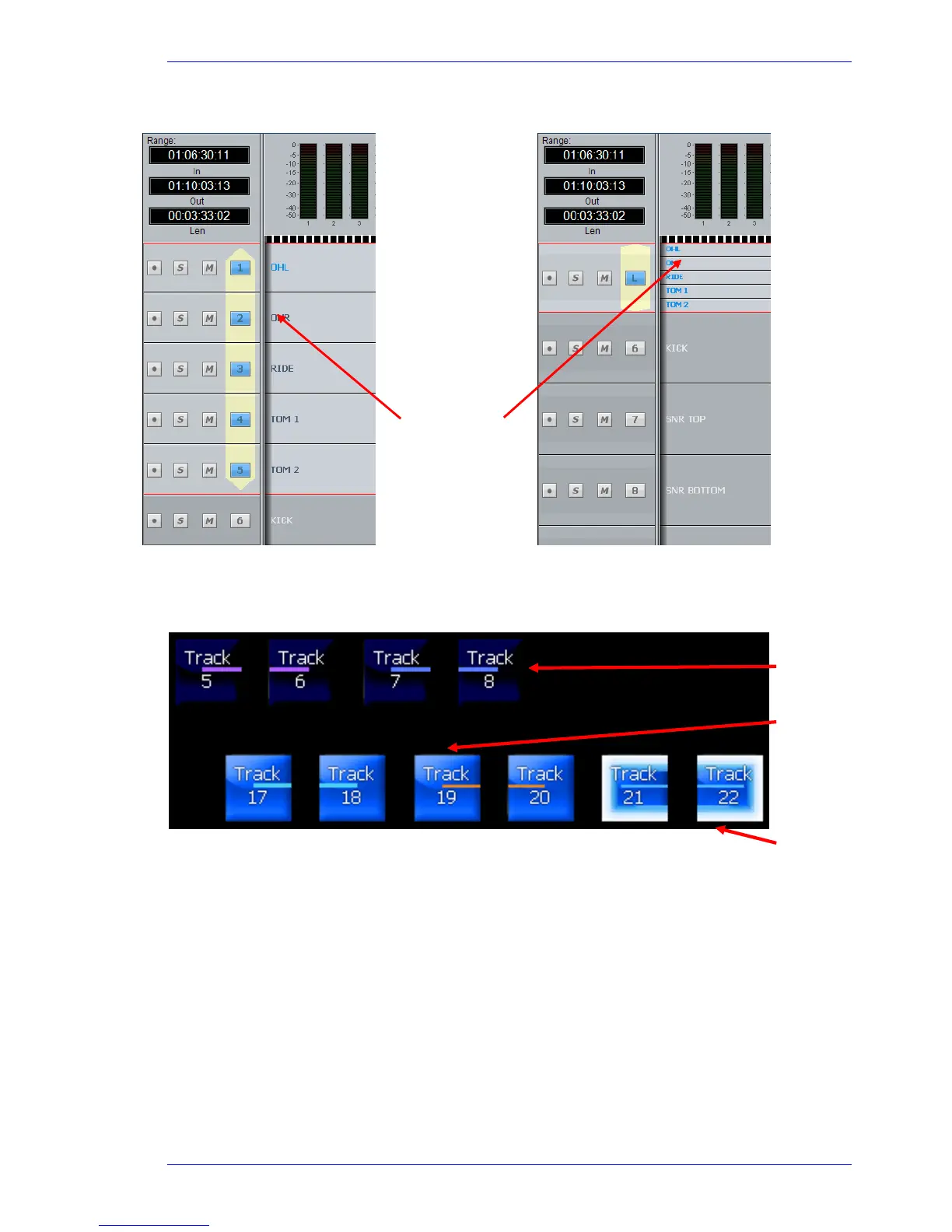
You can collapse linked tracks down to the width of one track by double-clicking any of the linked tracks,
close to its left side. Do the same thing to expand them.
In Xynergi, Track Link Groups are displayed with lines through the buttons, as follows:
Destroying a Link Group
Link groups are destroyed from the Link Group menu:
Step 1 Press the
Setup Megamode button.
Step 2 Press the
Link Gp button.
The feeds that currently belong to link groups are shown in yellow or brown. Feeds available for
selection are shown in dark blue.
Step 3 Press the feed selection key of a feed belonging to a group.
Step 4 Select the
unlink soft key.
NOTE: You can also create and destroy Link Groups from the Tracks Menu under
Link Tracks
and
UnLink Tracks respectively. Note that this method does not offer the same flexibility as
using the control surface.
Double-click
here to collapse
or expand the
linked tracks.
Unselected
Link Groups
Selected
Link Grou



 To Next Page