User Manual HOW TO … February 16, 2010
Xynergi Media Production Centre Page 58
For details about this see How to Monitors Config Speakers.
Configure Monitor Speaker Sets
Overview
The system allows you to define many speaker sets. There is always a MAIN set, usually your
large Control Room monitors. You may also create many other sets and choose them whenever
you like.
This guide will show you how to set up the formats, outputs and names of your speaker sets.
Get Ready
Press the green Mon button.
Press the
Mon Setup button if it’s not already lit.
Configure
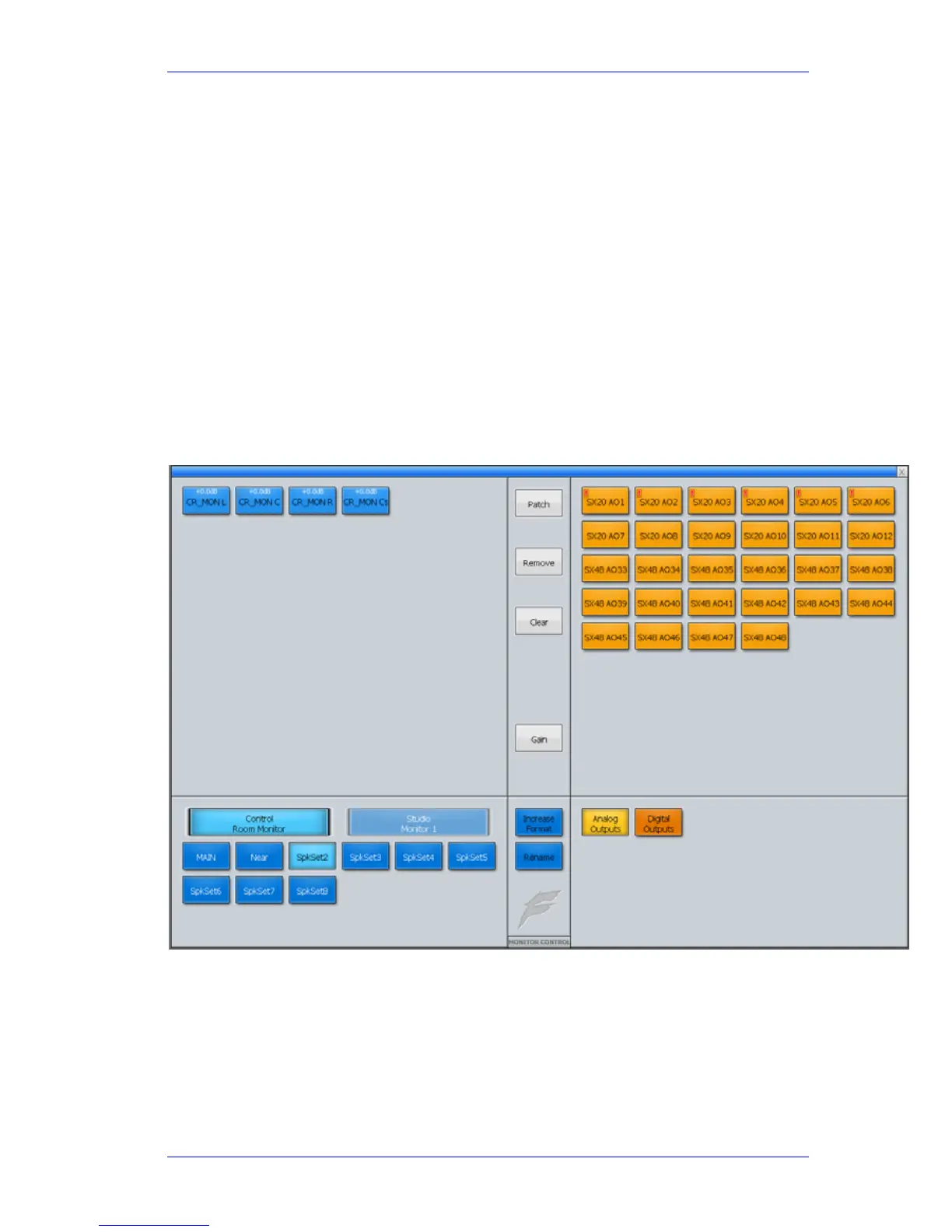
To configure speaker sets, press the Config Monitors soft key and work on the Mixer Screen
Choose a Speaker set at the lower left.
Click the
Increase Format button until you see the desired format for this speaker set.
Select all its Elements (Left, Center, Right etc) at the top left.
Click Analog (or Digital) outputs at lower right.
Choose the right number of free outputs to match the number of speakers. Click
Patch.



 To Next Page