User Manual HOW TO … February 16, 2010
Xynergi Media Production Centre Page 69
Fader Groups
There are 10 VCA-style Fader groups on Constellation. Members of a Fader Group have their fader
levels controlled by a Master, and can also be accessed individually to set relative levels within the
group.
Control
Faders in a group are controlled relatively by the Group Master fader. To do this, you must either
CALL the Group Master to the Channel Panel, or add it to a fader set.
Displaying Group Masters
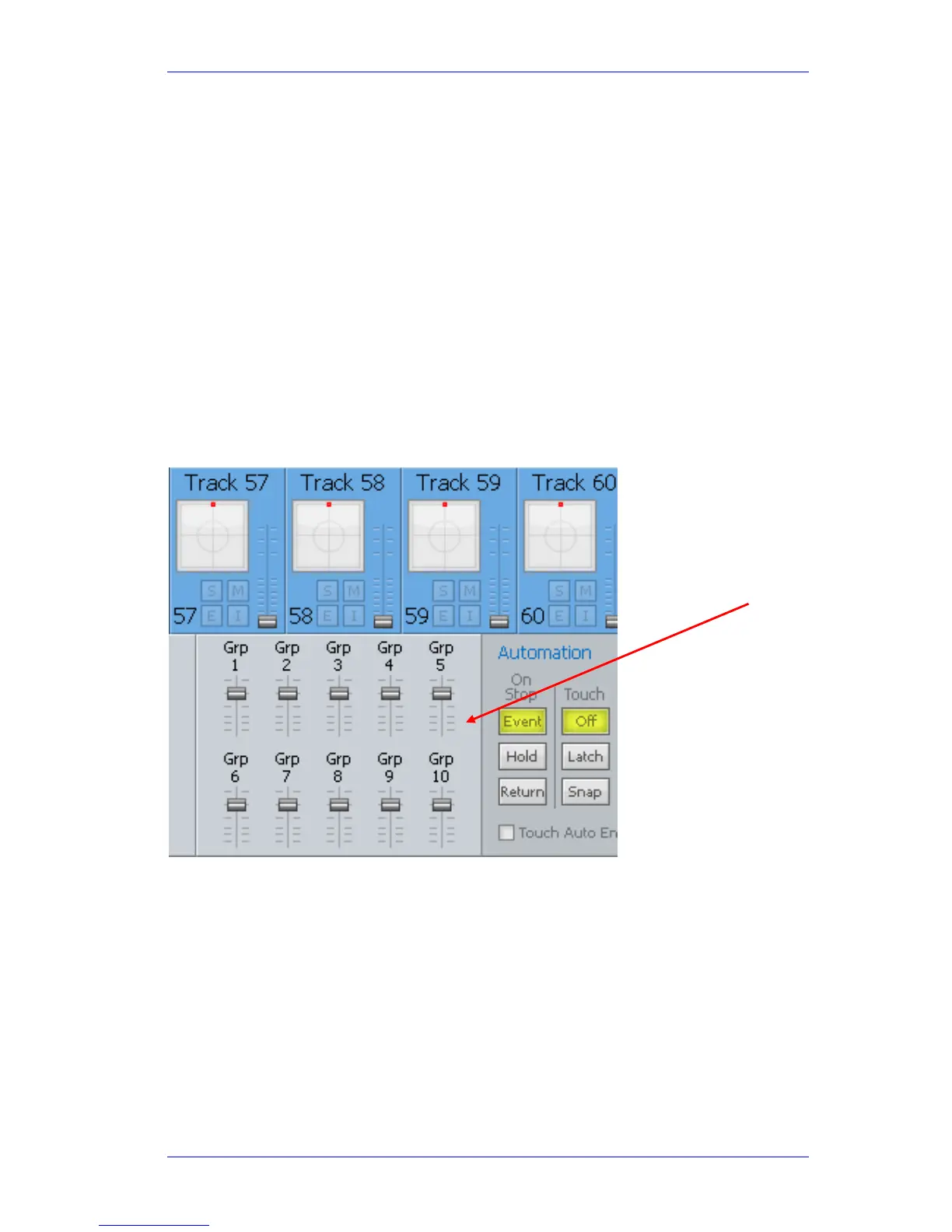
The Mixer Screen optionally shows VCA Group masters. To control this:
Step 1 Open the System Variables window by typing
SHIFT+ctrl+U
Step 2 In the Screen Layout section, select Show VCA Groups + Automation, or Show VCA
Groups + Timecode, or Show all three.
Step 3 Close the System Variables window by typing
esc or clicking OK.
This setting will be remembered for future sessions.
Members of a Fader Group are indicated on the Main Screen graphics with the inclusion of fader
group indicator, located immediately below the Track/Live channel number.



 To Next Page