2. Use of the vehicle
USE AND MAINTENANCE MANUAL CHAPTER 2
USE OF THE VEHICLE2-Strokes - Edition 01 / 2023
73
2
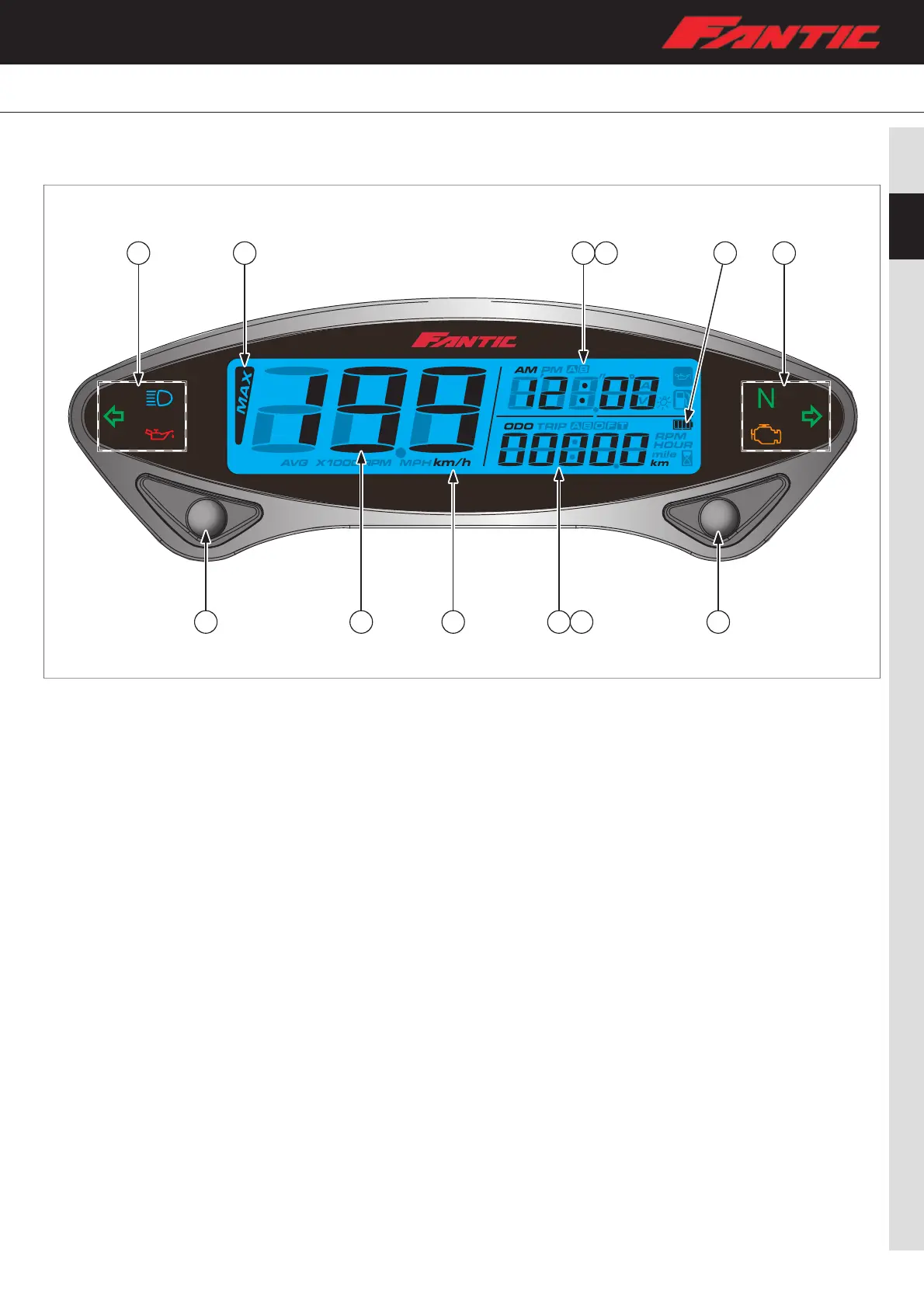
11 9 7 8 10 11
1 3 4 5 6 2
2.7 DASHBOARD (ONLY XE 125 VERSION)
Instruction of function
1. Select button
• Press the Select button on the main screen to switch between 12–24 hour mode, speedometer record, stopwatch , and MAX
record;
2. Adjust button
• Press the Adjust button on the main screen to switch between ODO, Trip A–B, Total Hour meter, Hour meter A–B;
3. Speedometer
• Display range : 0~360km/h (0~225 MPH);
4. Speedometer
• Display unit : km/h (MPH);
5. Odo meter
• Display range : 0~99999 km (mile), automatically reset after 99999 km (mile);
• Display unit : 1 km (mile);
6. Trip meter
• Display range : 0~9999.9 km (mile), automatically reset after 9999.9 km (mile);
• Display unit : 0.1 km (mile);
7. Clock
• 12–24 MODE;
8. Stopwatch function
• Can be either programmed for manual activation or by wheel activation;
9. Max Record function
• Average speed : 0 ~ 360 km/h (0 ~ 225 MPH);
• MAX Speed : 0 ~ 360 km/h (0 ~ 225 MPH);
10. Inner battery display range
• 4 levels;
11. Indicator lights
• High beam light (Blue);
• Direction light (Green);
• Neutral light(Green);
• FI light (Yellow);
• Oil light (Red).



 To Next Page