2. Use of the vehicle
USE AND MAINTENANCE MANUAL CHAPTER 2
USE OF THE VEHICLE2-Strokes - Edition 01 / 2023
80
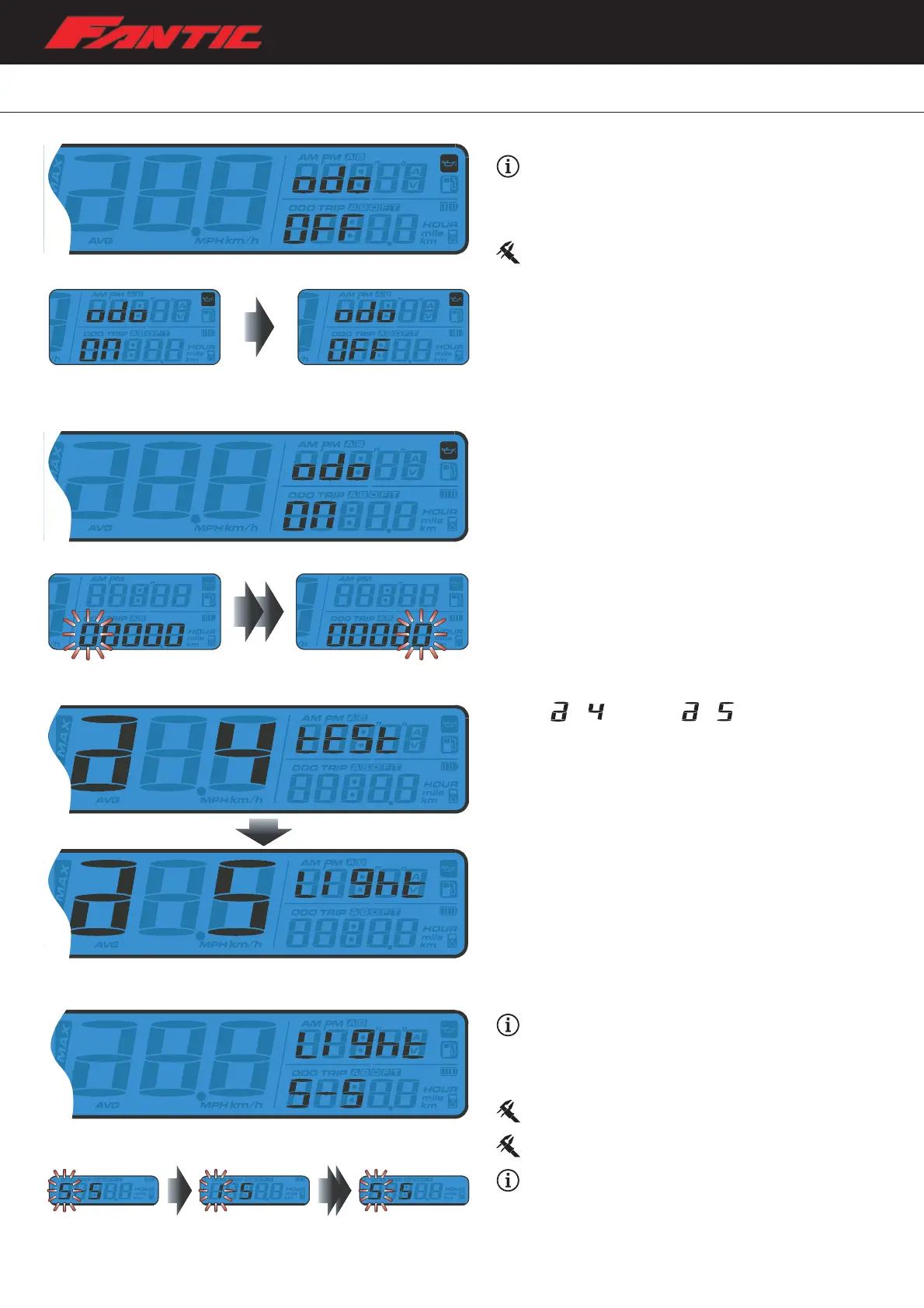
Maintenance Oil Light Setting
Example: select ON/OFF to enable/disable the
maintenance oil light function.
– If “OFF” is selected, the press the Adjust button once to exit
the maintenance mileage setting.
Default value: OFF.
– If “ON” is chosen, press Adjust button to enter the
maintenance oil light setting.
– Press the Adjust button to move the cursor to the digit to
be set.
– If “OFF” is chosen, then press the Adjust button to exit the
maintenace oil light setting.
– From
switch to screen.
– Press the Adjust button to enter the Backlight Brightness
setting.
Backlight brightness
Example: to change the Backlight brightness setting
to 1.
– Press the Select button to adjust the brightness of the
backlight.
Adjustable Range: 1~5.
Default value: 5.
Example: the Backlight brightness setting is changed
from 5 to 1.
– Press the Adjust button to confirm and exit the Backlight
Brightness setting.







 To Next Page