18 4812325559EN 2018-02-20
Multifunction display – General description
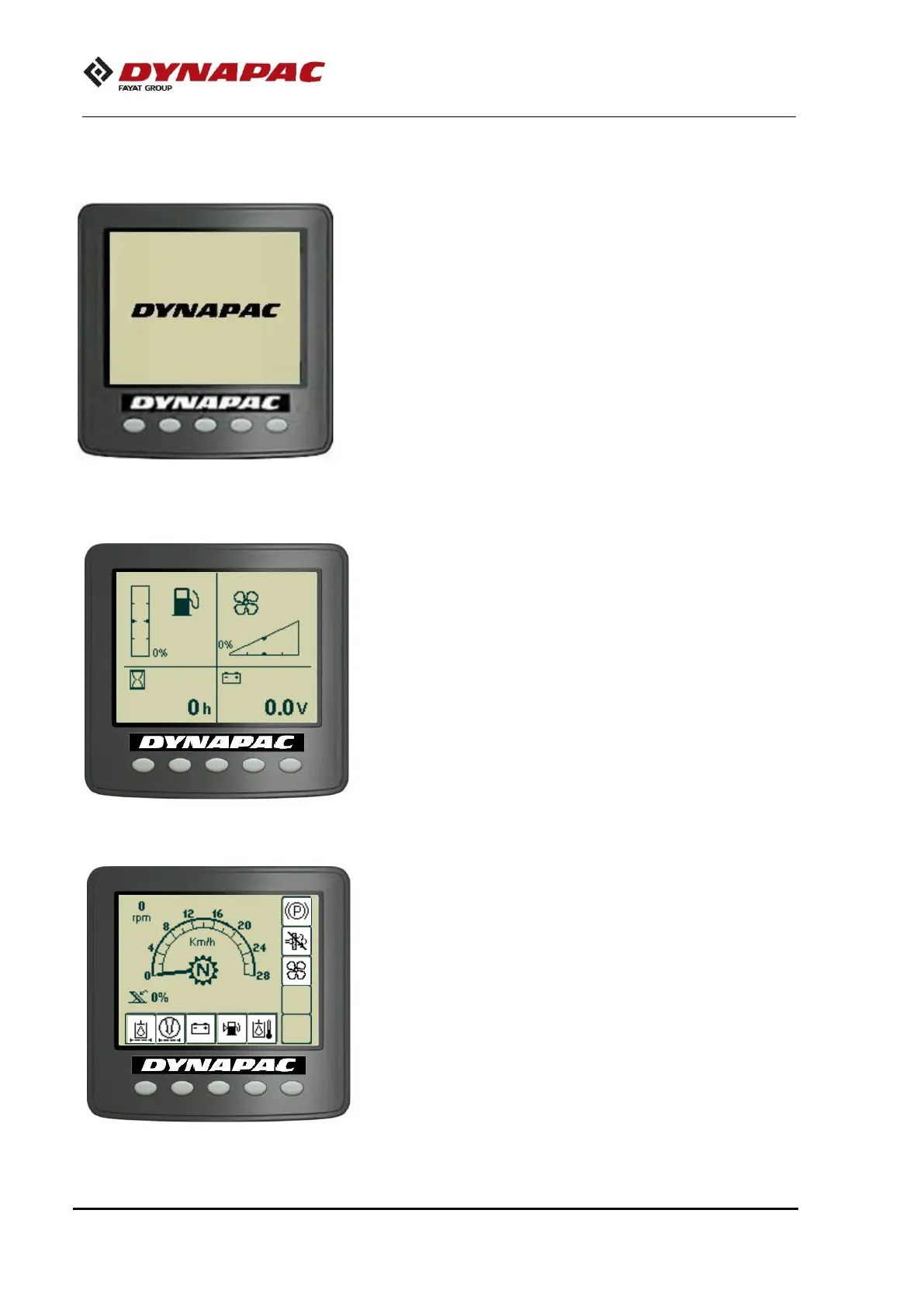
When the switch is turned to the “I” position, the startup screen
is shown on the screen. The screen stays for a couple of
seconds and then goes to the status screen.
The status screen shows information about the fuel level, fan
speed level, operating hours of the machine and voltage. The
fuel level and fan speed level are specified in percentage (%).
The screen is shown until the diesel engine starts operating or if
one of the function buttons below the screen is pressed.
Is the engine starts running before the selection of the current
screen, the screen will change to the main screen.
This screen shows an overview and stays throughout the
operation:
- The speed is shown in the middle of the screen.
- The status of the machine gears (N, 1, 2, 3 e 4) is shows with
a symbol in the middle of the screen.
- The engine speed and the percentage of the accelerator
position are shown on the upper left side and on the lower left
side, respectively.



 To Next Page