41
15. Near Zero Function Description
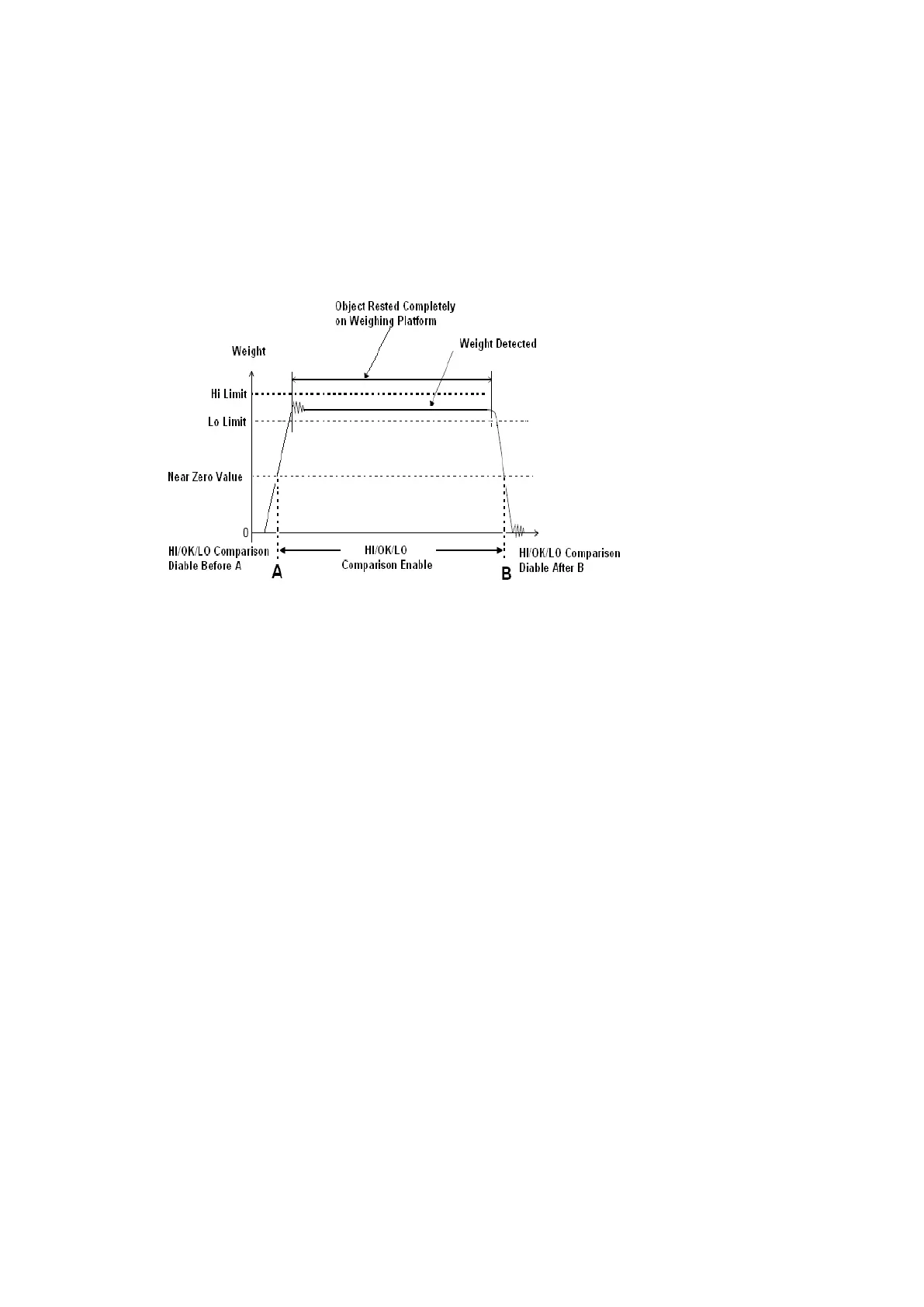
Near zero value is a useful function for checking. It is used to avoid unnecessary/false Lo signal output during
loading and unloading.
Hi/OK/Lo comparison will only start when weight reading exceeds the preset near zero value. Refer to the below
diagram for more illustration.
Near Zero Value Illustration Diagram
16. Data Output Protocols & Formats
This instrument supports various PC data output protocols and output formats. Refer to the below paragraphs
and paragraph 8 for more information and setting procedures.
16.1 PC Output Protocols
• 10 predefined PC Output Protocols. Refer to Appendix A for more information.
• 1 customized Output Format. Refer to Appendix B for more information.
Note: - RS485 is not a suitable transmission mode for PC output protocol unless machine ID is set = blank in
internal function F18.
16.2 Data & Print Formats
16.2.1 Predefined output formats
5 predefined output formats (Lab1 ~ Lab 5). Refer to the below Appendixes for more information.
• Lab 1 Output Format. Refer to Appendix C for more information.
• Lab 2 Standard Output Format. Refer to Appendix D for more information.
• Lab 3 Output Format. Refer to Appendix F for more information.
• Lab 4 Output Format. Refer to Appendix G for more information.
• Lab 5 Output Format. Refer to Appendix H for more information.
16.2.2 Lab 2 customized output format
This instrument supports customized Lab 2 output format. Refer to Appendix E for more information.



 To Next Page