68
I.3 Uploading TCF File to Printer
To allow proper operation between instrument
and the TSC label printer, a TCF file must be
uploaded to the printer.
1. Connect the printer with the computer.
2. Power on the printer.
3. Download the correct TCF file step 4
of I.1.
4. Unzip the download file and save it to
the computer.
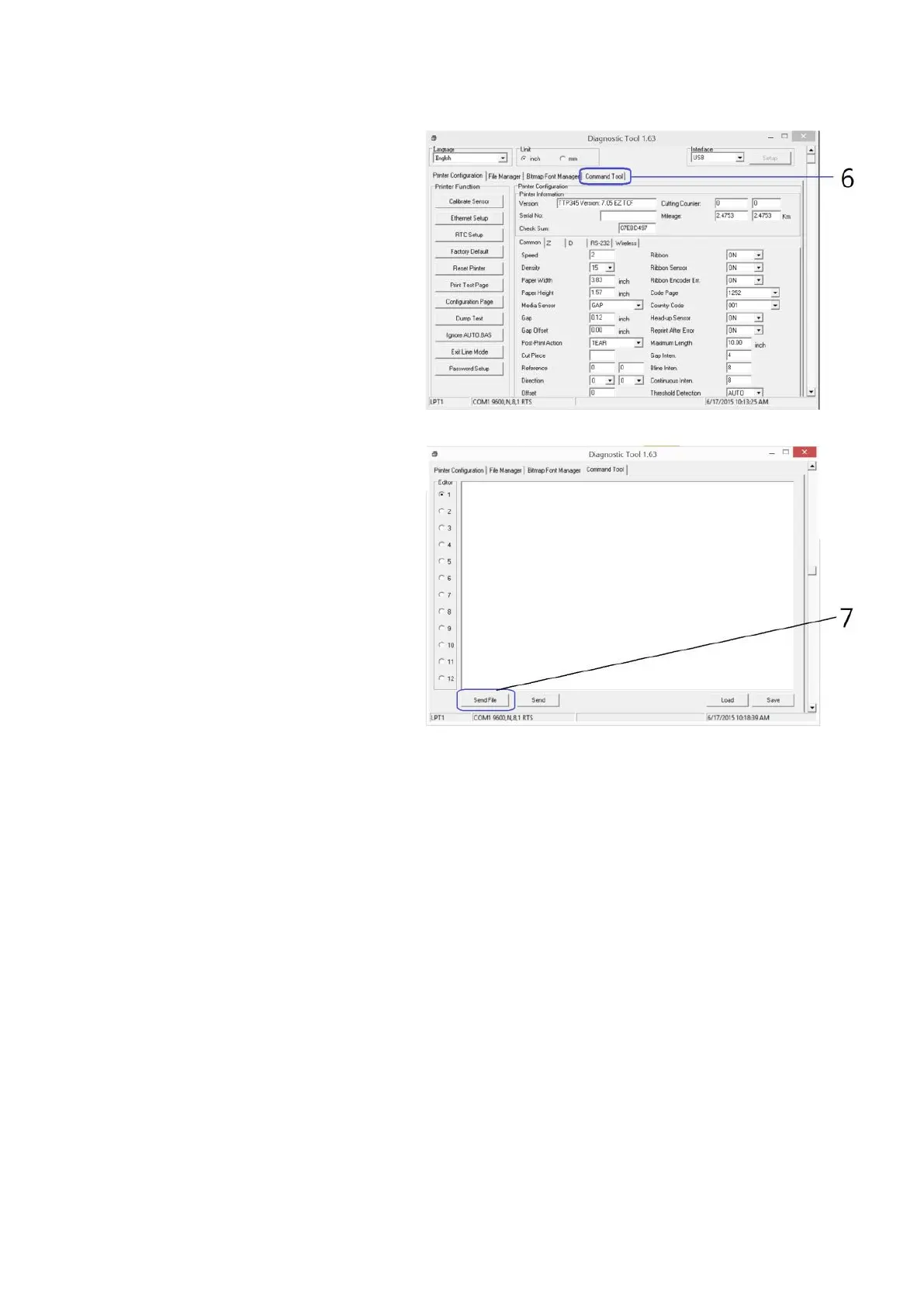
5. Run Diagnostic tool for the printer.
6. Click on Command Tool.
7. Click on Send File.
8. Double click on the TCF file, and it will
be uploaded to the printer.



 To Next Page