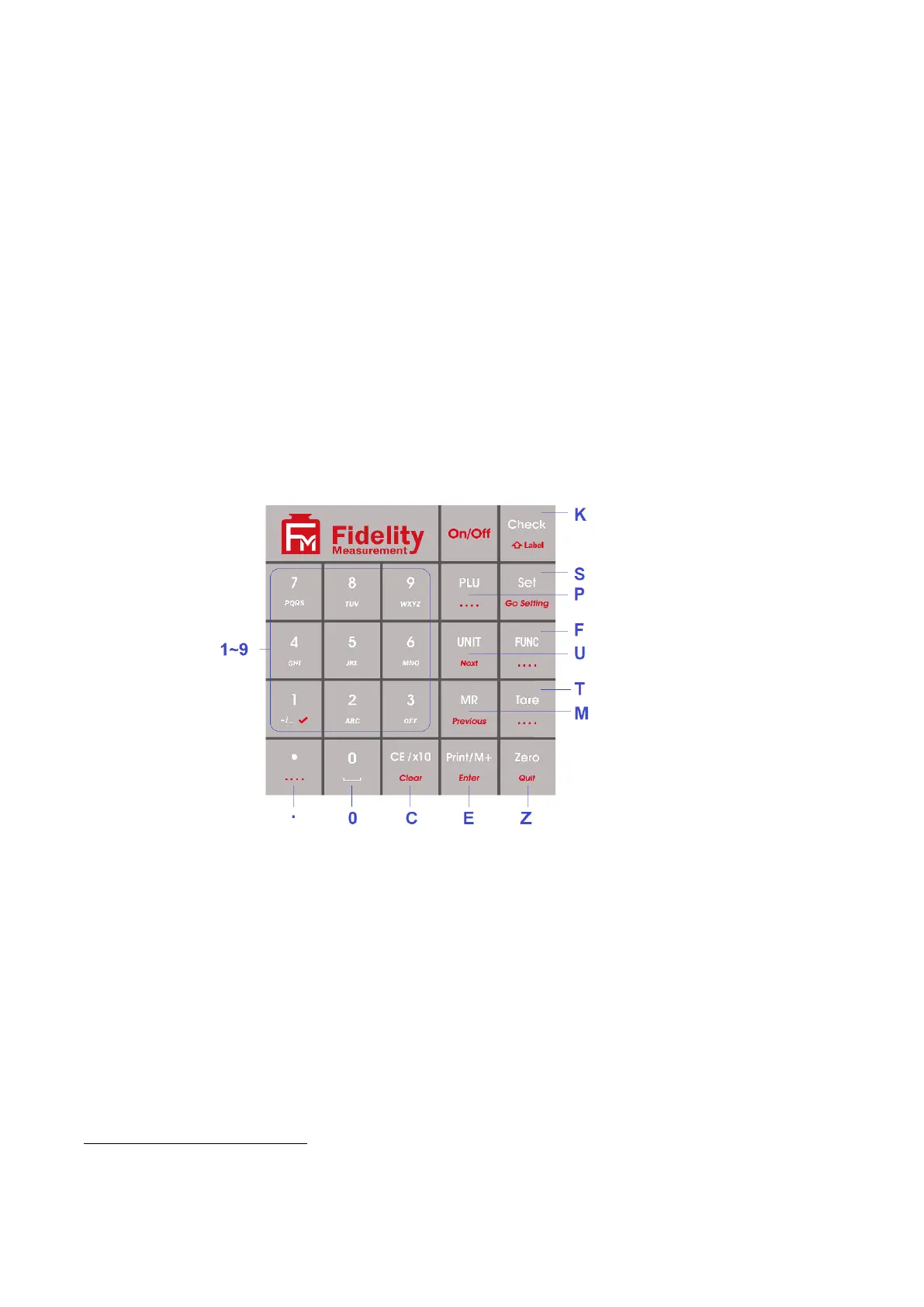
Keyboard commands can be sent to this instrument from a computer through any standard communication
program to simulate keyboard entries. Keyboard command format as below: -
a. Start String * “asterisk” (Hex code 02A), followed by
b. Letters KB, followed by
c. The letter shown on the below illustration diagram (keyboard commands are case sensitive), followed
by
d. End String # “number sign” (Hex code 23).
Example to send manual Zero key command to instrument, input *KBA#
Notes: -
For RS485 communication, add @xx before start string.
xx = machine ID number set in F18.
Keyboard Command Illustration Diagram



 To Next Page