10
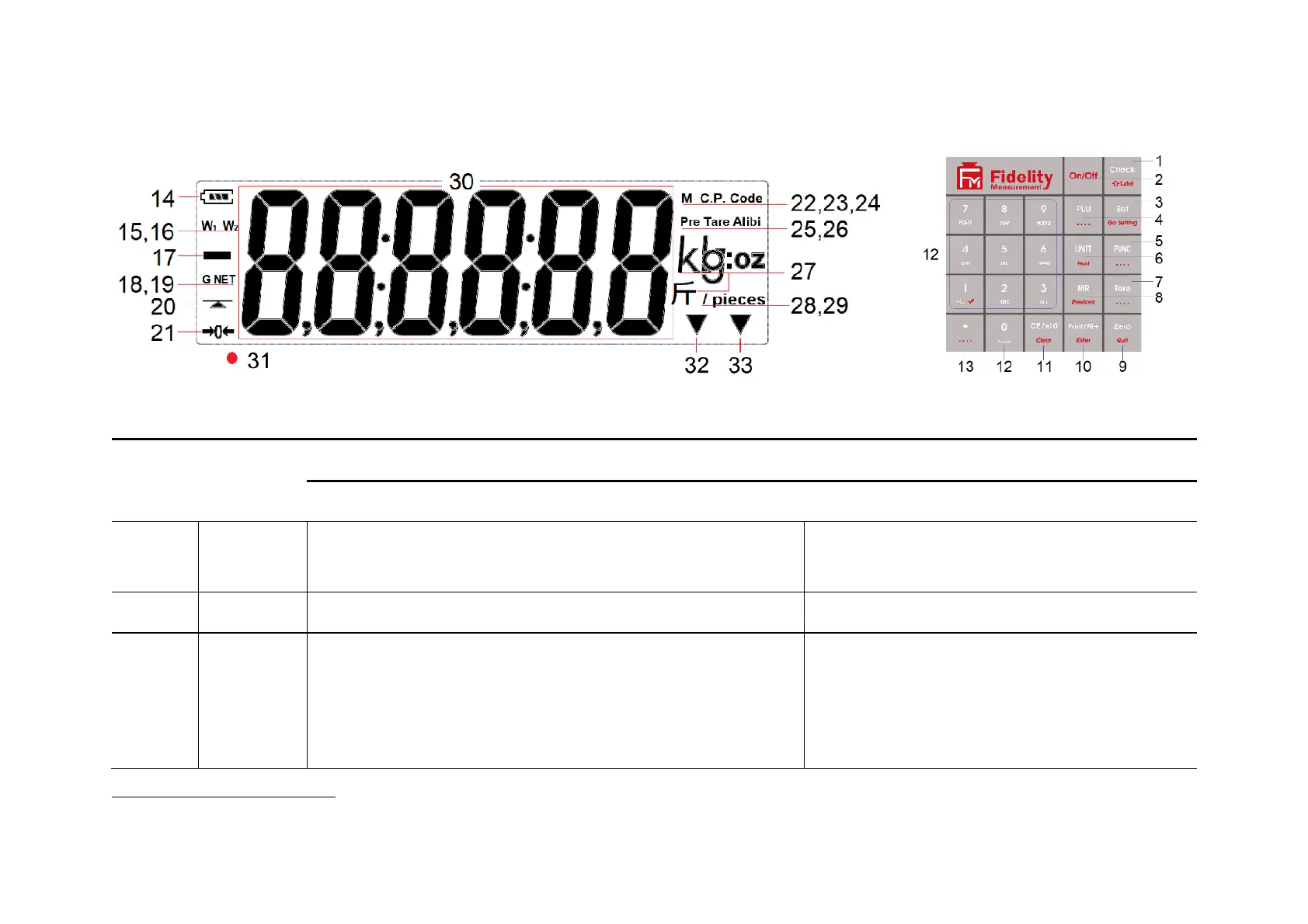
3 Panel & Keys
3.1 Key Board Description
Internal Function Setting
Short press = Starting inputting Lo and Hi limit under current
checking condition (in terms of weight or quantity).
Long press = To recall Lo and Hi limit from quick PLU.
Quick access to label settings.
Power this instrument on or off.
Quit without saving and power off.
When in Weighing mode: - to access internal function setting
mode (F1~F37) or to prompt/introduce an operation
parameter/value during piece count, auto tare accumulation, and
Animal Weighing mode.
During power-on countdown process: - to access internal function
mode (F1~F99)
1
.
Enter internal function during power on countdown
process.
Some internal function requests password or jumper to access



 To Next Page