FLEX-6000 Signature Series – Maestro User Guide
Copyright 2024 FlexRadio, Inc. All Rights Reserved. | Page 171
35.2.4 Power and Network Indicators – Maestro “A” and “B”
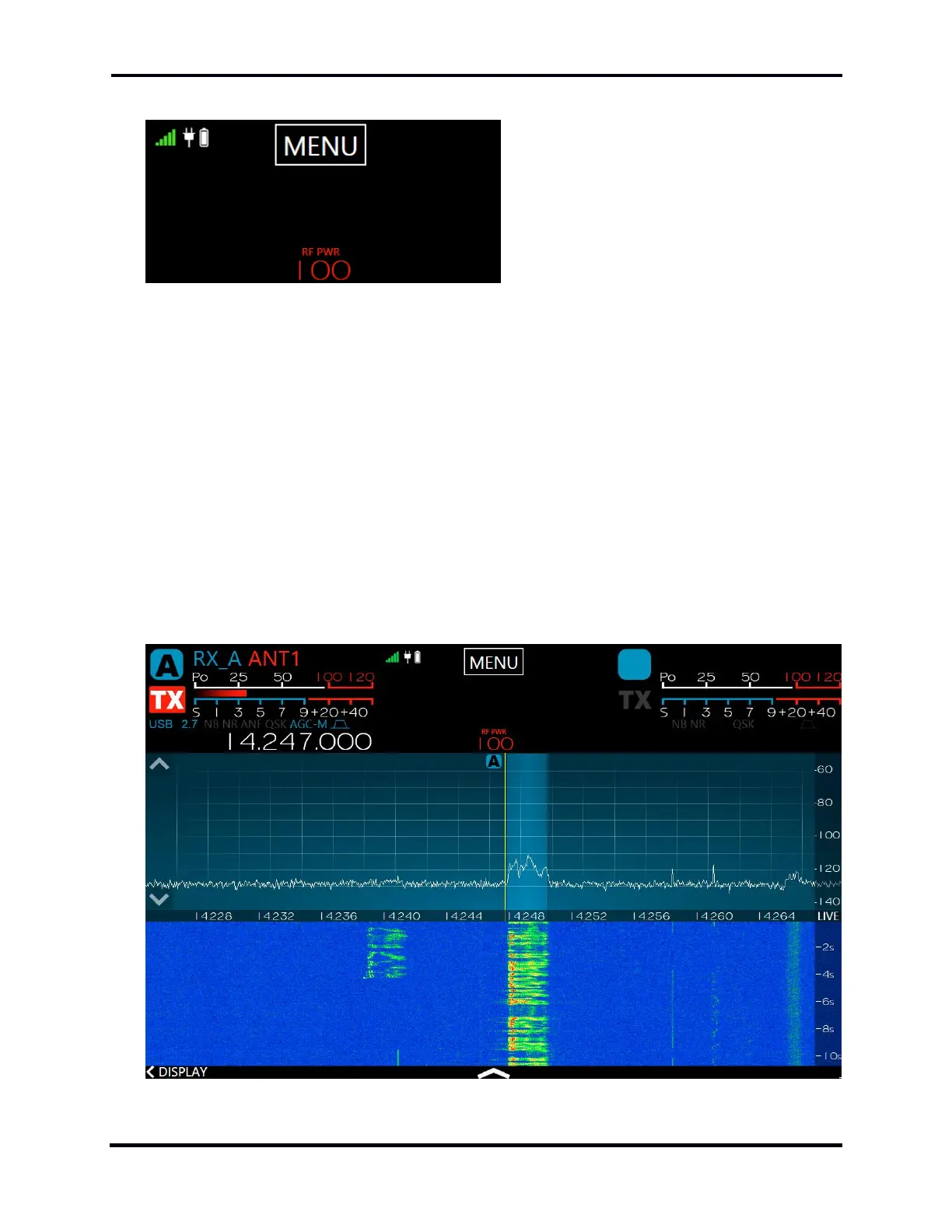
The center of the Maestro display’s upper bar features indicators showing the quality of the
network connection (wired or wireless), the power source in use (external 12VDC or battery), the
RF Power Amplifier output level, and a button to open the Main Menu. See section 33, Main Menu
for full details about the Main Menu.
Important Note: Maestro “A” models (those with serial numbers in the form xxxx-xxxx-0100-
xxxx) must be connected to DC power for 15 to 30 minutes every 4 to 6 weeks of non-use to
ensure that the internal display battery does not completely discharge. If the display battery
discharges, the Maestro will not boot, and a HelpDesk ticket will have to be opened to resolve
the issue.
Tapping the RF output level indicator opens the Transmitter Control Panel.
35.3 DISPLAY PANADAPTERS
35.3.1 Panadapter Definition



 To Next Page
 Loading...



