FLEX-6000 Signature Series – Maestro User Guide
Copyright 2024 FlexRadio, Inc. All Rights Reserved. | Page 186
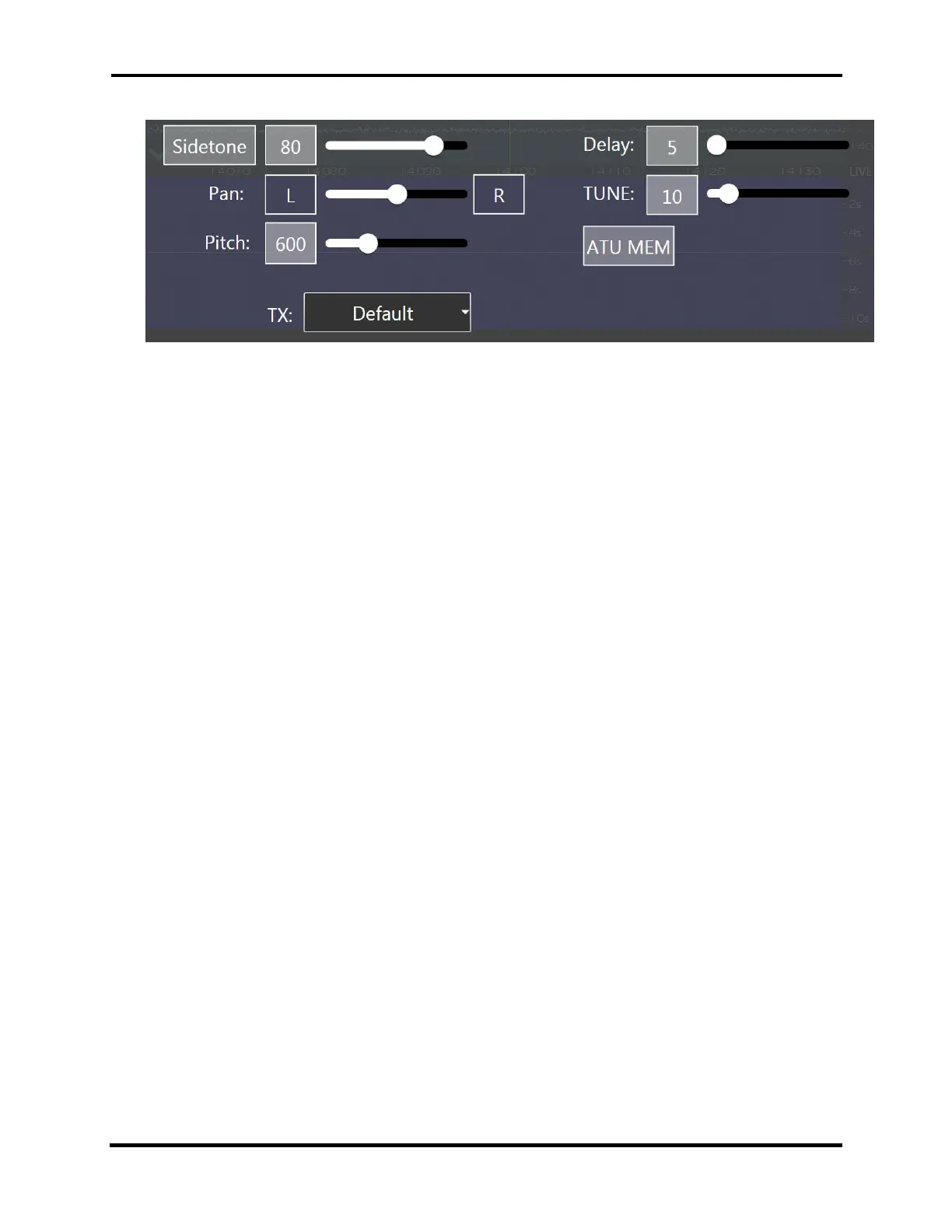
36.6.2 CW Mode Transmitter Control Panel
In the CW configuration, the transmitter control panel contains controls for:
Sidetone Button: Tapping this button enables or disables the CW Sidetone.
Sidetone Slider: Adjusts the volume (or amplitude) of the CW note. Moving the slider to
the right increases the volume. Moving the slider to the left decreases the volume.
Sidetone Pan Slider: Moving the Sidetone Pan Slider adjusts the sidetone from left to right
channel audio, for use with headphones or stereo speakers.
Pitch control: The pitch slider adjusts the pitch of the CW signal in 10Hz steps.
Delay Slider: Moving the control to the right increases the time delay in milliseconds (ms)
between the end of a keying element and the point in time when the radio transitions from
transmit to receive. This effectively controls the QSK characteristics of the radio, where a
value of 0ms is full-break QSK. Increasing this value will allow different degrees of QSK
(semi-break), such as listening between letters or words while sending.
Tune Pwr Slider: The Tune Pwr (Power) slider sets the output power level when TUNE is
enabled. Moving the slider to the right increases the RF power output. A value of 0 will not
produce any RF output. The scale, from 0 – 100 approximates RF output wattage.
ATU MEM button: When illuminated, this button turns on the ATU memories. See section
24, How to Operate the ATU for complete details.
TX Profiles: The operator may choose from a list of transmit profiles defined in the radio.
See section 16, How to Use Profiles for complete details.



 To Next Page
 Loading...



