FLEX-6000 Signature Series – Maestro User Guide
Copyright 2024 FlexRadio, Inc. All Rights Reserved. | Page 182
36.4 SLICE RECEIVER BANDWIDTH KNOBS
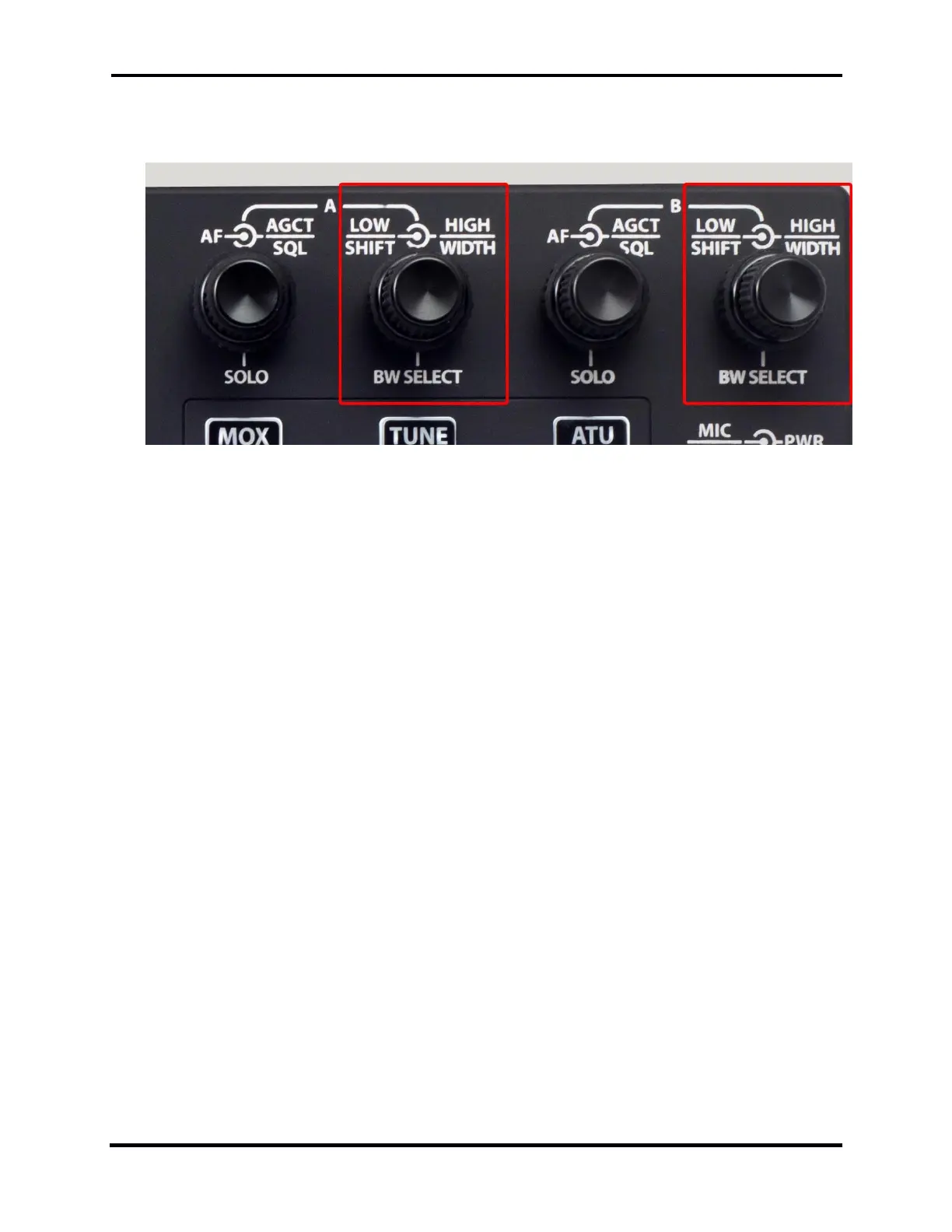
The Maestro front panel provides two sets of knobs for managing receive filters.
These multi-function knobs control the Slice Receiver filter lower and upper bounds and how they
are changed.
The controls operate in two modes, High/Low mode and Center/Width mode:
In High/Low mode, the inner knob controls the lower frequency bound of the filter and the
outer knob controls the upper frequency bound.
In Center/Width mode, the inner knob controls the center frequency of the filter and the
outer knob controls the width of the filter.
In both cases, pop-up displays show the filter edge and center values as they are changed.
Pressing the inner knob inward performs one of two functions:
A short press cycles the filter through the list of preset filters, appropriate to the Slice
Receiver’s mode.
A long press changes the knob mode from High/Low to Center/Width and back. When the
knob mode changes, the annunciator in the Slice Flag changes accordingly.



 To Next Page
 Loading...



