95
Limitorque MX Maintenance and Spare Parts FCD LMENIM2314-00 – 07/08
flowserve.com
5.2.1 Removal
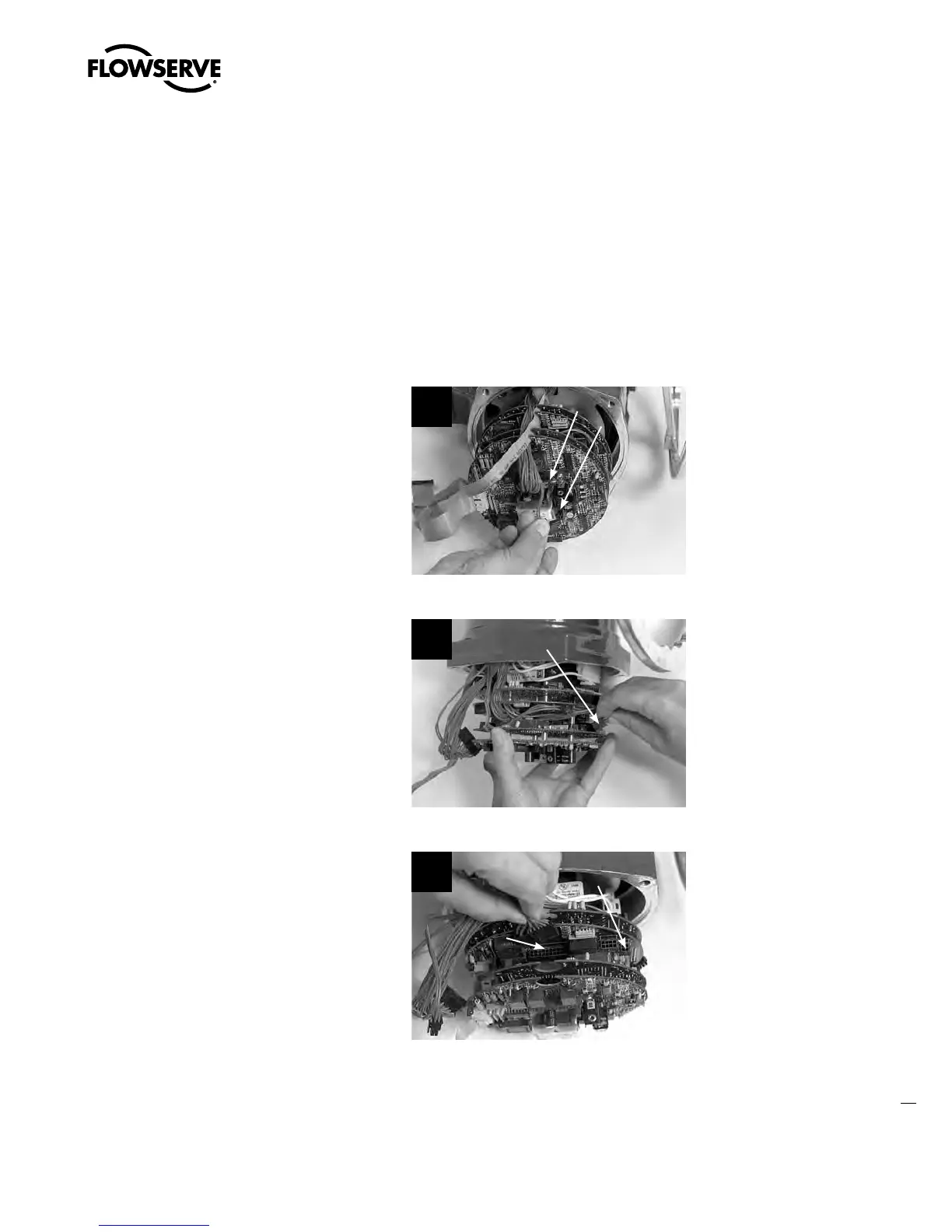
STEP 1
c
WARNING: Hazardous Voltage! Turn off all power sources to actuator before removing
control module assembly. Power sources may include main power or control power.
a
CAUTION: Potential to cause electrostatic damage to electronic components. Before
handling electronic components, ensure that you are discharged of static electricity by
briefly touching a grounded metal object.
If the I/O option board is installed, disconnect
wire harness plug P3 and P4.
1
P3
P4
STEP 2
If DDC board is installed, disconnect wire
harness plug P2.
2
P2
STEP 3
Disconnect wire harness plug P1 and P4 from
the main processor board.
3
P1
P4
Swanson Flo | 800-288-7926 | www.swansonflo.com









 To Next Page