Limitorque MX Maintenance and Spare Parts FCD LMENIM2314-00 – 07/08
120
5.9 MX Terminal Block (Supplied With Most
Actuators Since March 2007)
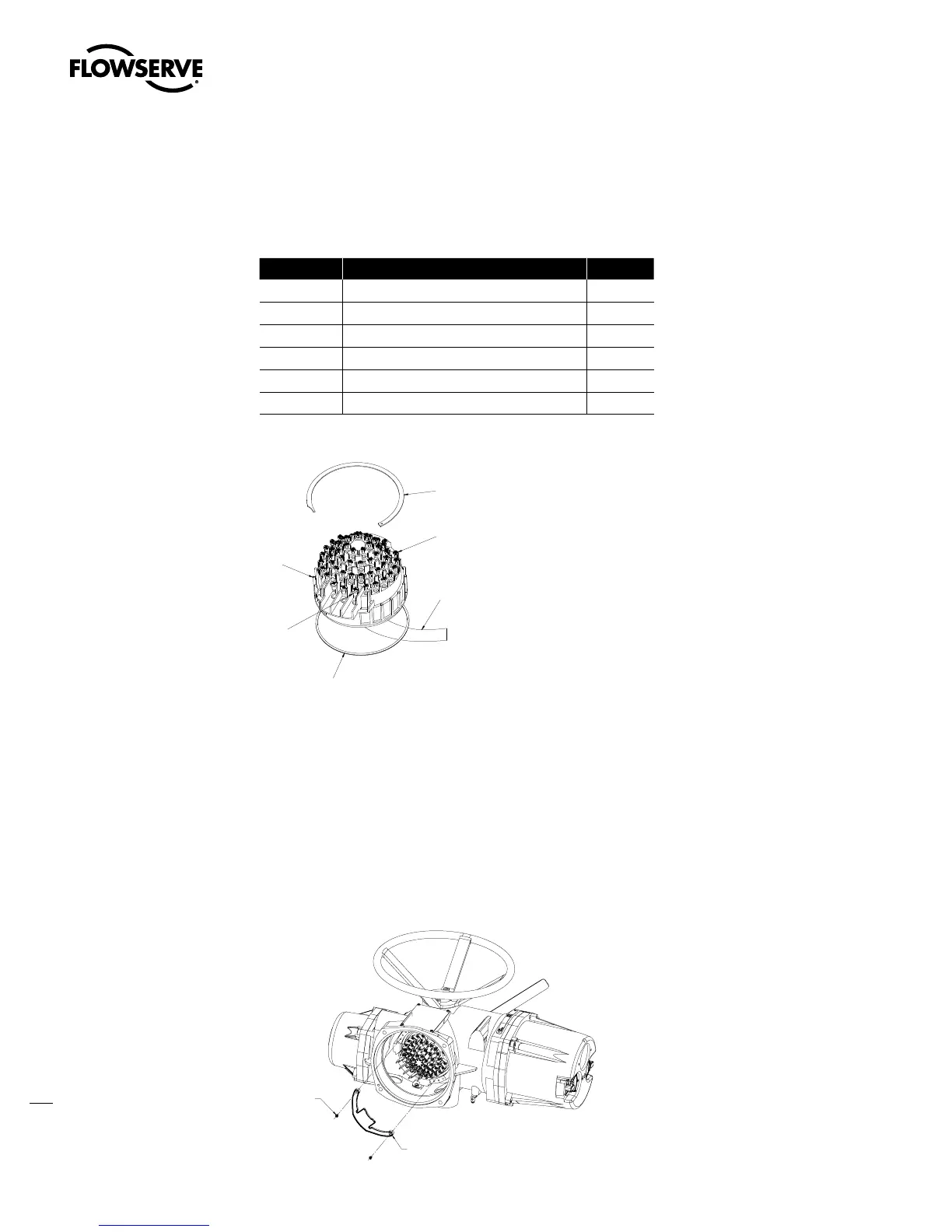
Table 5.7 – Terminal Block Parts List
Part Number Description Qty.
1-20 O-ring 1
1-21 Retaining ring 1
8-15 Terminal block 1
8-16 Self-lock combo head screw (M3x5) 52
8-17 Self-lock combo head screw (M5x8) 3
8-20 Control wiring harness 1
Figure 5.13 – Terminal Block
5.9.1 Terminal Block Shield Installation
STEP 1
Remove terminal block cover.
STEP 2
Use Qty of 2 screws from terminal block or from end users bag to attach shield.
STEP 3
Remount terminal block cover/
Figure 5.14 – Terminal Block Shield
M3 X 5 SELF LOCK SCREW
USE QUY. OF TWO (2)
TO MOUNT SHIELD.
USE 2 SCREWS FROM
TERMINAL BLOCK OR
FROM END USERS BAG.
SHIELD-TERMINAL BLOCK
Swanson Flo | 800-288-7926 | www.swansonflo.com









 To Next Page