51
Limitorque MX Maintenance and Spare Parts FCD LMENIM2314-00 – 07/08
flowserve.com
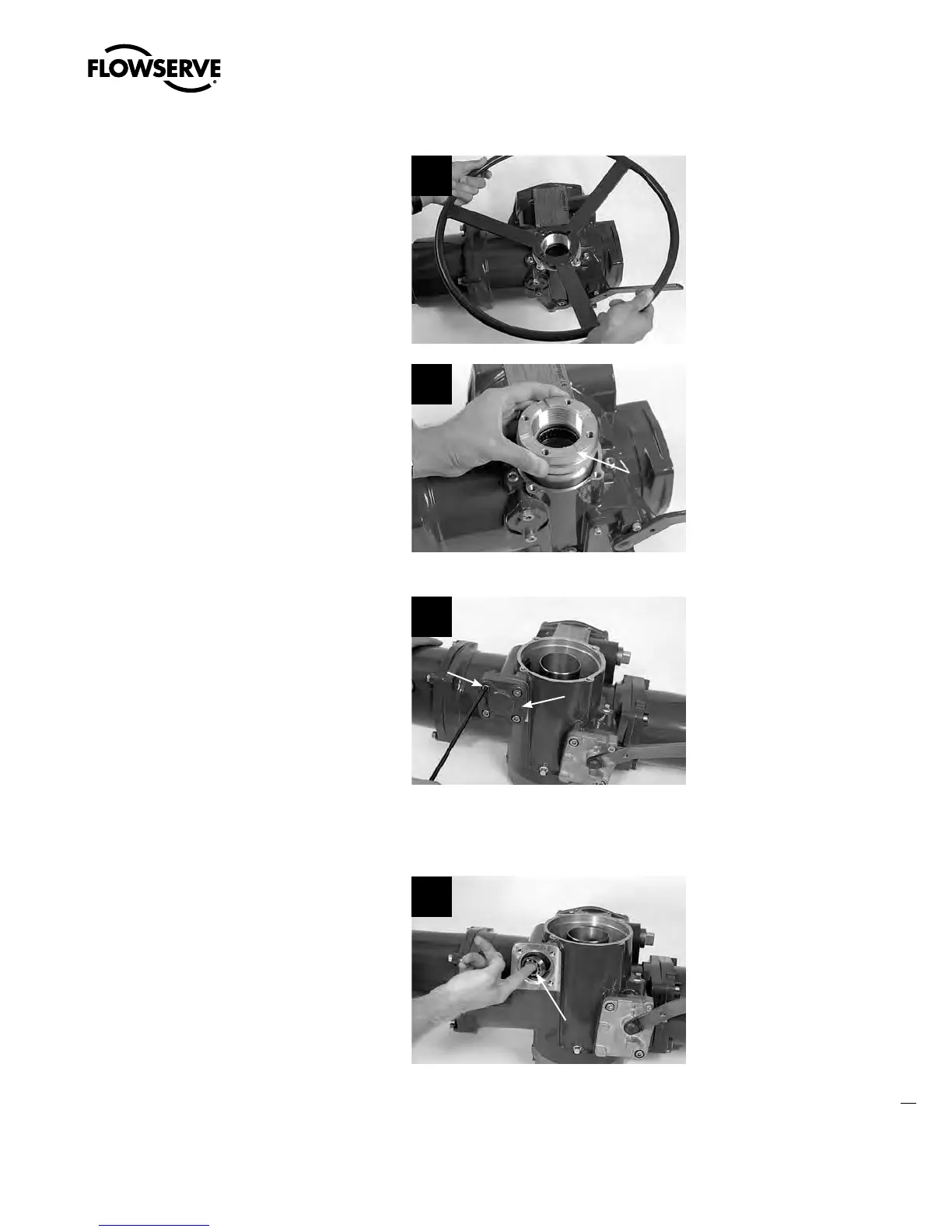
STEP 2
Remove top-mounted handwheel assembly
(#1) and handwheel adapter assembly (#12-1)
using disassembly instructions detailed in
Sections 4.3.1 and 4.13.1 respectively.
2a
2b
12
STEP 3
Using a 6 mm hex key, remove the M8 screws
(#13-9) from the handwheel worm shaft cap
(#13-2).
3
13-2
13-9
4.6.2 Installing Side-Mounted Handwheel
STEP 4
Install bearing (#13-8) from side-mounted
handwheel adapter kit into the actuator
housing.
MX-10, -20 and -40: the bearing is a slip fit into
the housing.
MX-85, -140, and -150: the bearing is a press
fit into the housing.
4
13-8
Swanson Flo | 800-288-7926 | www.swansonflo.com









 To Next Page