33
Limitorque MX Maintenance and Spare Parts FCD LMENIM2314-00 – 07/08
flowserve.com
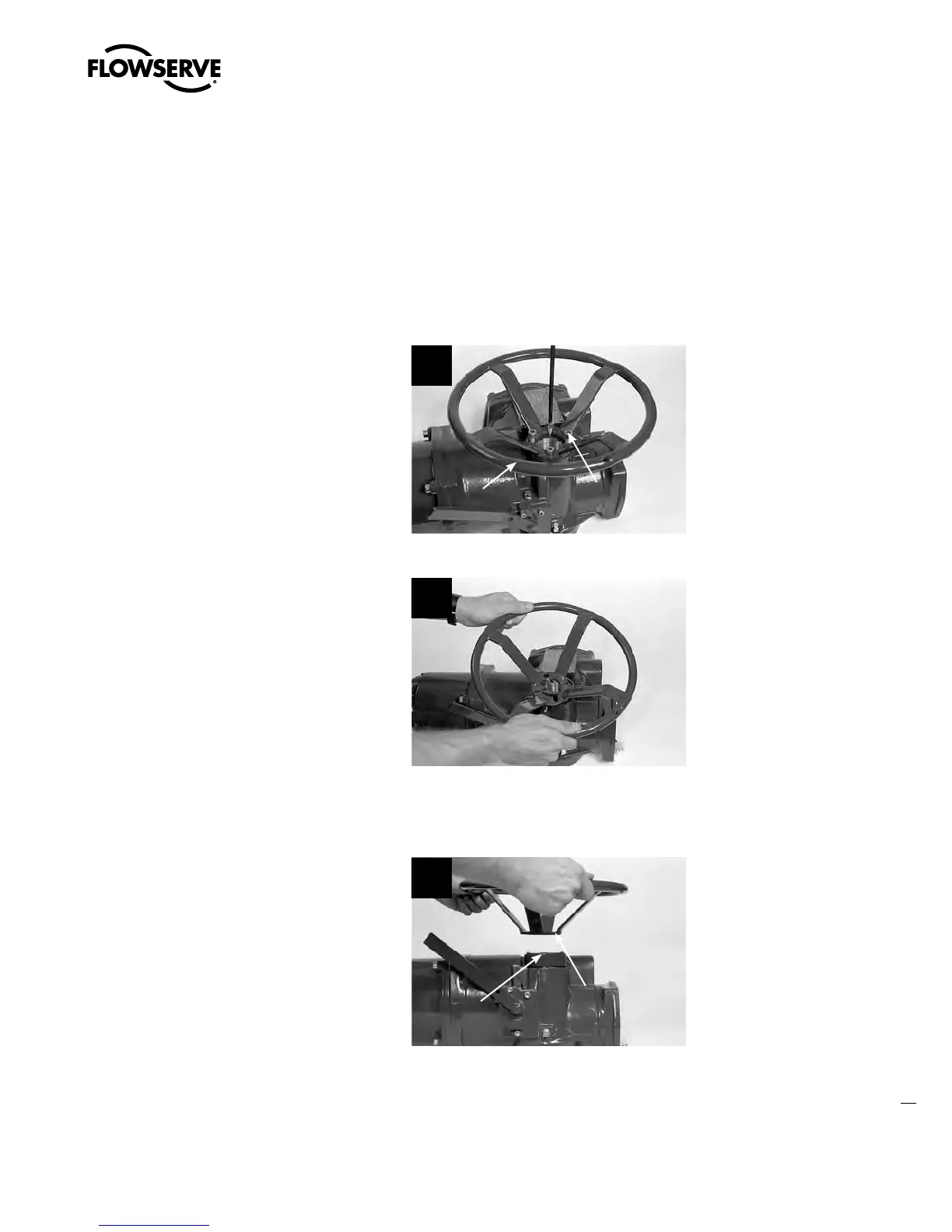
4.3.1 Removal
STEP 1
c
WARNING: Potential to operate while dangerous mechanical parts are exposed during
subassembly removal. To prevent injury, turn off all power sources to actuator before
removing top-mounted handwheel assembly. Power sources may include main power
or control power.
Using a 6 mm (MX-05 and -10) hex key or
8 mm (MX-20 and -40) hex key, remove the
four screws (#1-11) that secure the handwheel
(#1-8) to the handwheel adapter assembly
(#1-1).
1
11-1
1-8
STEP 2
Lift the handwheel (#1-8) off the handwheel
adapter (#1-1).
2
4.3.2 Remounting
STEP 3
Install handwheel (#1-8) onto handwheel
adapter assembly (#1-1).
3
1-8
1-1
Swanson Flo | 800-288-7926 | www.swansonflo.com









 To Next Page