Limitorque MX Maintenance and Spare Parts FCD LMENIM2314-00 – 07/08
106
STEP 5
Position the power assembly over the three
mounting screw heads (#1-45). Rotate the
subassembly in the clockwise (CW) direction
until all three screws are seated in the key
slots. (The keyhole slots in the mounting plate
(#8-1) are spaced in such a way that the control
module assembly will mount in only one
position).
Tighten the three screws (#1-45) with a 3 mm
hex key.
5
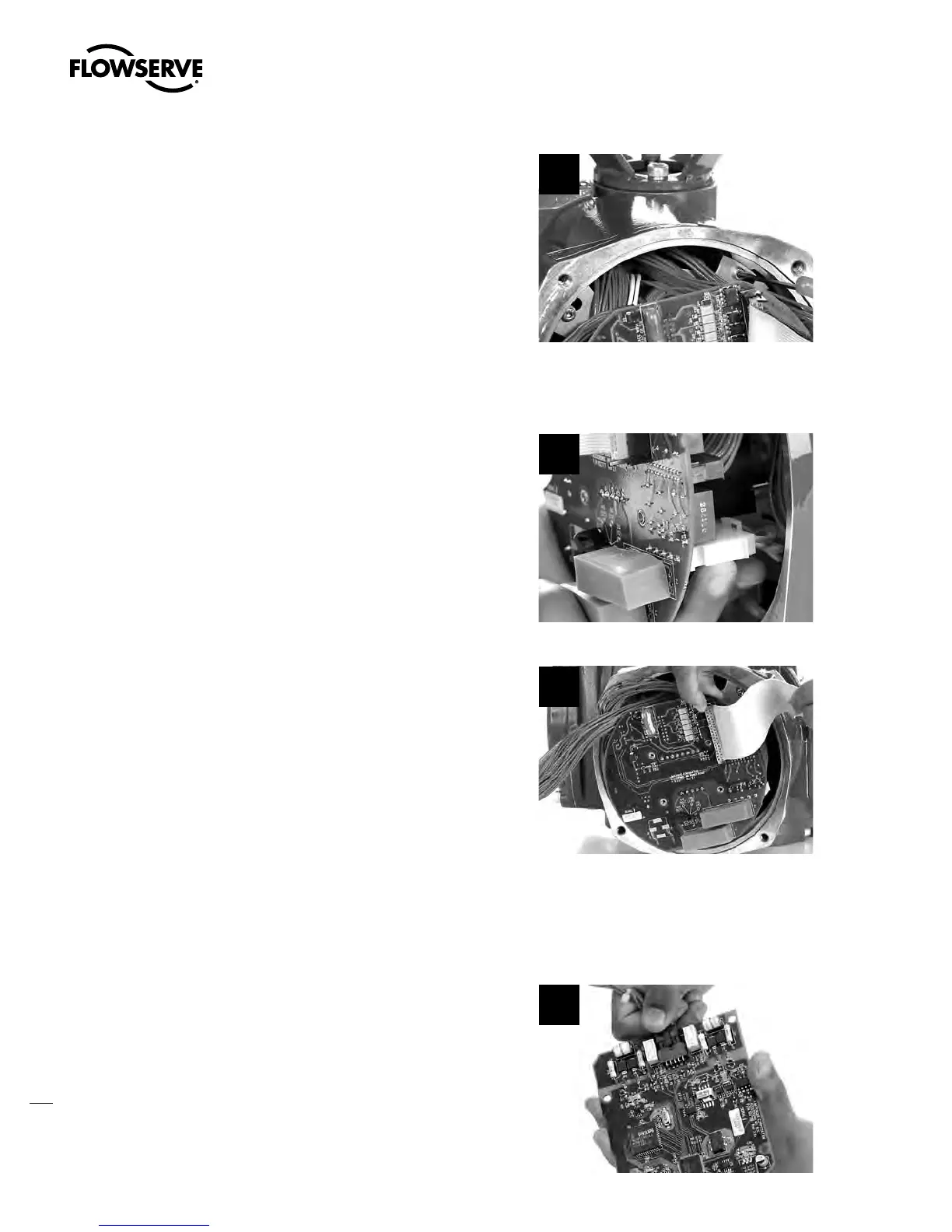
STEP 6
Connect the AMP power connector to the fuse
section on the power board (P1).
6
STEP 7
Connect the 10-pin encoder ribbon cable to
plug P3 on the Main/LCS processor board.
Align the polarization plug with the slot in the
center of connector J1.
7
STEP 8
Connect the 4-pin Molex harness to plug P4 on the Main/LCS processor board.
STEP 9
If DDC, F
o u n d a t i o n Fieldbus H1 or PROFIBUS
DP/PA board is installed, stack the network
board onto the Main/LCS board (or I/O option
board) assuring proper mating of the board-
to-board connector P1. Connect 10-pin Molex
harness to plug P2 on these boards (network
processor board).
9
Swanson Flo | 800-288-7926 | www.swansonflo.com









 To Next Page