94
9-4. Tally System Settings
The Tally System Settings page allows you to set tally control settings.
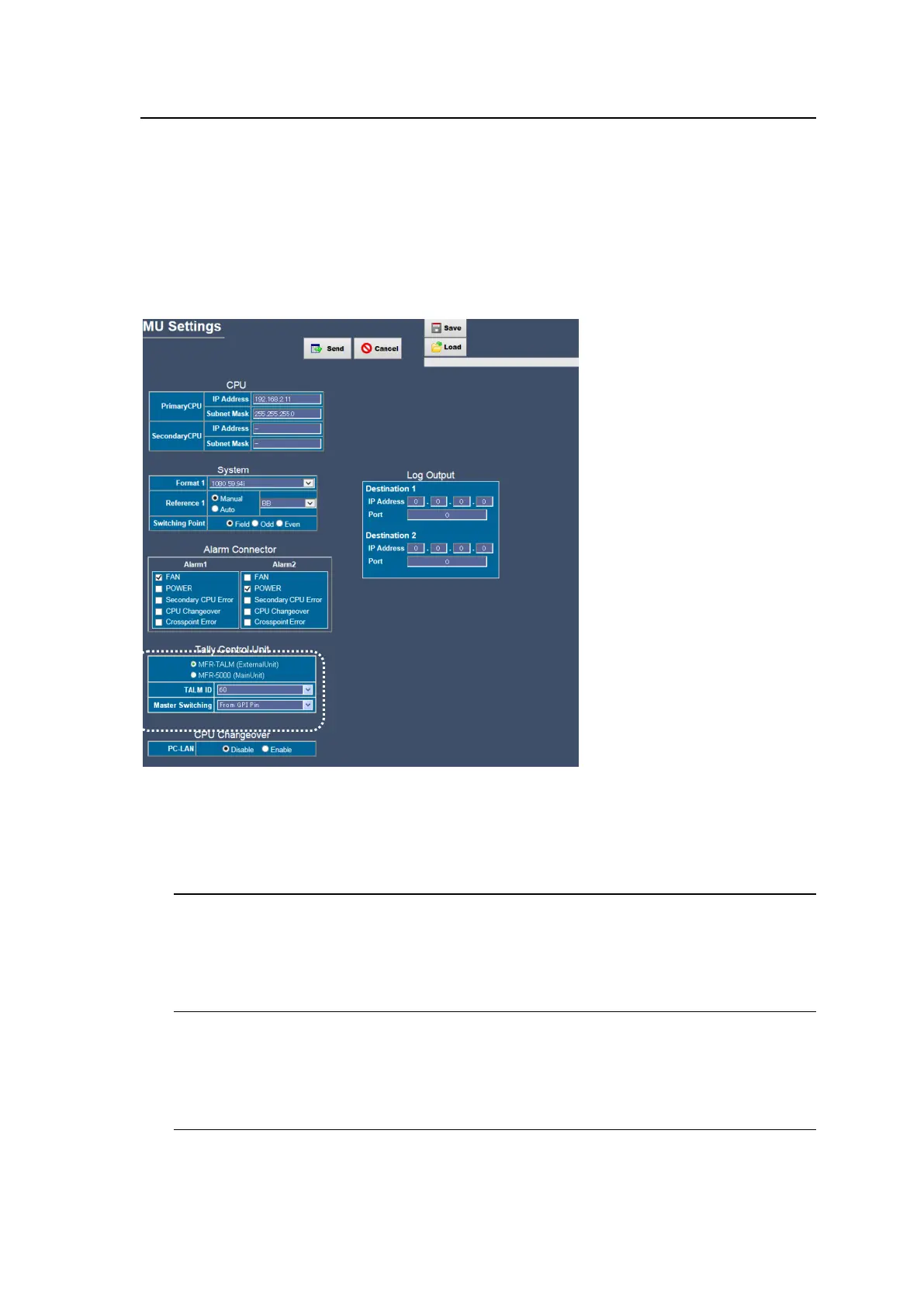
Before using an MFR-TALM unit for tally control, login to the Main Unit Web-Based Control, open
the MU Settings page and select MFR-TALM under Tally Control Unit. (See Sec. 5-2. "MU
Settings.") Then, login to the MFR-TALM Web-based Control, open the Tally System Setting
page and set tally control settings.
Note that once MFR-TALM is set to Tally Control Unit, the Tally System Setting page in the Main
Unit Web-based Control is disabled.
MFR-5000/8000
To use the Main Unit for tally control, tally control settings should be done in the Tally System
Setting page in the Main Unit Web-based Control.
Note that the Tally System Setting page in the Main Unit and the same page in the MFR-TALM unit
have almost the same structure, however, they are set and saved independently.
9-4-1. Assign Tally
The Assign Tally page allows you to set tally colors.
See Sec. 4-2-1. "Assign Tally" for details.
9-4-2. Source Connection
The Source Connection page allows you to group source signals.
See Sec. 4-2-2. "Source Connection" for details.
9-4-3. Re-entry
The Re-entry page allows you to set the connection relation settings when a signal output
from the system is re-input to the system.
See Sec. 4-2-3. "Re-entry" for details.



 To Next Page
 Loading...